> ## Documentation Index
> Fetch the complete documentation index at: https://docs.caplena.com/llms.txt
> Use this file to discover all available pages before exploring further.
# Net Sentiment Score
> How to Interpret and Visualize Net Sentiment in Caplena
The Net Sentiment Score is a key metric used to measure the overall sentiment of your text data. Each comment is classified as positive, negative, or neutral based on its content and the topics assigned to it.
This classification follows the same principles as the Net Promoter Score (NPS), providing a simple and effective way to understand the general sentiment of your feedback.
## How Is the Net Sentiment Score Calculated?
The formula is simple:
> **Net Sentiment Score = % Positive – % Negative**
This results in a score ranging from:
* **+100** → all responses are positive
* **0** → equal balance between positive and negative
* **–100** → all responses are negative
🟢 A **higher score** indicates more positive feedback\
🔴 A **lower score** suggests a predominance of negative sentiment
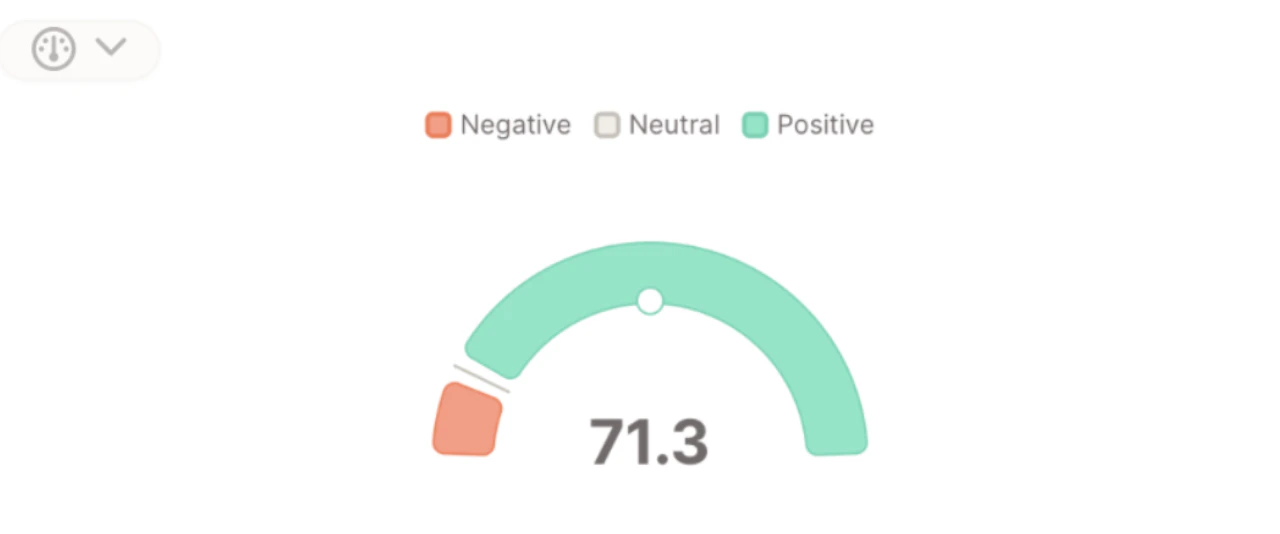 In the screenshot shown above:
* **84.5%** of comments are classified as **positive**
* **13.2%** are **negative**
So the Net Sentiment Score is:
> **84.5 – 13.2 = 71.3**
## Visualizing Net Sentiment
There are **two ways to visualize** Net Sentiment in Caplena using Insight Elements:
### 1. **Net Sentiment (Gauge + Summaries)**
In the screenshot shown above:
* **84.5%** of comments are classified as **positive**
* **13.2%** are **negative**
So the Net Sentiment Score is:
> **84.5 – 13.2 = 71.3**
## Visualizing Net Sentiment
There are **two ways to visualize** Net Sentiment in Caplena using Insight Elements:
### 1. **Net Sentiment (Gauge + Summaries)**
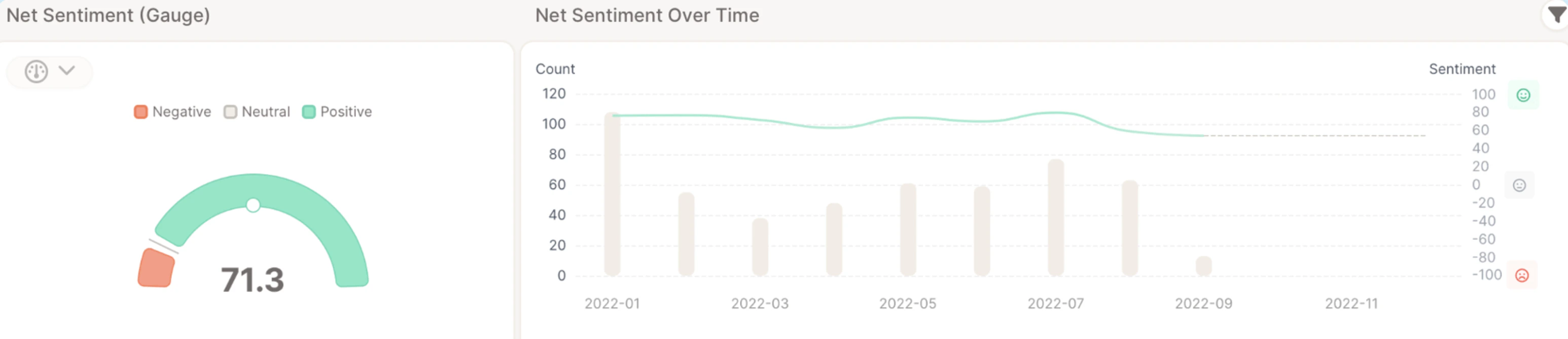 No date variable required
This view shows:
* A **gauge** displaying the current score
* An **AI-generated Positive Sentiment Summary**
* An **AI-generated Negative Sentiment Summary**
Best for one-time reports, dashboard overviews, and highlighting what customers like or dislike.
### 2. **Net Sentiment Over Time**
No date variable required
This view shows:
* A **gauge** displaying the current score
* An **AI-generated Positive Sentiment Summary**
* An **AI-generated Negative Sentiment Summary**
Best for one-time reports, dashboard overviews, and highlighting what customers like or dislike.
### 2. **Net Sentiment Over Time**
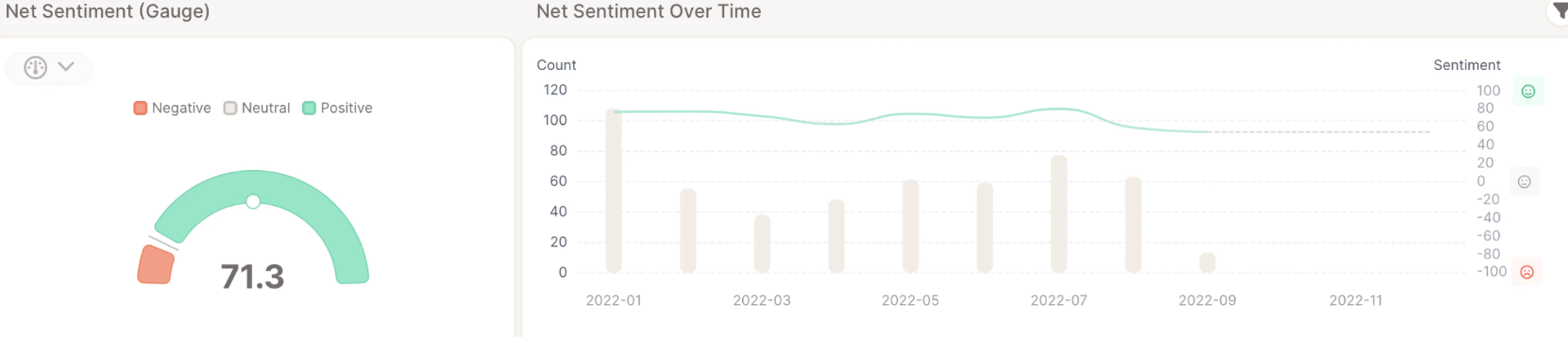 Date variable required
This view includes:
* A **gauge** displaying the current score
* A **line chart** showing how sentiment changes over time
Best for tracking sentiment development over time or identifying turning points in customer perception.
## Choosing the Period for the Gauge
For both views, you can control which period the **gauge** (and any sentiment summary number) reflects using the **Displayed timeframe** option:
* **Most recent period** *(default)* – the gauge shows net sentiment for the most recent time bucket in the report's date range. Use this when the headline should track the latest state of sentiment.
* **Entire period** – the gauge shows net sentiment averaged across the full date range. Use this for a stable benchmark.
The line chart in *Net Sentiment Over Time* is unaffected by this setting — it always shows sentiment across every period in the report's date range. See [Insight Elements – General Overview & Settings](/insight-and-reports/getting-started-with-insight-elements/insight-elements-general-overview-settings) for more on displayed timeframe.
## Use Cases
Use the Net Sentiment Score to:
* Benchmark overall customer sentiment
* Track emotional tone over time (with date variable)
* Supplement or replace metrics like NPS or CSAT
Date variable required
This view includes:
* A **gauge** displaying the current score
* A **line chart** showing how sentiment changes over time
Best for tracking sentiment development over time or identifying turning points in customer perception.
## Choosing the Period for the Gauge
For both views, you can control which period the **gauge** (and any sentiment summary number) reflects using the **Displayed timeframe** option:
* **Most recent period** *(default)* – the gauge shows net sentiment for the most recent time bucket in the report's date range. Use this when the headline should track the latest state of sentiment.
* **Entire period** – the gauge shows net sentiment averaged across the full date range. Use this for a stable benchmark.
The line chart in *Net Sentiment Over Time* is unaffected by this setting — it always shows sentiment across every period in the report's date range. See [Insight Elements – General Overview & Settings](/insight-and-reports/getting-started-with-insight-elements/insight-elements-general-overview-settings) for more on displayed timeframe.
## Use Cases
Use the Net Sentiment Score to:
* Benchmark overall customer sentiment
* Track emotional tone over time (with date variable)
* Supplement or replace metrics like NPS or CSAT