
Another way to import data into Caplena is by using direct integrations with external platforms such as Google Maps, Trustpilot, Tripadvisor, Qualtrics, and more.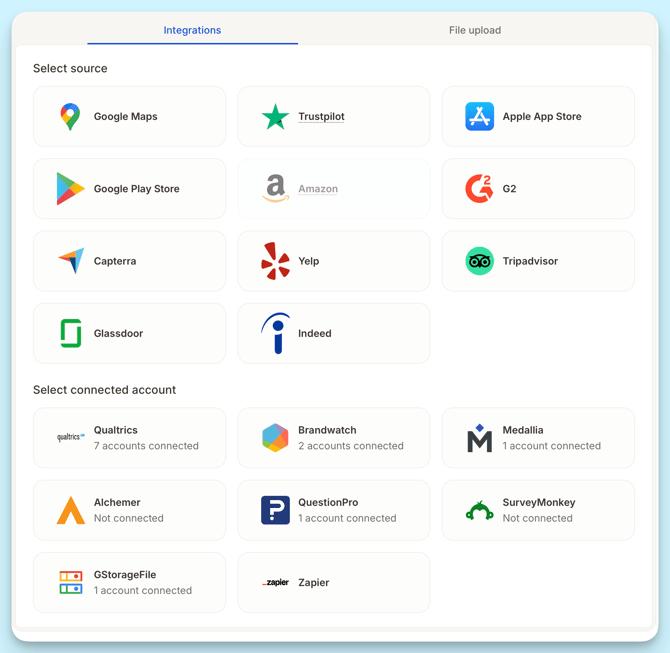
To make integrations easier to understand and manage, it helps to distinguish between review platforms and connected accounts, as well as how data is structured and synchronized.
How integrations work in Caplena
Each integration in Caplena consists of one or more integration items.
You can think of integration items as the specific resources you want to analyze, such as:
-
Reviews for a specific location on Google Maps
-
Reviews for an app in an App Store
-
Survey responses from a connected survey project
Example:

If you want to compare three retail locations:
-
You create a Google Maps integration
-
Within that integration, you add 3 integration items as shown above
-
Caplena combines the data from these integration items into a single project, allowing you to analyze them together.
One integration can contain many integration items.
Syncing Data Automatically
A key benefit of using integrations is automatic synchronization. Caplena supports two types of sync cycles depending on the integration used:
Review Platforms (public review sources)
→ Synced every 3 days
This applies to platforms where Caplena collects publicly available ratings and written reviews (e.g. Google Places, Trustpilot, App Store, etc.).
If a sync runs today, the next one happens in three days, at which point all reviews posted within that period are imported in one batch.
Connected Accounts (authenticated data connections)
→ Synced daily
Includes sources where you connect your account directly via login/API. These sync once per day at 2 am UTC and pull in new reviews or survey results continuously.
You can turn synchronization off anytime from the Data Sources page by toggling it off in the integration item settings. If you have a lot of items, you can also do this in bulk now.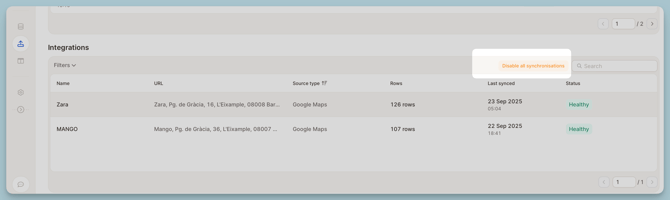
Billing & credits
-
Integrations themselves do not incur extra fees
-
Imported texts cost 1 credit per text, just like any other upload
-
Credits are only deducted when the project is saved
With synchronization enabled:
-
Credits are deducted automatically as new data is imported
-
Caplena provides an estimate of the number of reviews per integration item before the initial upload
💡 Example:
3 Google Maps locations with ~1,000 reviews each → 3,000 credits (initial import)
If daily sync adds 10 new reviews per location → 30 credits per day
What to read next:
-
Review Platforms
Learn which public review sources are supported and what data is imported. -
Connected Accounts
Learn how authentication, account management, permissions, and syncing work.