> ## Documentation Index
> Fetch the complete documentation index at: https://docs.caplena.com/llms.txt
> Use this file to discover all available pages before exploring further.
# Credits
> Understand how Caplena Credits work
Credits are Caplena's internal currency. You use them to pay for AI-powered analyses and features within the platform.
## How credits are used
All compute-heavy, AI-powered actions consume credits. The main actions are:
**Analyzing open-ends** - Each text entry (one cell in your uploaded file) costs 1 credit per selected text-to-analyze (TTA) column. You're only charged for the columns you selected to analyze.
**What's free?**
* Columns you don't select for analysis (ratings, demographics, segments)
* Empty cells
* Cells with defined dummy values (like "N/A" or "-")
**When are credits charged?** Credits are charged immediately upon upload, based on your selected TTA columns. You'll always see a preview of how many credits will be used before confirming.
## Free re-analysis runs
Every project includes a number of free AI topic re-assignments depending on your plan. You can:
* Re-run the entire analysis (full run), or
* Make smaller updates like adjusting or reassigning individual topics (partial run)
Partial runs only count proportionally toward your free quota.
**What happens after the free runs?** If you exceed your included AI Topic LLM runs, additional usage is charged at **0.2 Credits per processed row**:
> Example: If a topic run processes 1,000 rows, the overage cost is **200 credits** (1,000 × 0.2).
## LLM Smart Columns
Most plans come with a free quota of Smart Column runs. Once your free quota is used up, each computed row costs **0.1 credits**.
## What if I make a mistake?
* Every account includes built-in **demo projects** that don't consume credits
* For accidental uploads, Caplena is happy to reimburse credits (translation fees may be excluded)
* For testing, upload small sample datasets first
## Tracking your credit usage
Monitor your credit balance anytime on your [Account Page](https://app.caplena.com). Need help? Contact support.
### Purchasing more credits
* **Agency & Enterprise plans**: Go to **Settings → Billing** to purchase additional credits directly.
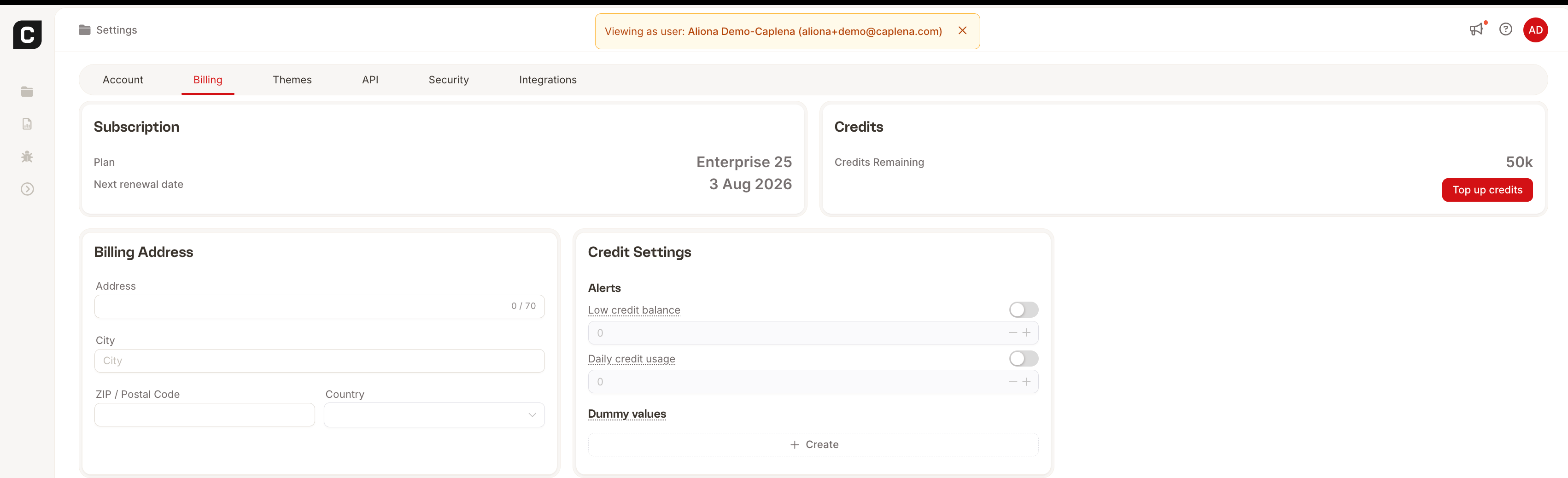 * **Team plan**: Reach out to [sales@caplena.com](mailto:sales@caplena.com) to add credits to your plan.