> ## Documentation Index
> Fetch the complete documentation index at: https://docs.caplena.com/llms.txt
> Use this file to discover all available pages before exploring further.
# Topic Assignment History
> Easily revert topic assignments or structure to any point from the past 60 days
Caplena now gives you the ability to jump back to any previous state of your topic assignment and topic collection, perfect for undoing changes or comparing versions after running a new AI analysis.
## What is Topic Assignment History?
It's a feature that lets you restore your project to any point in time from the past **60 days**. You can:
* Revert accidental changes
* Compare results before/after an AI run
* Restore a specific version of your topic collection
## Where to Find It
Go to your project's **Topic Assignment** page → click on **History** (top-right corner).
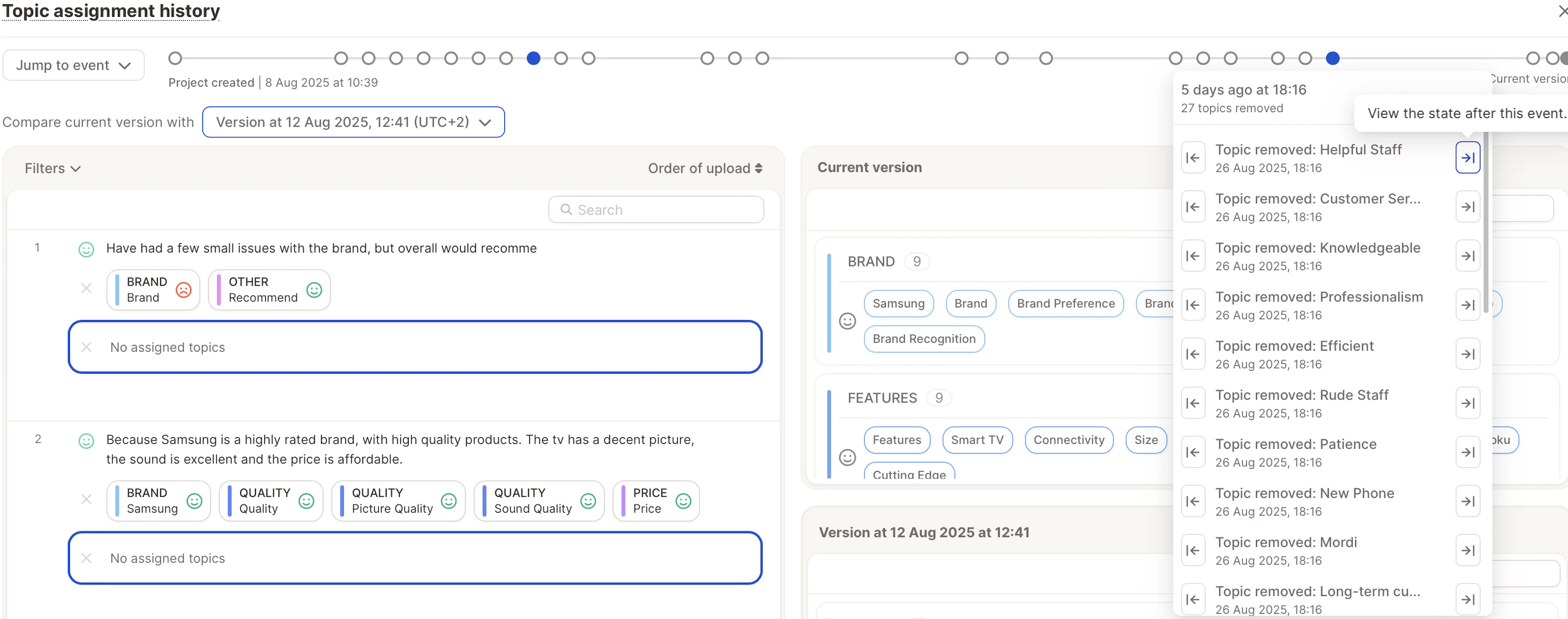
.gif?s=00c3550849e23ca4bcb4e2aa65dc7506) You'll see a timeline of all major changes:
* Topics created, renamed, or deleted
* AI reassignments
* Manual edits
* Edits made by the [Topic Critique Agent](/insight-and-reports/insight-agent/topic-critique-agent)
Topics that were edited by the Topic Critique Agent are marked with a **sparkles badge** in the version history view, so you can tell agent-driven changes apart from your own manual edits and standard AI reassignments. Topics changed by any other source use the standard "changed" badge.
## Jump to a Version
You have two ways to go back in time:
**From the Event Log**: Select any listed event and choose:
* *Just before* the event, or
* *Just after* the event
You'll see a timeline of all major changes:
* Topics created, renamed, or deleted
* AI reassignments
* Manual edits
* Edits made by the [Topic Critique Agent](/insight-and-reports/insight-agent/topic-critique-agent)
Topics that were edited by the Topic Critique Agent are marked with a **sparkles badge** in the version history view, so you can tell agent-driven changes apart from your own manual edits and standard AI reassignments. Topics changed by any other source use the standard "changed" badge.
## Jump to a Version
You have two ways to go back in time:
**From the Event Log**: Select any listed event and choose:
* *Just before* the event, or
* *Just after* the event
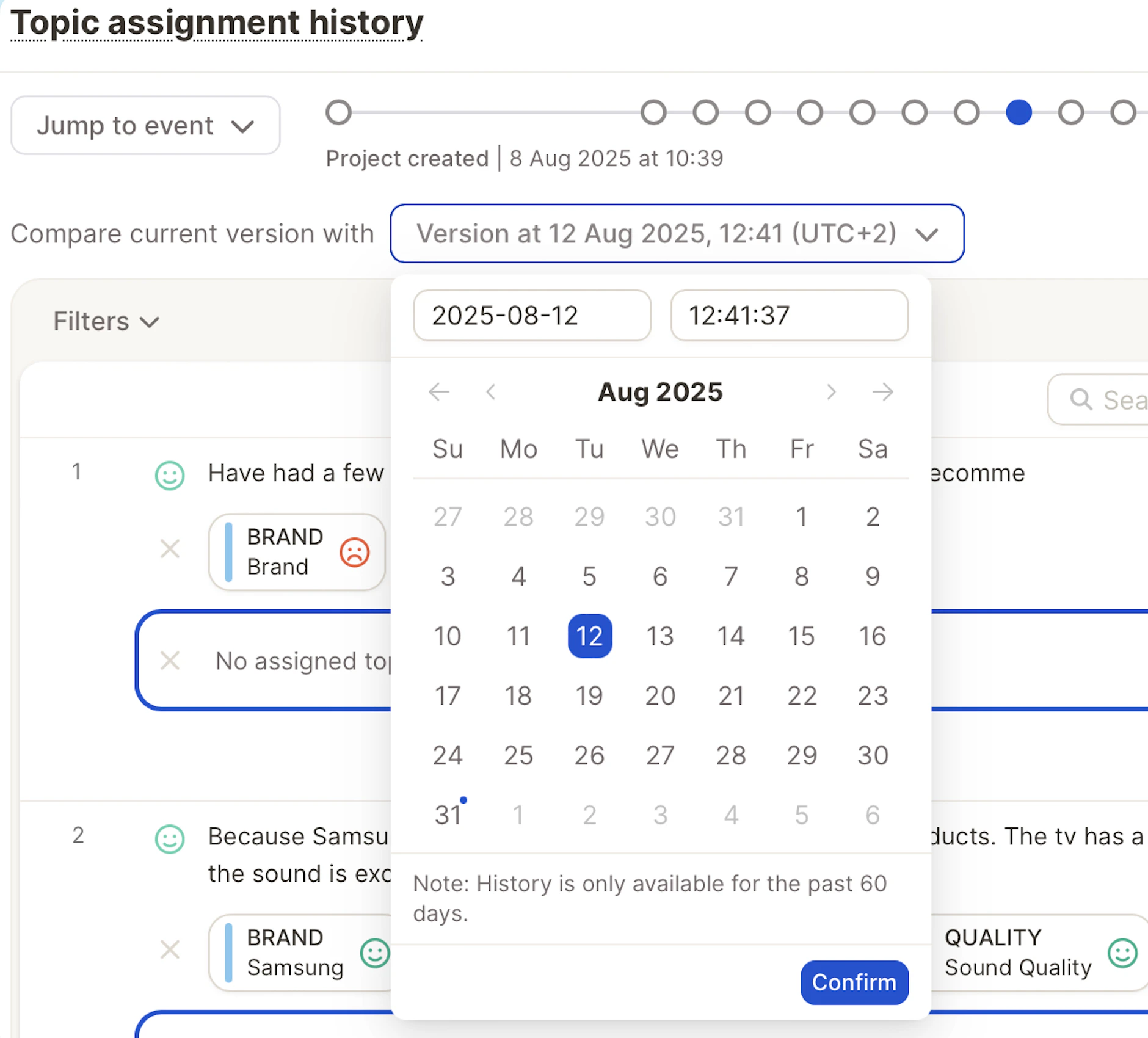
 **By Manual Time Entry**: Enter a custom date & time, down to the second, and restore that exact version.
 ## Preview Before You Restore
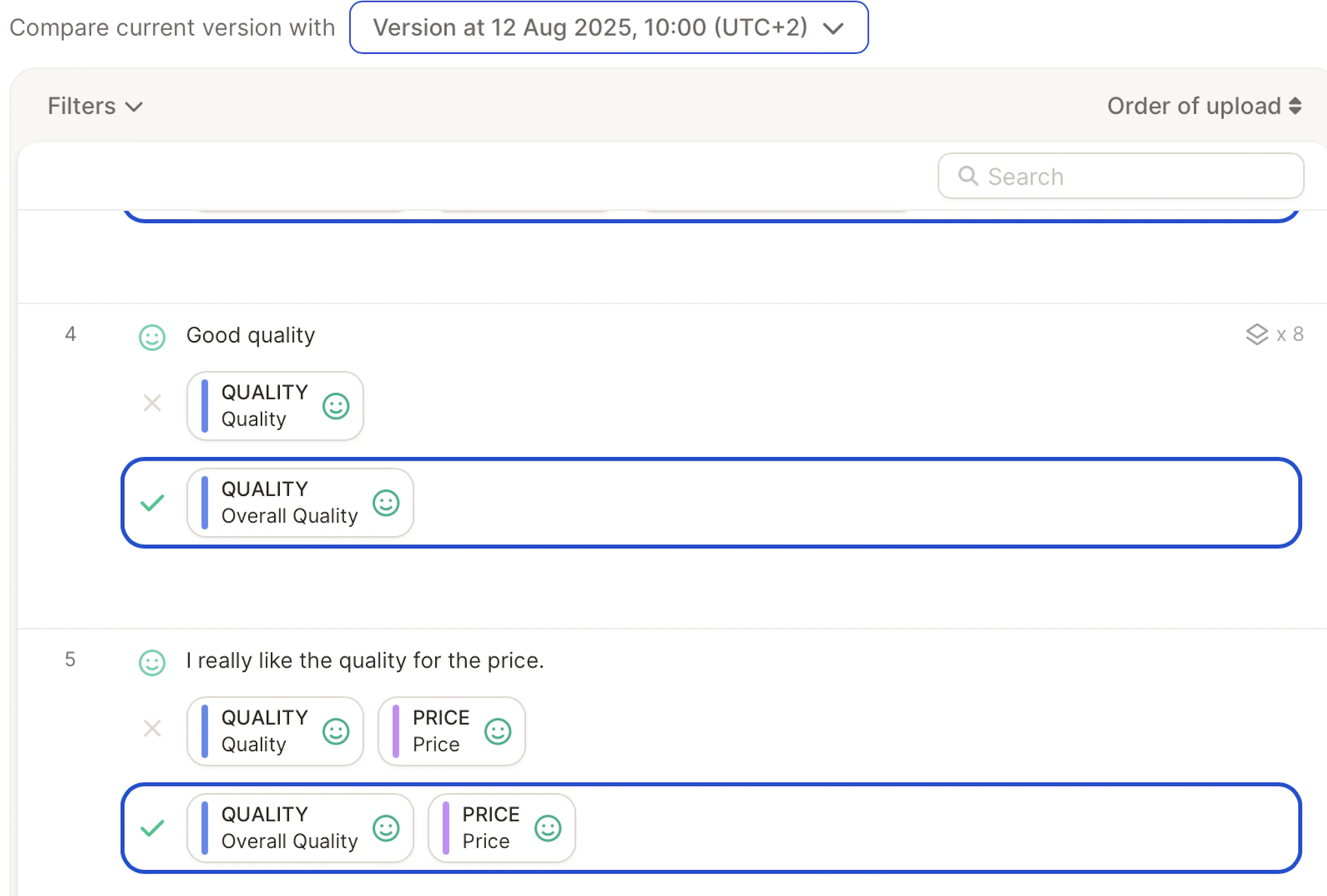
Before confirming, you'll see a preview:
* What topics existed then vs. now
* How assignments looked at that point
* Any renames or deletions highlighted
## Preview Before You Restore
Before confirming, you'll see a preview:
* What topics existed then vs. now
* How assignments looked at that point
* Any renames or deletions highlighted
 ## Things to Keep in Mind
* The history log is kept for **60 days**.
* Restoring a previous version does **not** delete any current data — it just rolls back the topic structure.
* You can use this feature as "version control" for your topic collection.
## Things to Keep in Mind
* The history log is kept for **60 days**.
* Restoring a previous version does **not** delete any current data — it just rolls back the topic structure.
* You can use this feature as "version control" for your topic collection.