

Google Maps
Caplena accepts two valid ways to identify a Google Maps location:Option A: Google Place ID
You can find the Place ID using Google’s official tool: https://developers.google.com/maps/documentation/javascript/examples/places-placeid-finder Search for your location, click on it, and copy the Place ID shown below the name.Option B: Fully Qualified Address
If you don’t use a Place ID, you must enter a complete, exact address, including company/venue name, street and house number, postal code, city, and country. Example:Caplena AG, Stampfenbachstrasse 63, 8006 Zürich, Switzerland
When you enter this exact address into Google Search, it must show a full Google business profile including pictures, phone number, opening hours, etc. If Google shows multiple results (like entrances or platforms), use the Place ID instead.
Row limit: The limit you set applies per location, not across the entire import. If you set a limit of 100 and have 50 locations, you can import up to 5,000 reviews total.Reviews without text: Yes, Caplena imports star-rating-only reviews too, not just those with written text.
Trustpilot
Use this for brand-level product or service reviews. Input format:https://www.trustpilot.com/review/<domain>
Examples:
https://www.trustpilot.com/review/cyberghostvpn.comhttps://www.trustpilot.com/review/www.smtp2go.com
Apple App Store
Use this for iOS/iPadOS app reviews. Input format:- Default (US):
https://apps.apple.com/app/<name>/<identifier> - Other regions:
https://apps.apple.com/<region>/app/<name>/<identifier>
Supported regions: ca, at, it, us, au, fr, ch, mx, es, de
https://apps.apple.com/app/bear/id1091189122https://apps.apple.com/de/app/fifa-soccer/id1094930513
Google Play Store
Supports reviews for apps, movies, and books. Input format:- Apps:
https://play.google.com/store/apps/details?id=<app-bundle>&hl=<lang> - Movies:
https://play.google.com/store/movies/details/<name>?id=<identifier> - Books:
https://play.google.com/store/books/details/<name>/?id=<identifier>
hl=de, hl=fr, hl=en, hl=it, hl=es, etc.
Examples:
https://play.google.com/store/apps/details?id=org.coursera.android&hl=dehttps://play.google.com/store/apps/details?id=com.pluralsight
Amazon
Input formats (both accepted):- With product name:
https://www.amazon.<country>/<name>/dp/<ASIN> - Without name:
https://www.amazon.<country>/dp/<ASIN>
https://www.amazon.de/Colgate-Charcoal-Whitening-Zahnpasta-Zahnbürste/dp/B088VCM63Dhttps://www.amazon.com/dp/B00WBJGUA2
G2
Use G2 to import B2B software reviews. Input format:https://www.g2.com/products/<product-name>/reviews
Example: https://www.g2.com/products/clickup/reviews
Capterra
Use Capterra for software and SaaS product reviews. Input format:https://www.capterra.com/p/<identifier>/<name>/
Example: https://www.capterra.com/p/177841/NetSuite/
Yelp
Use Yelp for local business reviews (restaurants, cafés, shops, services). Input format:https://www.yelp.com/biz/<business-name>
Examples:
https://www.yelp.com/biz/tibits-baselhttps://www.yelp.com/biz/franchia-vegan-cafe-new-york
Tripadvisor
Use Tripadvisor for tourism, attractions, and travel-related reviews. Input format:https://www.tripadvisor.com/Attraction_Review-<location>/<place-id>-Reviews-<place-name>.html
Examples:
https://www.tripadvisor.com/Attraction_Review-g294265-d324542-Reviews-Gardens_by_the_Bay-Singapore.htmlhttps://www.tripadvisor.com/Attraction_Review-g187497-d190146-Reviews-Basílica_de_la_Sagrada_Família-Barcelona_Catalonia.html
Trusted Shops
Use Trusted Shops for product and service reviews. Examples:https://www.trustedshops.com/buyerrating/info_X380804938575B96E13BA358219DC7DDC.htmlhttps://www.trustedshops.de/bewertung/mio-olio-de/extrahttps://www.trstd.com/de-ch/reviews/exlibris-ch
Some reviews do not include a reviewer name.
Glassdoor
Use Glassdoor for employee reviews. Examples:https://www.glassdoor.com/Reviews/Award-Staffing-Reviews-E830922.htmhttps://www.glassdoor.com/Reviews/Roche-Basel-Reviews-EI_IE3480.0,5_IL.6,11_IM1691.htm
Indeed
Use Indeed for employee reviews. Examples:https://www.indeed.com/cmp/Award-Staffing/reviews- General pattern:
https://www.indeed.com/cmp/<business-name>
Only indeed.com (US) is currently supported, not other locales.
Kununu
Use Kununu for employee, applicant, and trainee reviews of companies in the DACH region. Input format:https://www.kununu.com/<country>/<company>
Supported countries: de, at, ch
Examples:
https://www.kununu.com/de/deutsche-posthttps://www.kununu.com/at/oebbhttps://www.kununu.com/ch/swisscom
Kununu is a Datashake-backed source, so it follows the standard 3-day sync cycle for review platforms. New reviews posted between syncs are imported in the next batch.
Social Media
Use Social Media to import public posts and comments from social platforms. Unlike the review platforms above, you don’t add URLs. Instead, you describe what to look for with search queries, and Caplena imports the matching posts.Set up the import
1
Select Social Media
In your project, open Integrations and select Social Media as the source.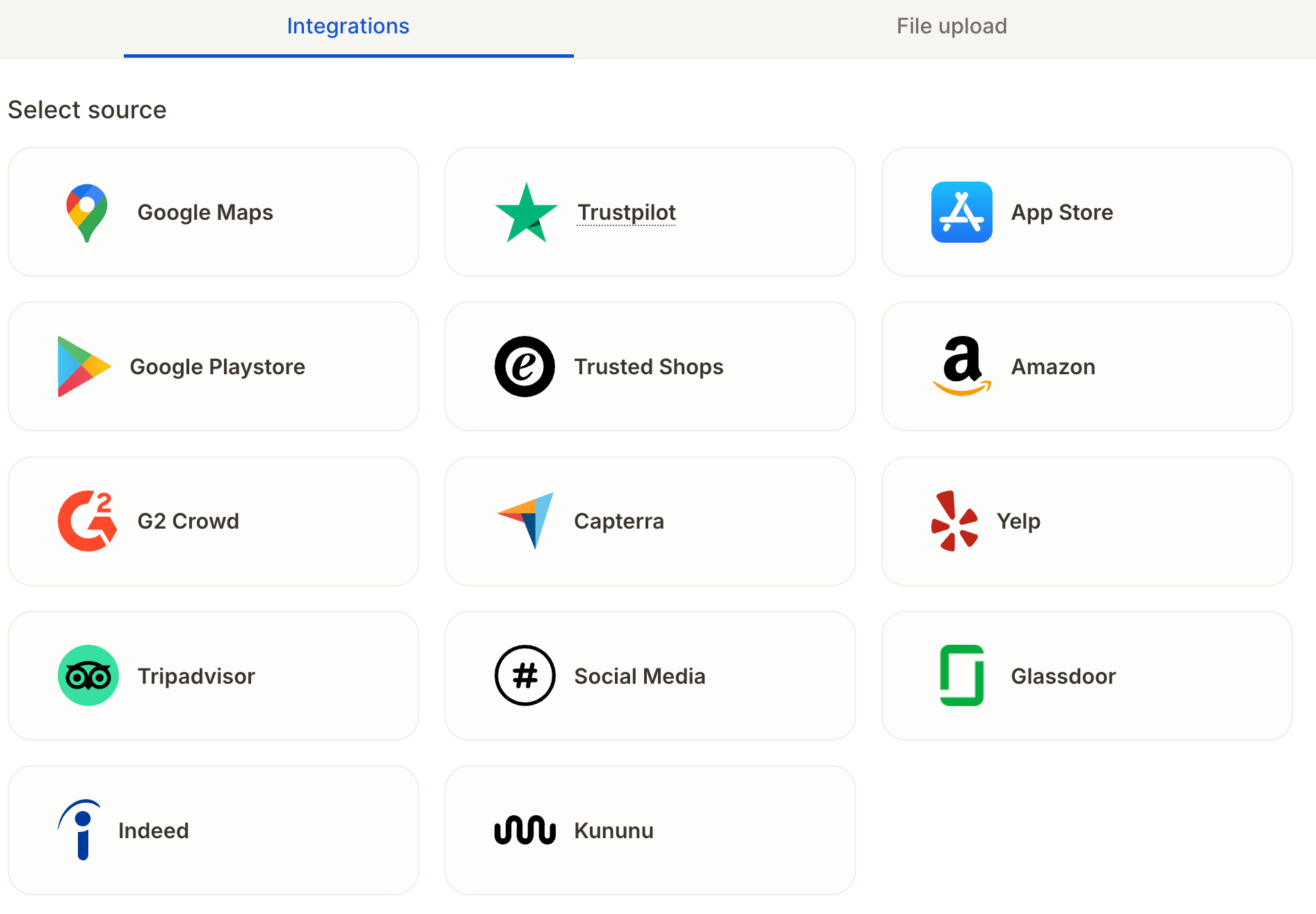
2
Choose platforms
Under Platforms, select one or more of: Bluesky, Instagram, LinkedIn, TikTok, YouTube, Facebook, X, and Reddit.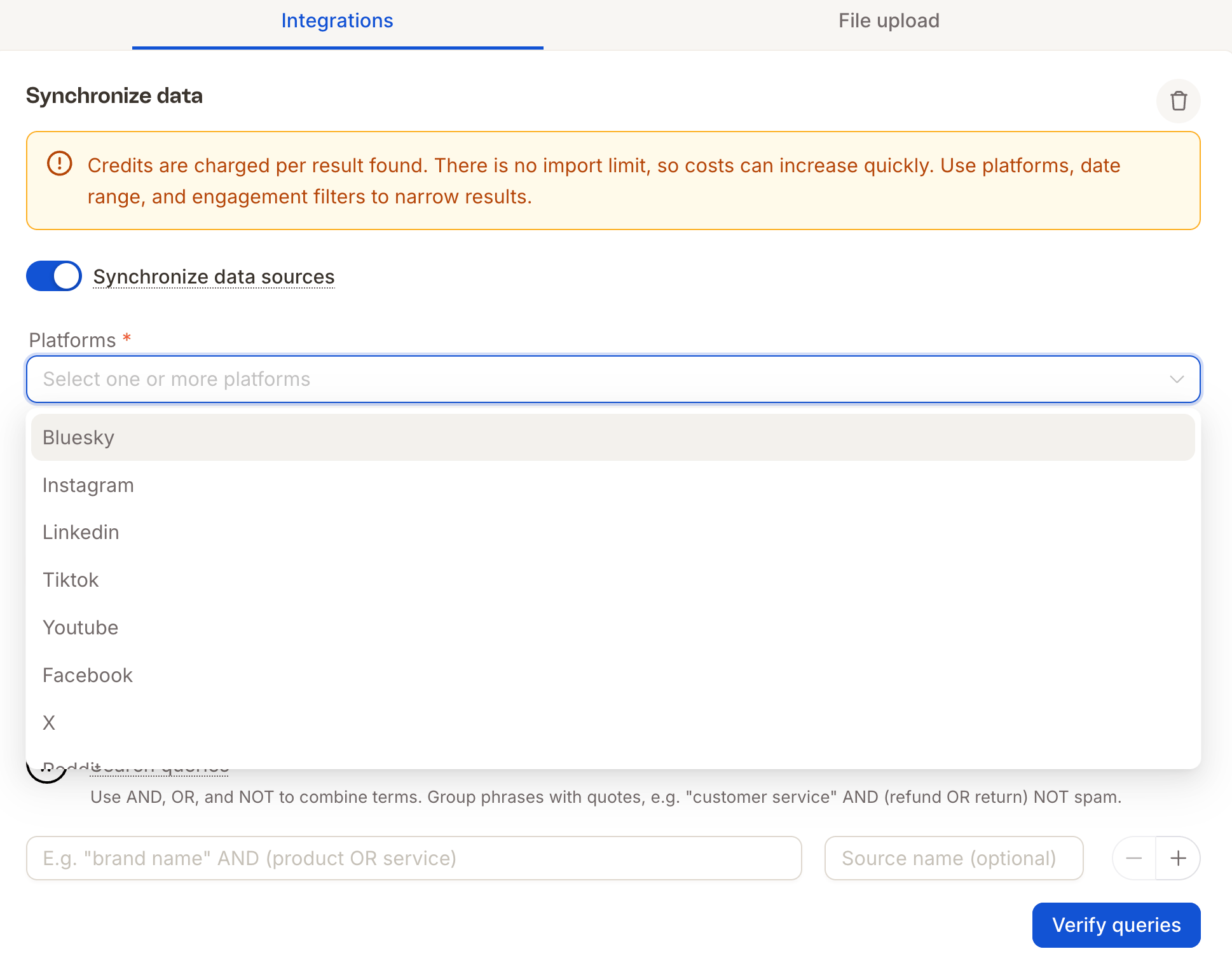
3
Narrow the results (recommended)
Set a date range, a maximum number of posts, and any advanced filters. See Control what gets imported.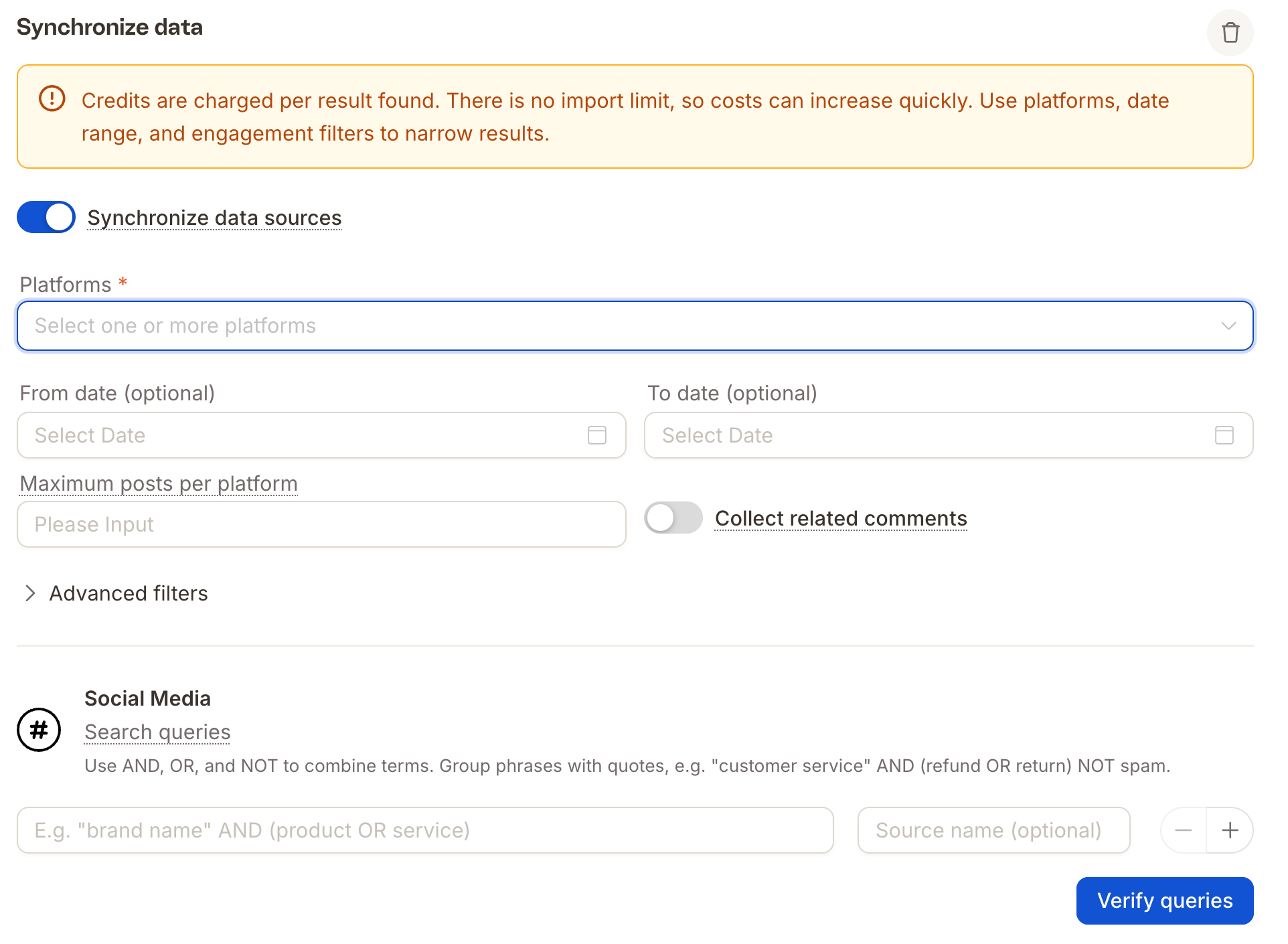
4
Add search queries
Enter one or more search queries. Optionally give each query a Source name so you can tell the results apart later. Use + to add more queries.
5
Verify your queries
Click Verify queries to check your queries before importing.
Write search queries
Combine terms withAND, OR, and NOT. Group phrases with quotes and use brackets to control how terms combine.
Examples:
"customer service" AND (refund OR return) NOT spam"brand name" AND (product OR service)
Control what gets imported
Advanced filters cover:
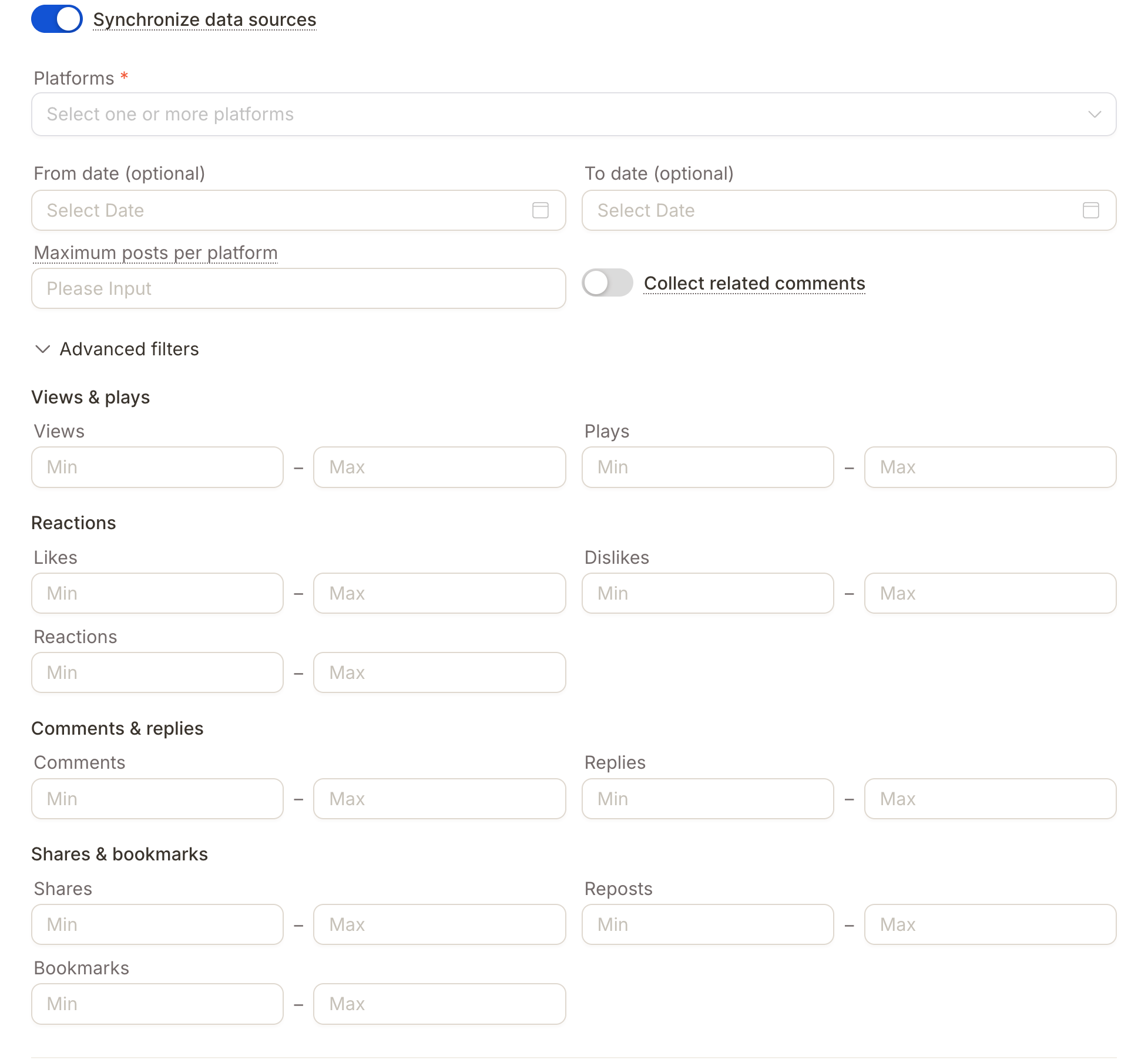
- Views & plays: views, plays
- Reactions: likes, dislikes, reactions
- Comments & replies: comments, replies
- Shares & bookmarks: shares, reposts, bookmarks
Collect related comments can multiply your results, and your costs. A single popular post can have hundreds of comments, and each one is billed. If you only need the posts themselves, leave this off.
Not every platform reports every metric. For example, views are available for posts on X but not on TikTok, where plays are reported instead. Empty engagement cells mean the platform doesn’t provide that metric, not that the value is zero.