

Custom MCP servers require a ChatGPT Plus, Pro, Business, Enterprise, or Edu subscription. Developer Mode must be enabled.Availability of custom MCP servers may vary by account, workspace, and region.
Before You Start
Before connecting Caplena, make sure that:- You have a Caplena account.
- At least one Caplena project is set to Live.
- You have a supported ChatGPT subscription.
- Developer Mode is available on your ChatGPT account.
Step 1: Enable Agent in Caplena
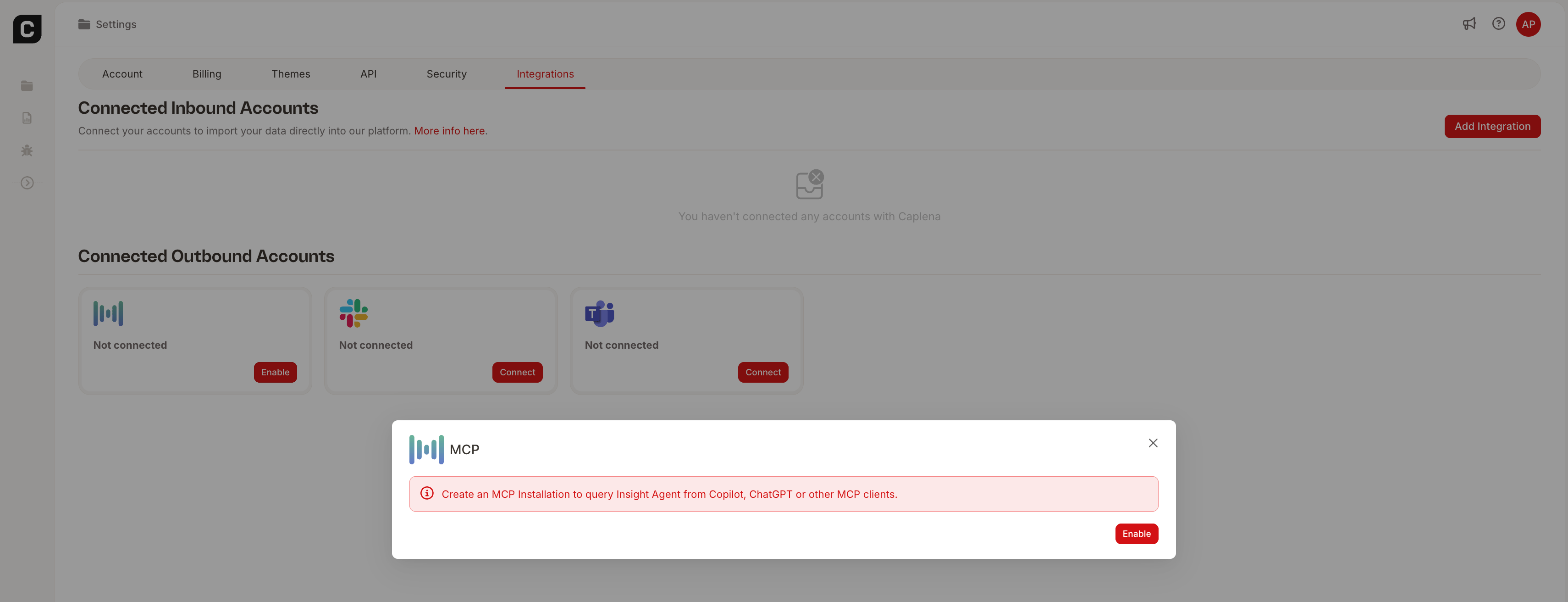
- Go to Settings → Integrations inside Caplena.
- Locate the Agent (MCP) integration and click Enable. Confirm the installation.
- Copy the generated MCP URL
(e.g.,https://api.caplena.com/v2/outbound-connectors/mcp).
Step 2: Enable Developer Mode in ChatGPT
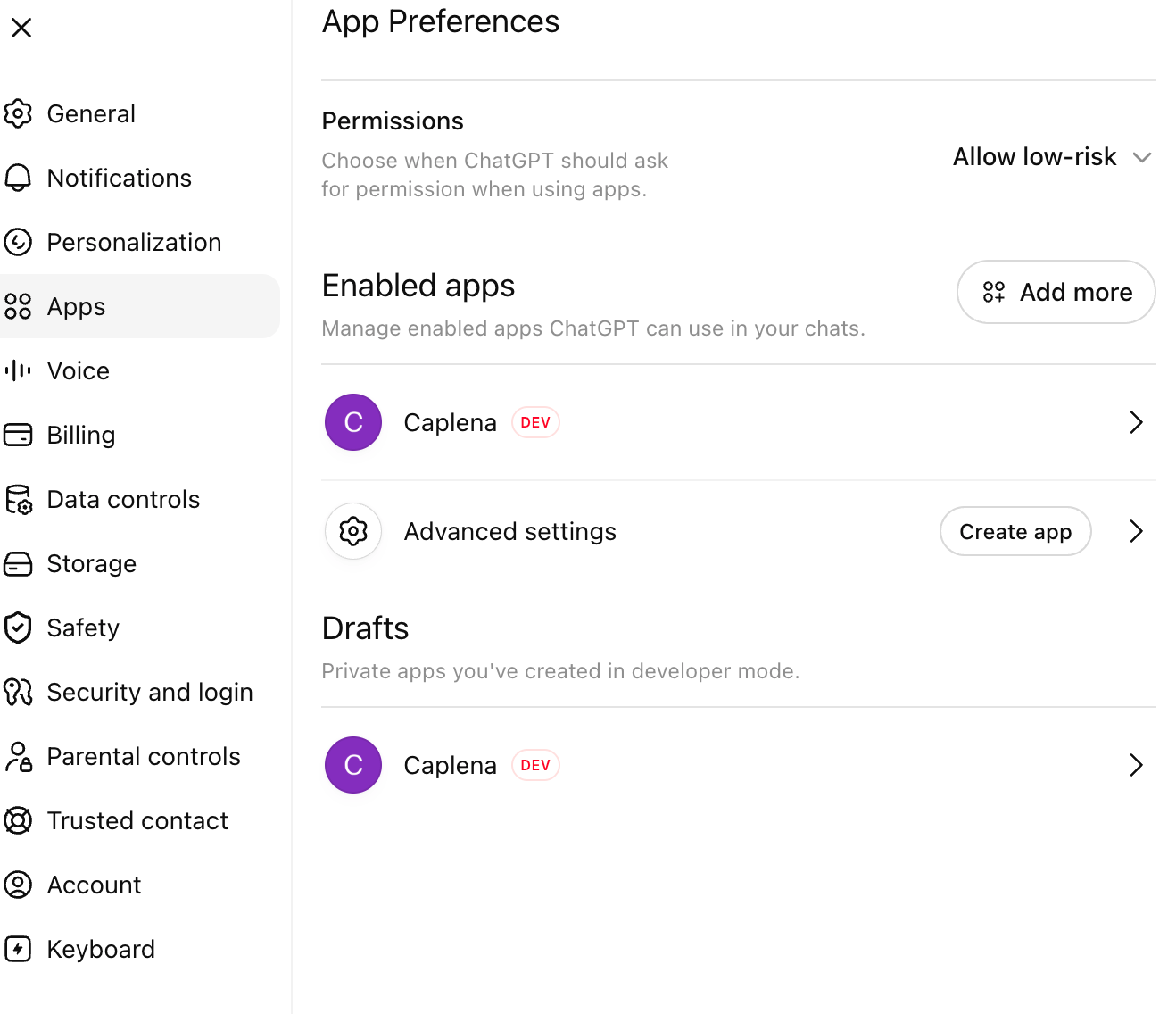
- Open ChatGPT and click your profile picture in the bottom-left corner.
- Choose Settings, then navigate to Apps → Advanced settings.
- Turn on Developer Mode.
Step 3: Create the Caplena App
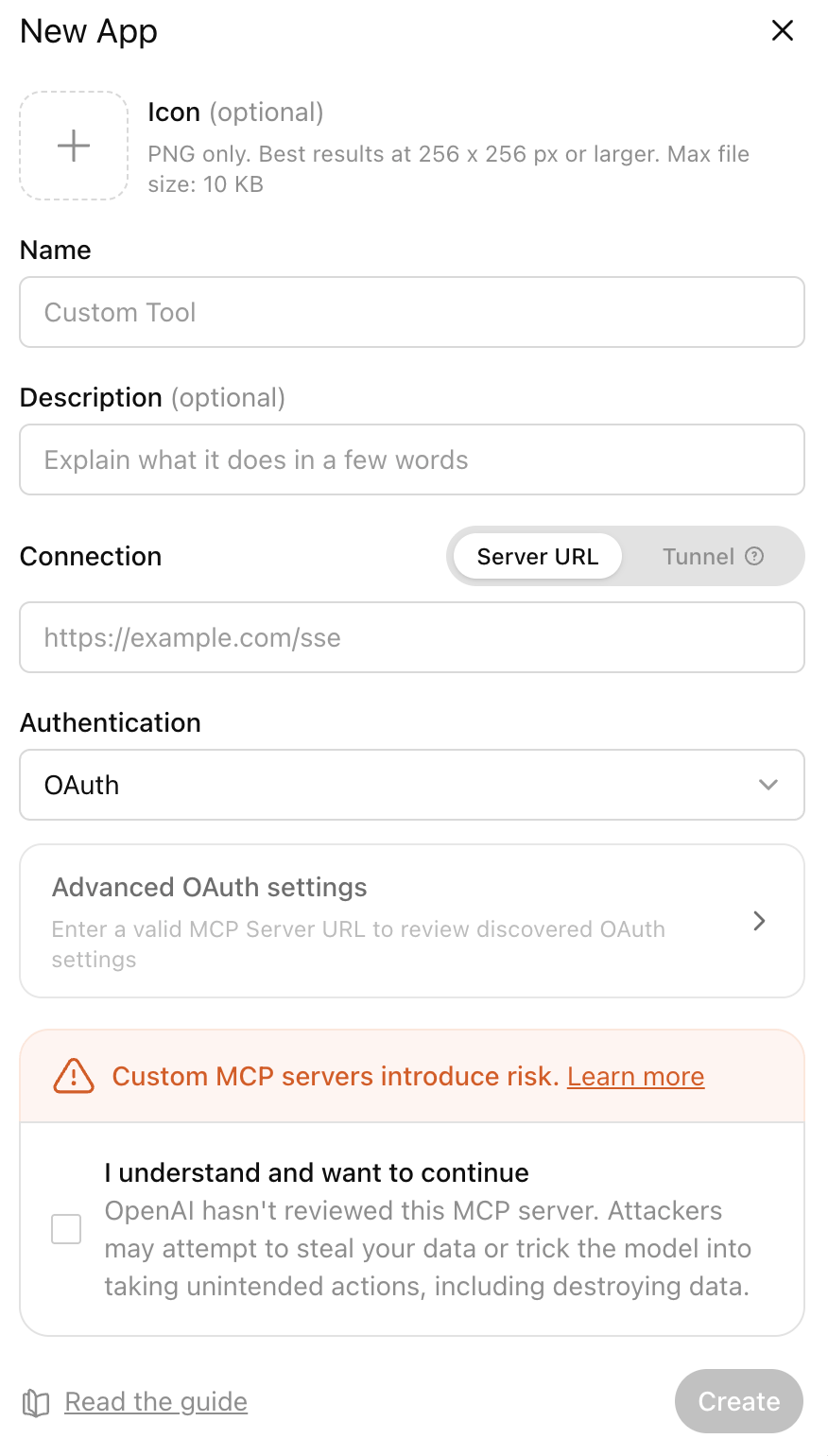
- Go to Settings → Apps and click Create.
- Fill in the following:
- Name: Caplena
- MCP Server URL: paste the URL copied from Caplena
- ChatGPT automatically discovers the OAuth issuer, authorization endpoint, token endpoint, Dynamic Client Registration, and supported scopes from the MCP server — no manual entry required.
- Review the detected configuration and click Create.
- You’ll be redirected to Caplena. Sign in if necessary, review the requested permissions, and click Authorize.
- You’ll be redirected back to ChatGPT with the connection active.
Step 4: Start Using Caplena
Start a new ChatGPT conversation. Enable the Caplena app from the available Apps/Tools menu. You can now ask questions such as:List the projects I have access to.
Summarize the latest customer feedback.
What are the top themes in our NPS survey?
Compare the latest wave with the previous quarter.
Show me comments mentioning delivery delays.
The first time ChatGPT accesses Caplena, it may ask for your permission.You can choose Always allow if you don’t want to approve every request individually.
Advanced: Deep Research with Caplena Data
ChatGPT’s Deep Research feature can combine your Caplena feedback data with web sources in a single research task — useful for contextualizing customer feedback against external information. Example prompts:Using my Caplena NPS project and recent industry reports, write a competitive analysis of how our product perception compares to the market.
Cross-reference the top complaints from my Caplena support feedback with publicly reported issues for [competitor] and summarize the gaps.
Based on my Caplena Q1 feedback and current market trends, draft a product prioritization recommendation.To use it: open a chat, click Deep Research under the input field, add Caplena as a source, and enter your prompt.
Deep Research is available on ChatGPT Pro and higher plans.
Troubleshooting
I don’t see “Developer Mode”
Developer Mode is only available for supported ChatGPT plans and may not yet be enabled for every account or workspace.Authentication fails
Make sure:- your MCP installation is enabled in Caplena
- you’re signing in with the correct Caplena account
- your project is set to Live
No projects are returned
Only Live projects are accessible through Agent. Check that:- the project is Live
- your Caplena user has permission to access it