

How credits are used
All compute-heavy, AI-powered actions consume credits. The main actions are: Analyzing open-ends - Each text entry (one cell in your uploaded file) costs 1 credit per selected text-to-analyze (TTA) column. You’re only charged for the columns you selected to analyze. What’s free?- Columns you don’t select for analysis (ratings, demographics, segments)
- Empty cells
- Cells with defined dummy values (like “N/A” or ”-”)
Free re-analysis runs
Every project includes a number of free AI topic re-assignments depending on your plan:
You can:
- Re-run the entire analysis (full run), or
- Make smaller updates like adjusting or reassigning individual topics (partial run)
Example: If a topic run processes 1,000 rows, the overage cost is 200 credits (1,000 × 0.2).
LLM Smart Columns
Most plans come with a free quota of Smart Column runs:
Once your free quota is used up, each computed row costs 0.1 credits.
What if I make a mistake?
- Every account includes built-in demo projects that don’t consume credits
- For accidental uploads, Caplena is happy to reimburse credits (translation fees may be excluded)
- For testing, upload small sample datasets first
Tracking your credit usage
Monitor your credit balance anytime on your Account Page. Need help? Contact support.Credit alerts
To avoid running out of credits unexpectedly, you can set up alerts under Settings → Billing → Credit Settings → Alerts.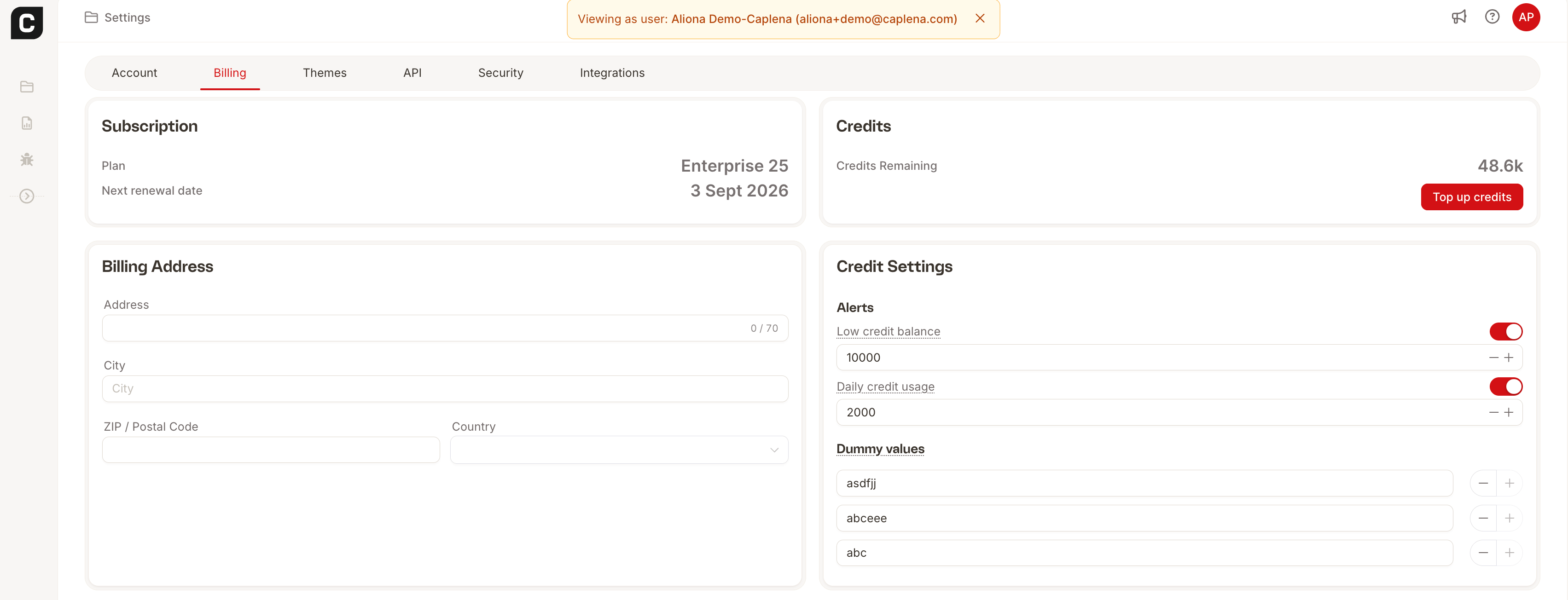
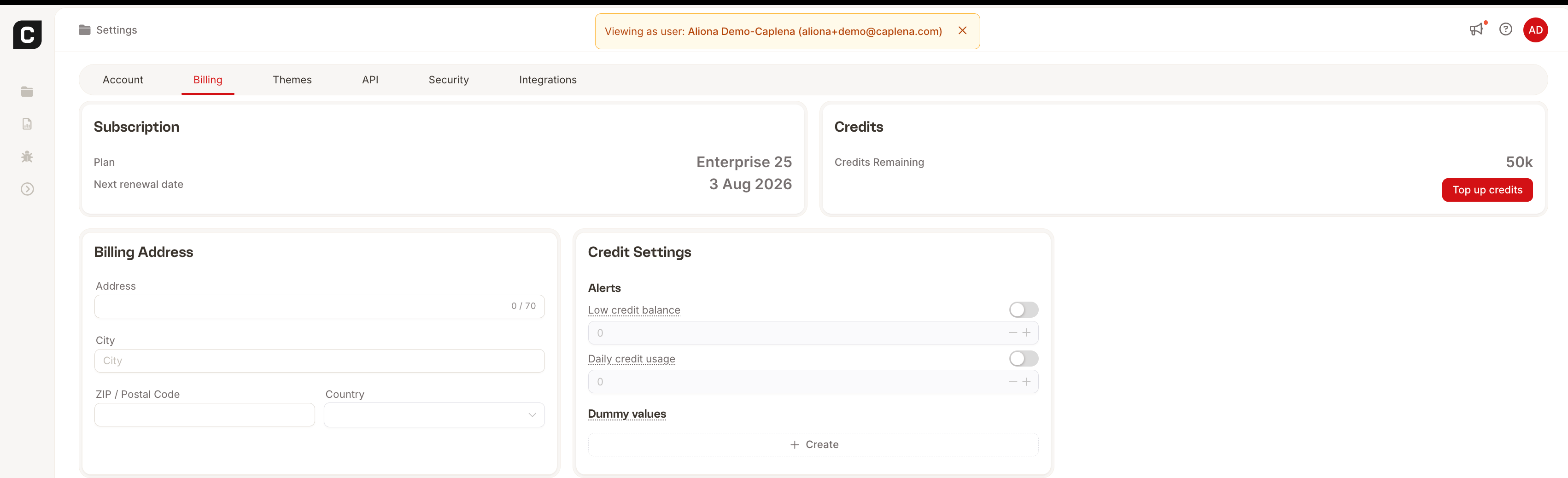
Both alerts are off by default. Turn on the toggle next to each alert type and set your preferred threshold to start receiving notifications.
Purchasing more credits
- Agency & Enterprise plans: Go to Settings → Billing to purchase additional credits directly.
- Team plan: Reach out to sales@caplena.com to add credits to your plan.