

- Develop and refine your topic collection quickly and iteratively
- Detect new trends that emerge over time
- Maintain an audit trail so any changes are deliberate, not accidental
The setup
You maintain two projects: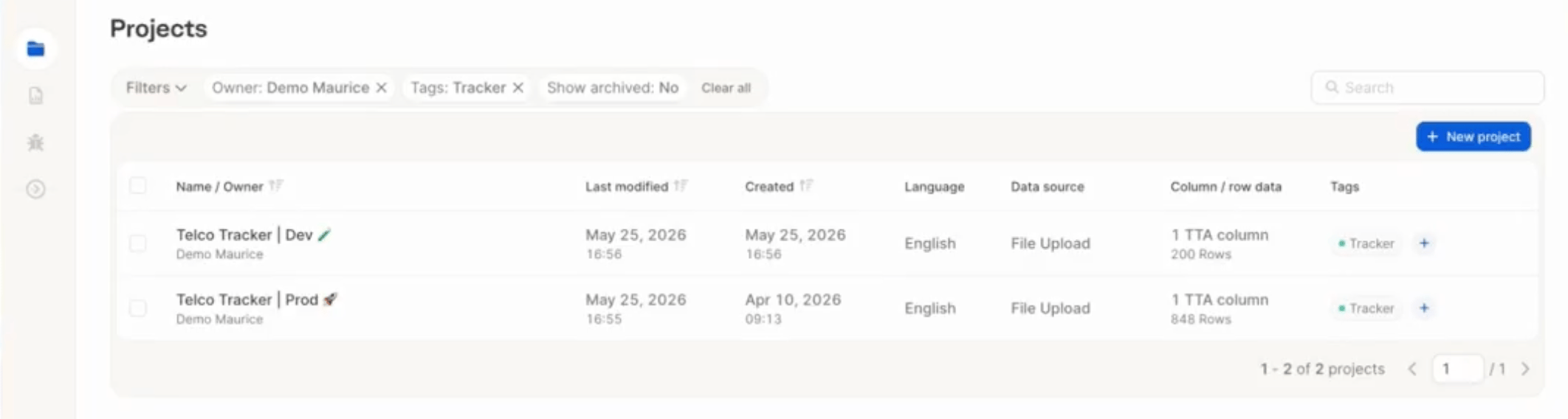
- DEV project — a representative sample of your full dataset (typically 1,000–20,000 rows). This is your test ground for developing and iterating on your topic collection. AI runs here are fast and cheap.
- PROD project — your full dataset. Topics are only applied here once you’ve validated them in DEV.
Initial setup
1
Build your topic collection in DEV
Use the DEV project to develop your initial topic collection with LLM support. Explore rare topics, refine descriptions, and customize until you’re happy with the structure.
2
Run a quality check
Apply the topics to the DEV project and scroll through a sample of responses to verify the assignments look right. Add or adjust topics as needed — this is the time to experiment.
3
Copy topics to PROD
Once satisfied, copy the topic collection from DEV to your PROD project. In the DEV project, open the Topics tab, select Copy to another project, and choose your PROD project. This transfers the full topic collection and triggers the initial AI assignment.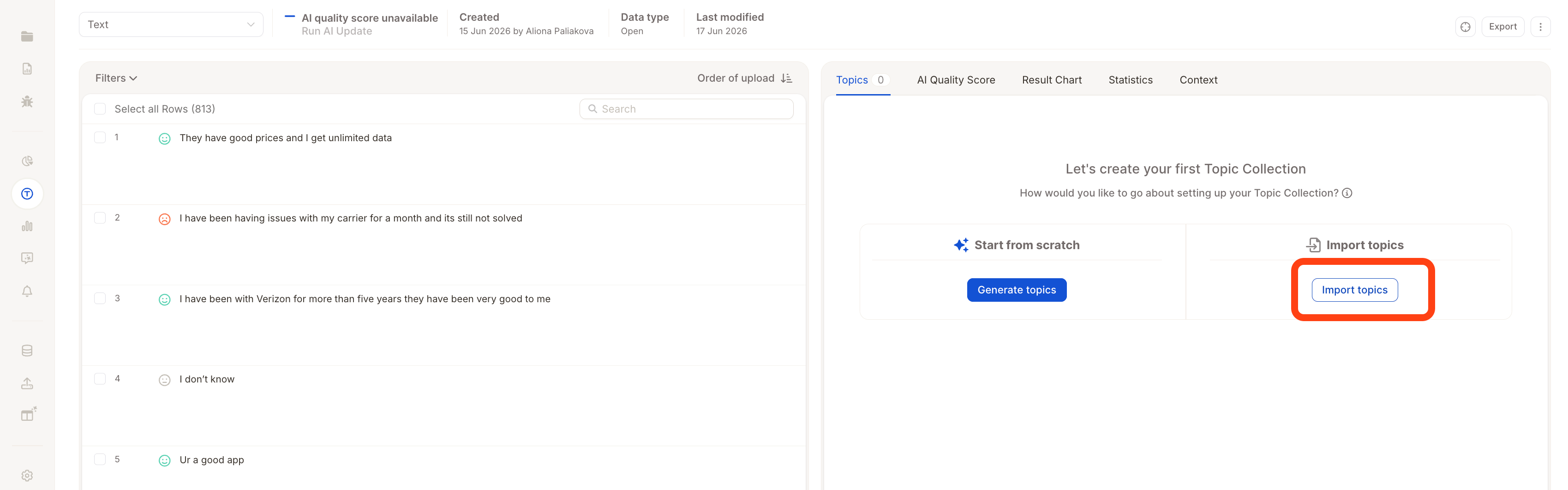
Ongoing maintenance: updating topics over time
Over time, new themes emerge in your data. Here’s the recommended workflow for adding or refining topics without disrupting your production data:1
Spot new trends in PROD
Use the Topic Assistant in your PROD project to review AI-suggested new topics. When you find topics worth adding, add them directly to PROD — but don’t run a full AI update yet.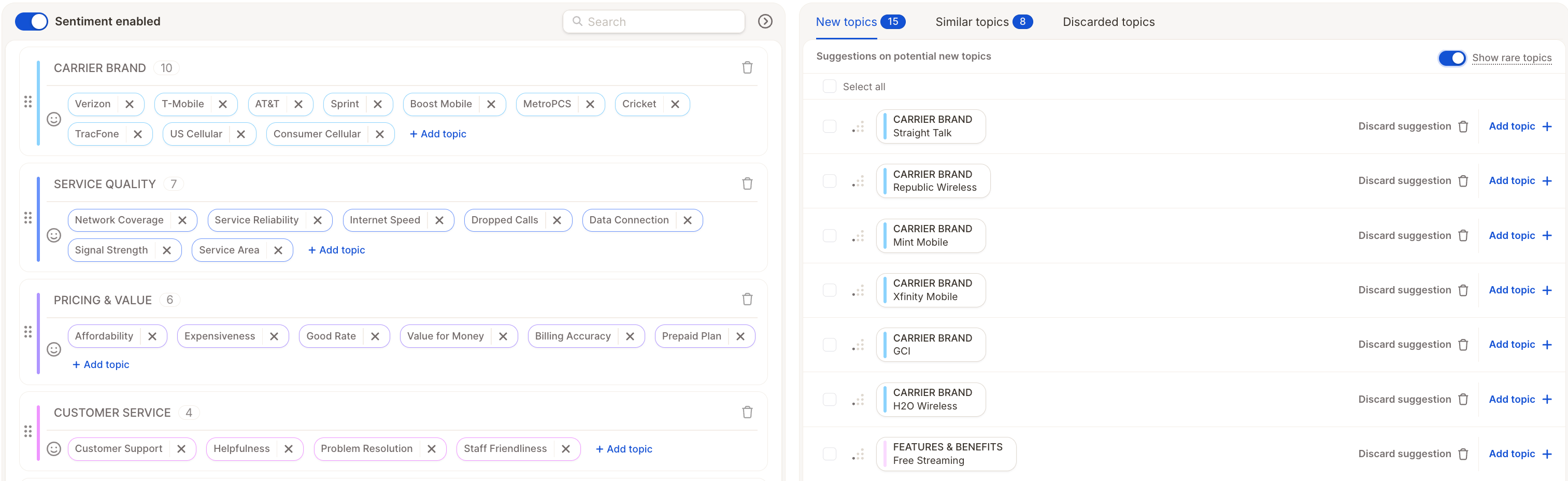
2
Sync the new topics to DEV
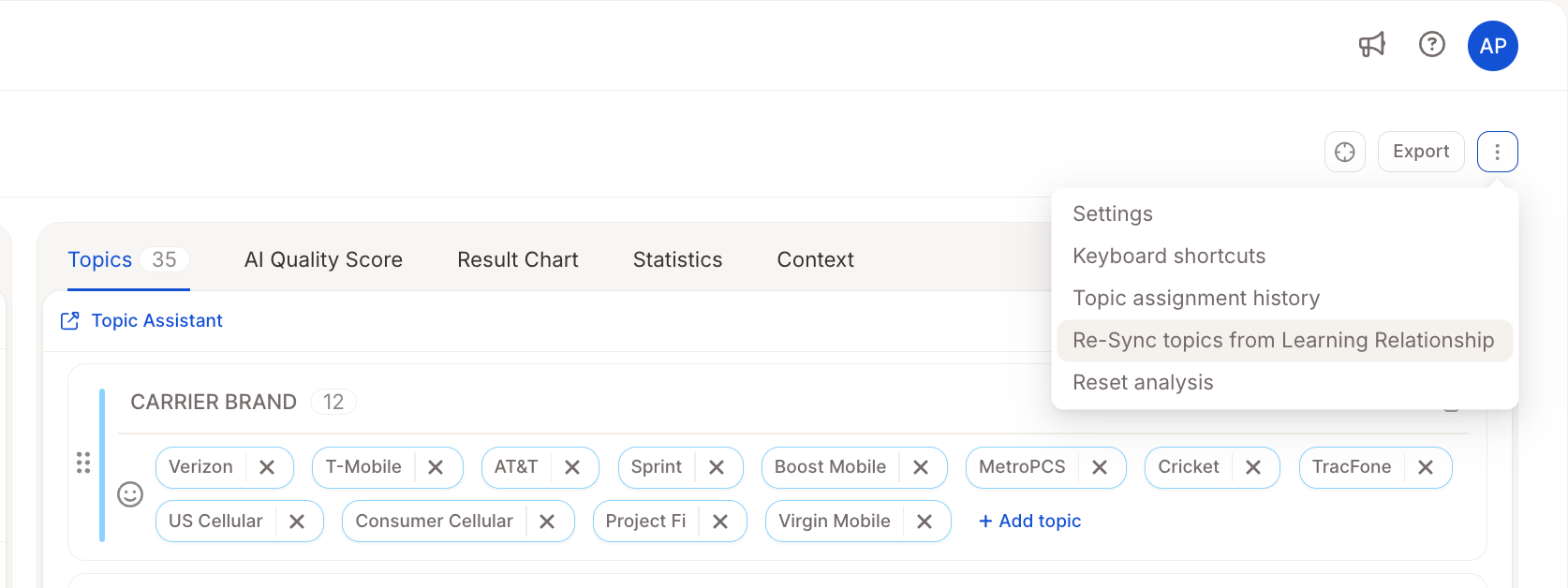
Head back to your DEV project and connect it to your PROD project via a learning relationship. This creates a circular relationship: PROD was originally built from DEV, and now DEV points back to PROD to pick up the newly added topics.To set this up: open your DEV project → Settings → Learning Relationships → add your PROD project as the source.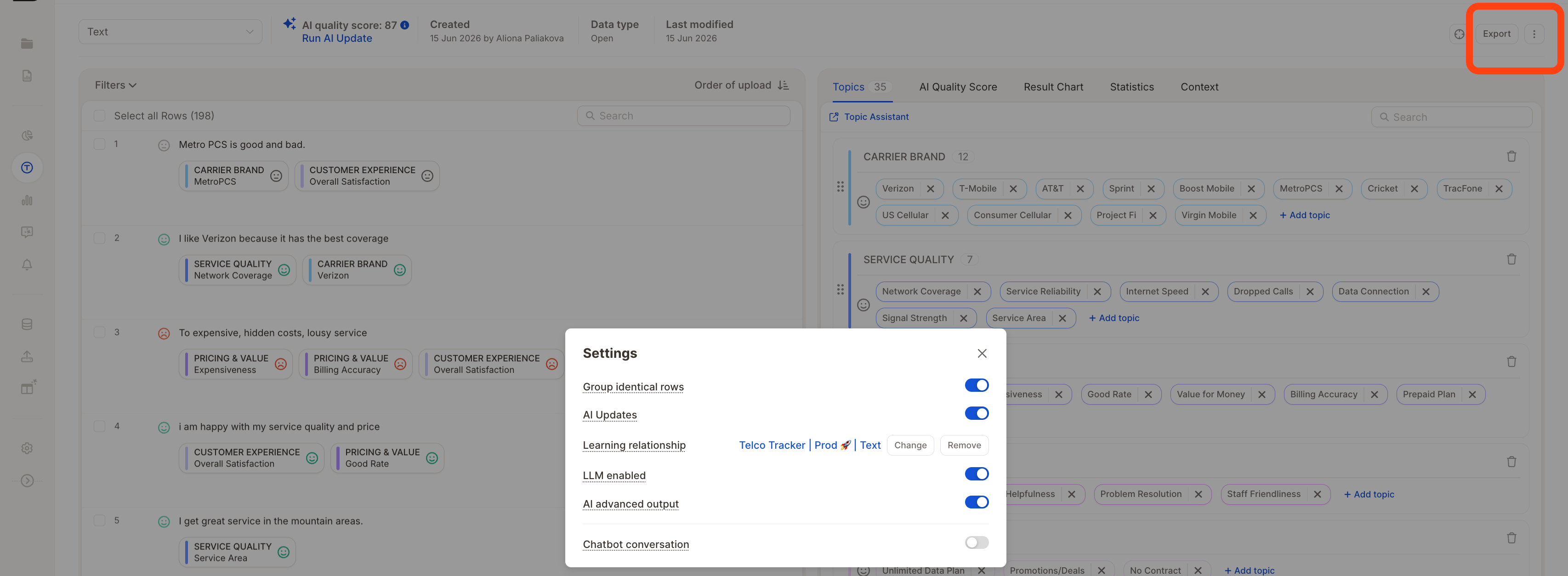
3
Iterate in DEV
Run AI updates in DEV to see how the new topics are assigned on your sample. You can experiment freely here — merge topics, split them, adjust descriptions, run another update. Since DEV is a small sample (typically 1,000–20,000 rows), each AI run is fast and inexpensive, giving you quick feedback on every change.
4
Sync back to PROD and run one consolidated update
Once you’re happy with how topics are assigned in DEV, sync the finalized topics back to PROD using Resync topics from source — this time in your PROD project, pulling from DEV.Then run a single consolidated AI update on PROD. This applies all your changes at once — keeping your assignment history clean and making it easy to see exactly what changed and when.
If you had iterated directly on PROD and run an AI update after each small change, you’d be paying for a full update on potentially millions of rows every single time. The DEV/PROD workflow means you only ever run one update on PROD per iteration cycle.
Why this approach
- Efficiency — iterating on a sample of 5,000 rows instead of 1,000,000 means faster feedback and dramatically lower AI run costs. You only pay for a full production update once you’re confident in your changes.
- Quality — you validate topic assignments on real data before pushing anything to production. No surprises.
- Audit trail — all changes to the production project happen in one deliberate batch. Your topic assignment history stays clean and meaningful, making it easy to track what changed and when.
This workflow is especially powerful for recurring programs — wave studies, CX trackers, VoC programs, and EX surveys — where consistency across periods is critical.
Related
Learning Relationships Between Projects
Learn how topic inheritance and resyncing work across projects — and when to use it with the LLM Model.