

Tip 1: Understand how the LLM-based AI works
- The AI uses all available project context — project name, description, column titles, and of course, your text data.
- When you click Done in the Topic Assistant, the AI automatically:
- Generates topic descriptions for each topic.
- Assigns topics to your data using those descriptions.
- Calculates an AI Score to indicate overall quality.
Understanding Topic Assignment Consistency
The AI score reflects both the quality and stability of topic assignments. To produce reliable results, the model draws on your project background, examples, and topic descriptions, and runs the assignment multiple times — comparing results to arrive at the most consistent answer. A high score means topics are well-differentiated, resulting in clear and stable decisions. A lower score suggests the boundaries between some topics may not be entirely clear-cut and could benefit from more distinct descriptions.Tip 2: Focus on Topics and their Descriptions
Review & Adjust Your Topics
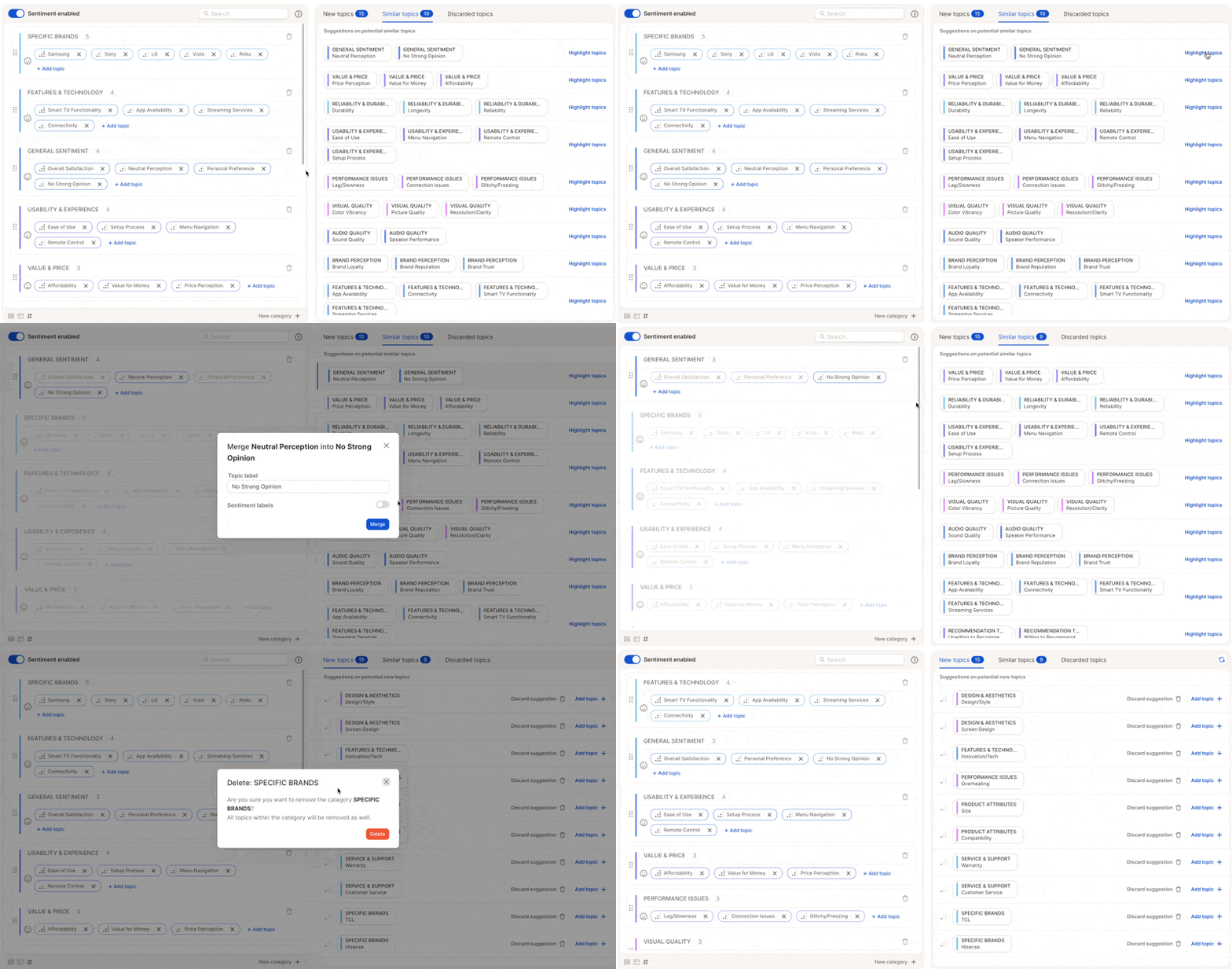
- Check for duplicates or overlaps — merge similar topics like “Late Delivery” and “Shipping Delays” into “Delivery Issues”.
- Remove irrelevant or overly specific topics that don’t add value.
- Add missing topics if you notice recurring ideas not yet covered.
Perfect Your Topic Descriptions
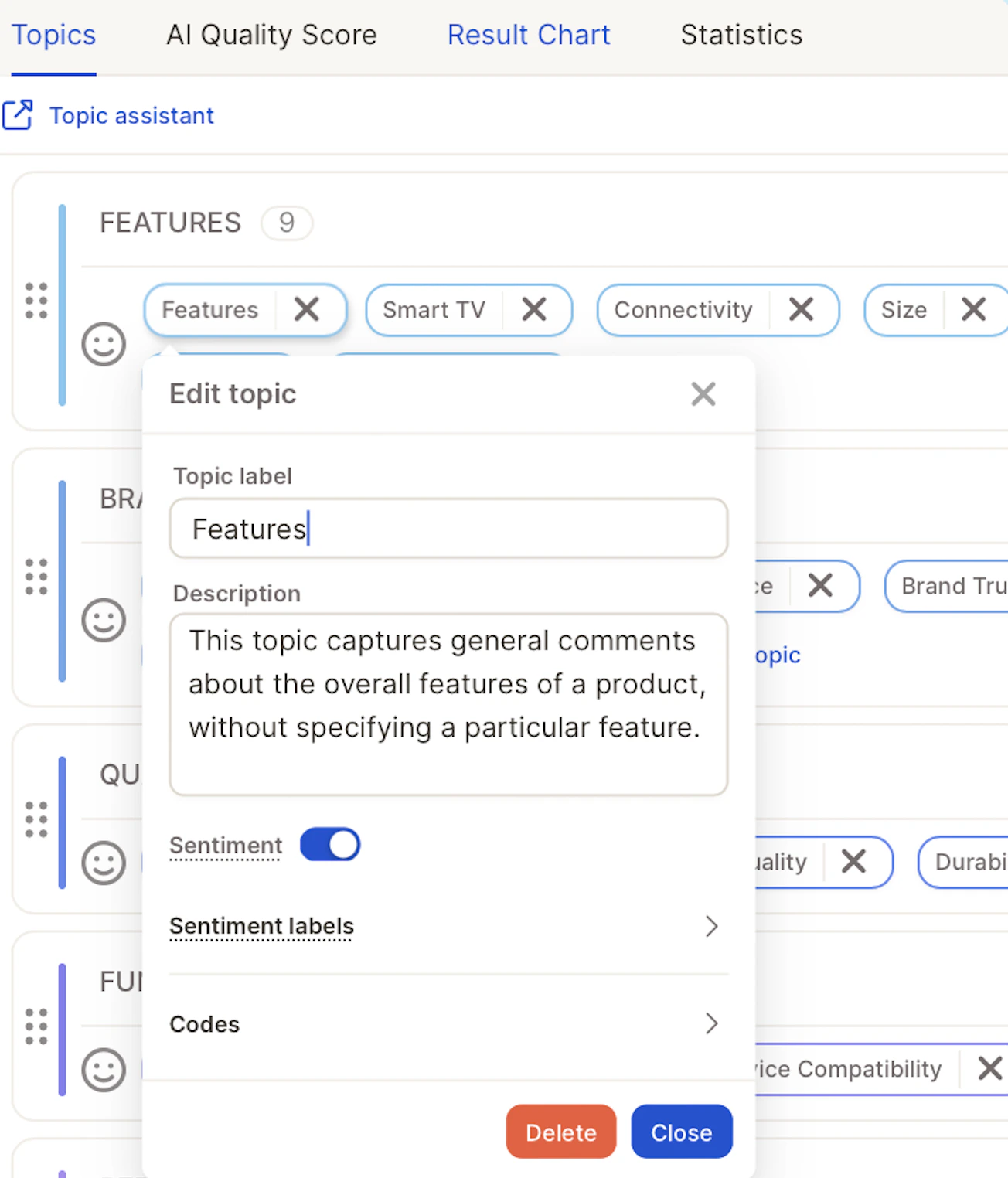
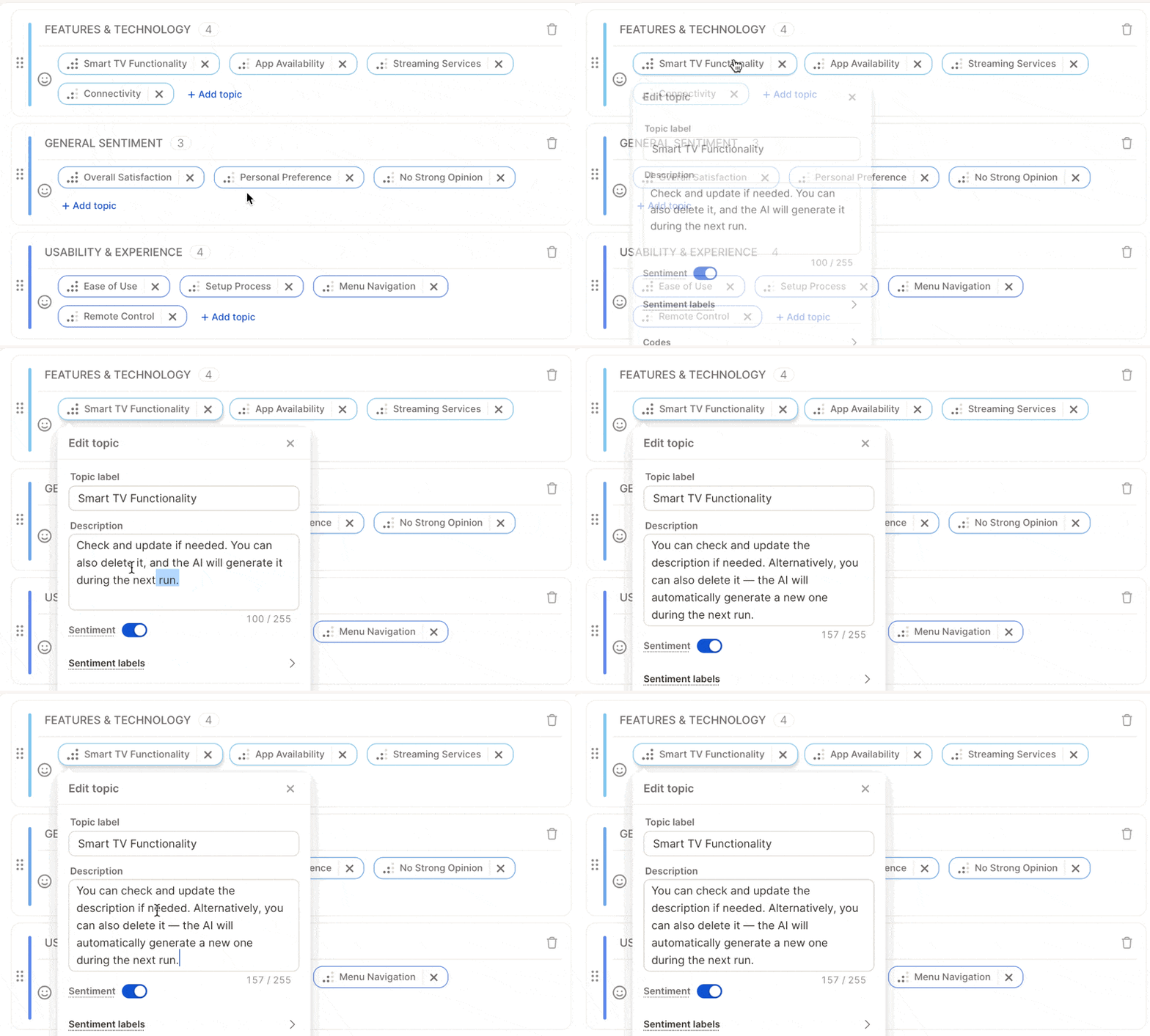
Topic descriptions are the core input for the LLM-based AI. The model reads these to understand what each topic means and uses them to decide how to assign responses. Here’s how to handle them effectively:- Review all generated descriptions after the first run.
- Edit vague or generic ones, or delete confusing descriptions — the AI will automatically regenerate better ones during the next run.
- Avoid overlaps — make sure descriptions clearly distinguish similar topics.
Tip 3: Do Smart Quality Checks
You no longer need to review hundreds of rows. Instead, use targeted checks:- Check coverage — if ~90% of rows have topics, you’re in great shape.
- Spot-check 10–15 responses — make sure assignments make sense.
- Use AI certainty (optional) — rows with low confidence might reveal topics needing better descriptions.
- Focus on weak spots — review topics with low coverage or unclear descriptions.
Tip 4: Understand the AI Score

The AI Score is not a percentage of responses assigned correctly — there’s no external “right answer” it’s checked against. A high score is a strong signal of quality, but it’s not a substitute for the spot checks in Tip 3.
If your score is lower than expected
The fastest path to a better score is usually Tip 2 above — clearer, more distinct topic descriptions. A few extra things to check:- Overlapping topics confuse the model just as much as they’d confuse a human reviewer. If two topics could plausibly apply to the same response, merge them or sharpen the distinction in their descriptions.
- Low-confidence topics are where the AI itself is least sure. Use the certainty view (Tip 3) to find them — they’re the best candidates for a rewritten description rather than a blind rerun.
- Sparse topics (only a handful of responses) can show a missing or unreliable score simply because there isn’t enough data for the model to gauge its own consistency. This isn’t a quality problem to fix — it resolves itself as more matching data comes in, or you can merge the topic into a related one if it’s not pulling its weight.
Tip 5: Refine Before Rerunning
Before running again, ask yourself:- Are my topic descriptions clear and specific?
- Have I merged similar or overlapping topics?
- Have I removed or rewritten any confusing descriptions?
- For small changes (e.g., updating 1–2 topics), a partial update is more efficient.
- For broader changes, a full update ensures consistency across your dataset.
Shortcut: let Agent critique your topics for you
Tips 2–5 above describe the manual review process. If you’d rather have AI do the first pass, click the magic-wand icon () next to the AI Score to open the Topic Critique Agent. It reviews your whole topic collection, explains what’s hurting the score, and can apply description or structure fixes directly — with your confirmation before anything changes.Tip 6: Know When to Stop
Your project is ready when:- The AI Score is 70+
- Each topic has a clear, correct description
- Most responses have a topic
- Spot checks look accurate