

Overview panel
When you open your project, you’ll land on the Overview panel, where you can see the question designated for analysis and an AI-generated summary of key themes. Click “Start analysis now” to begin.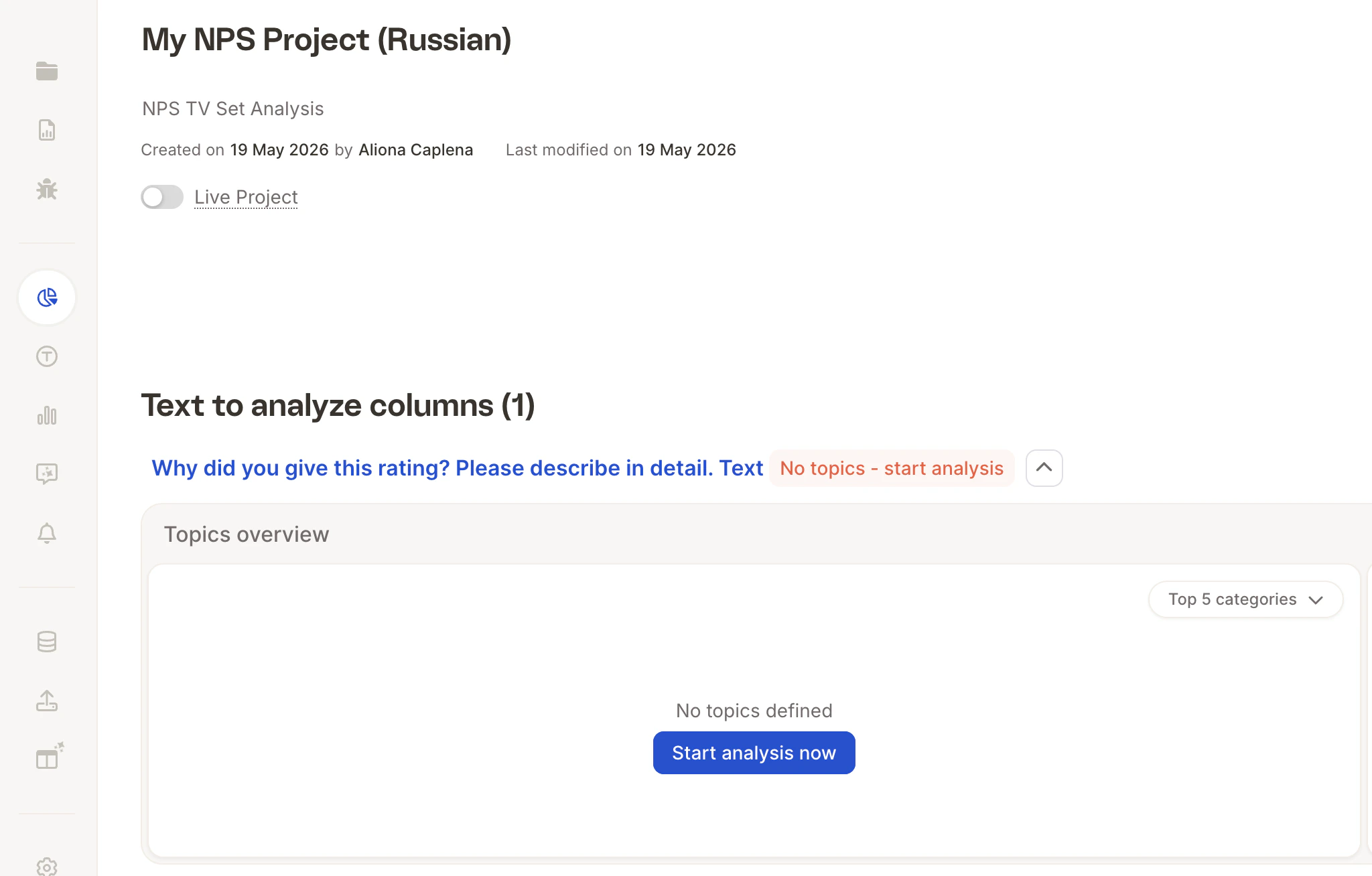
Step 1: Choose how to start
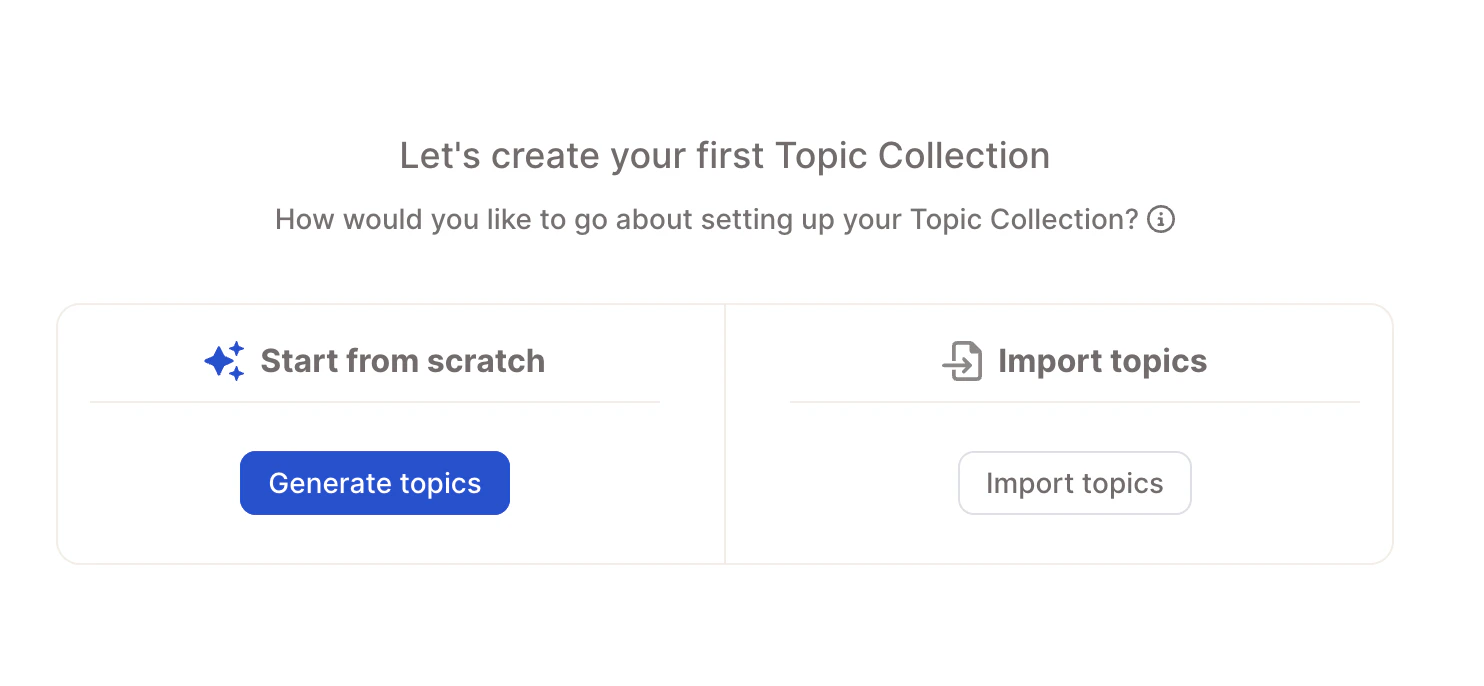
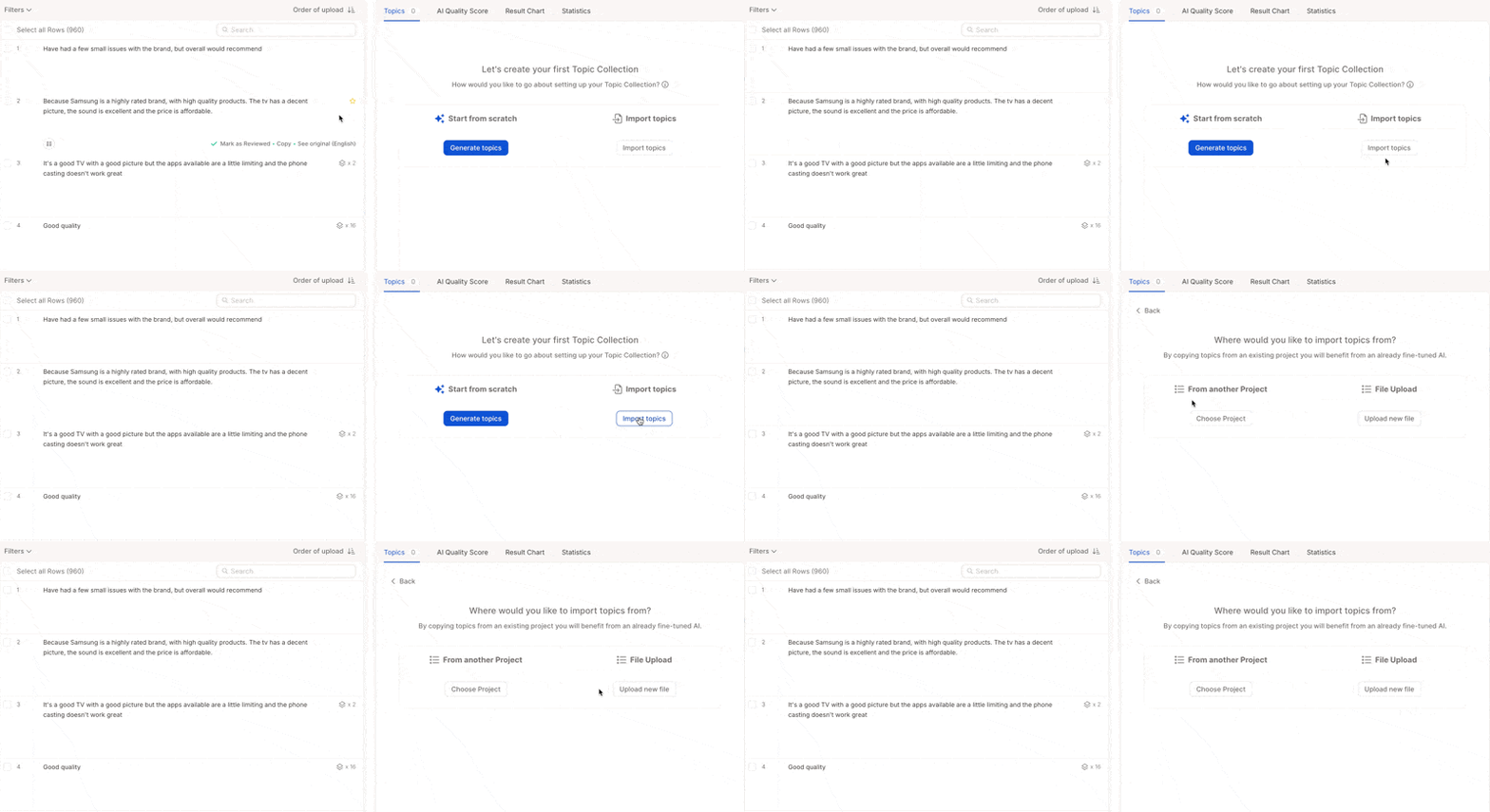
- Other project - Choose a previous project, select the relevant text column, and click “Inherit topic collection”. Ideal for recurring surveys (e.g. quarterly NPS, monthly product feedback) where consistency across waves matters. For large-scale recurring projects, see Tracker Setup: Best Practices →.
- Upload File - Import your own topic collection from a CSV or Excel file. Supported columns:
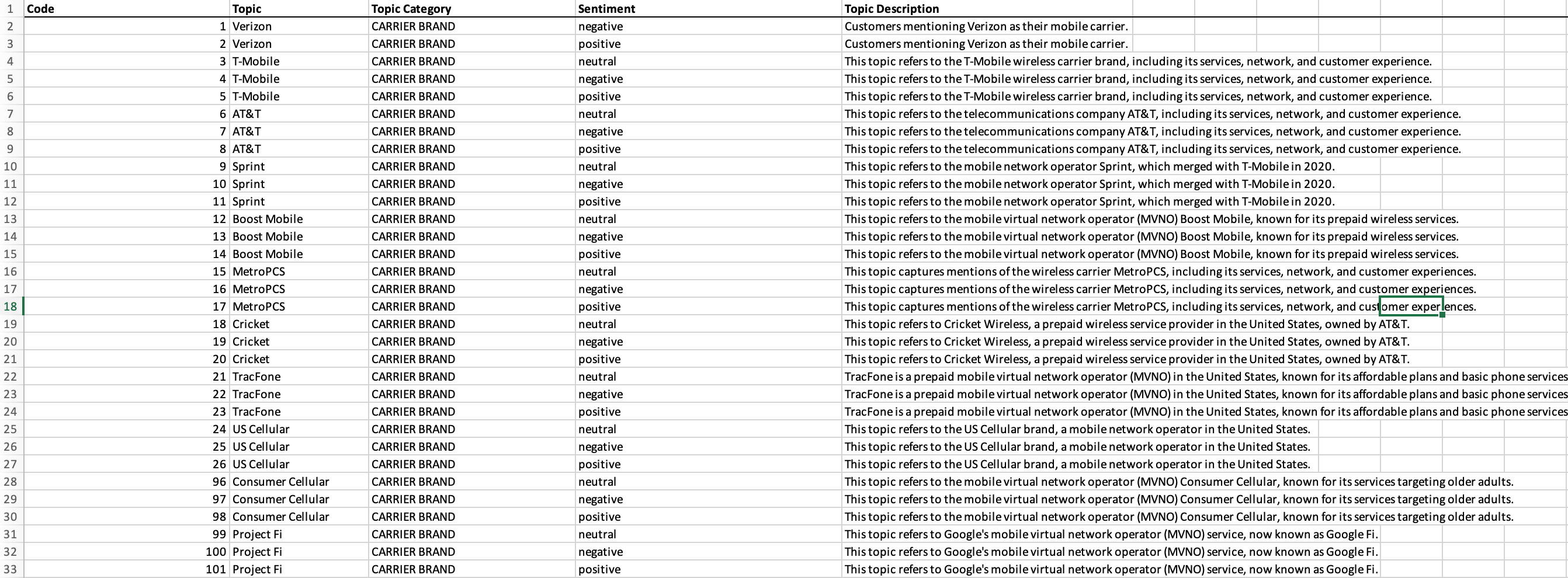
topic(required) - The topic name.category(optional) - The category the topic belongs to.code(optional) - A unique numerical ID for the topic.sentiment(optional) - The sentiment setting for the topic.description(optional) - A longer explanation of when the topic applies. Used by the AI as a primary input when assigning topics, so clear descriptions noticeably improve assignment quality.keywords(optional) - Comma-separated keywords for the topic. Used in Semi-Open mode to match responses. Each keyword must be 30 characters or fewer (including spaces) — imports with longer keywords are rejected with an error, so shorten or split them before uploading. Your file must match one of these formats. With sentiment:
Without sentiment: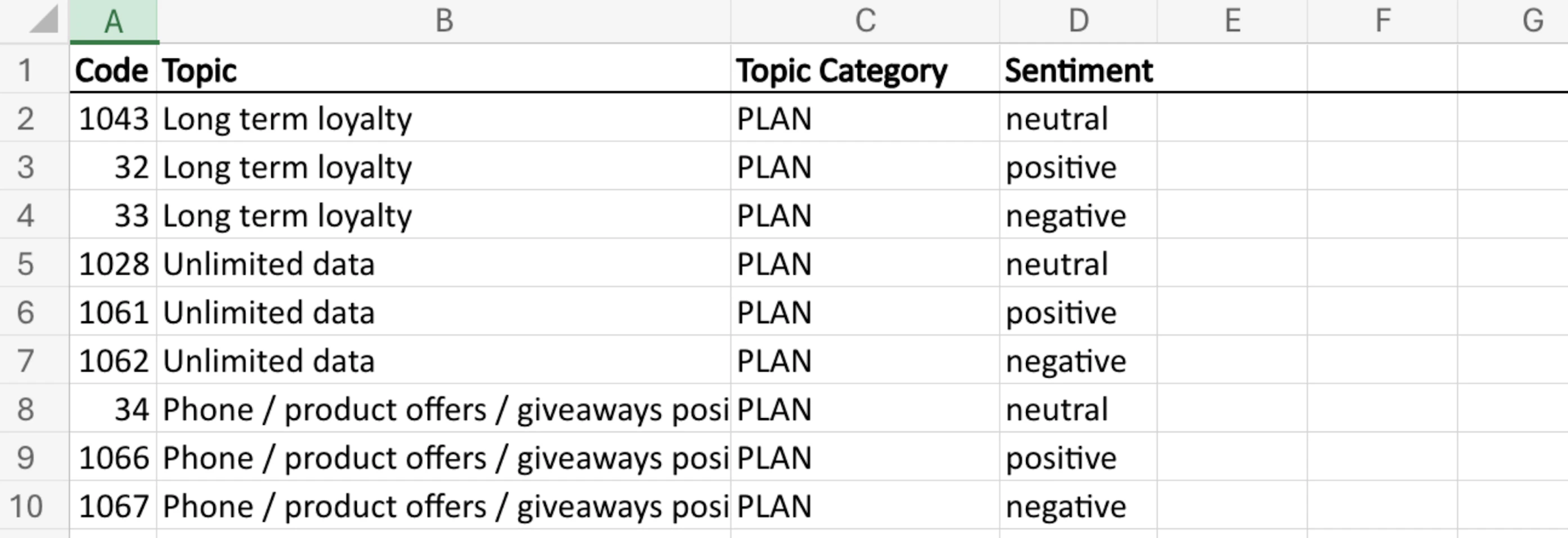 Example with descriptions: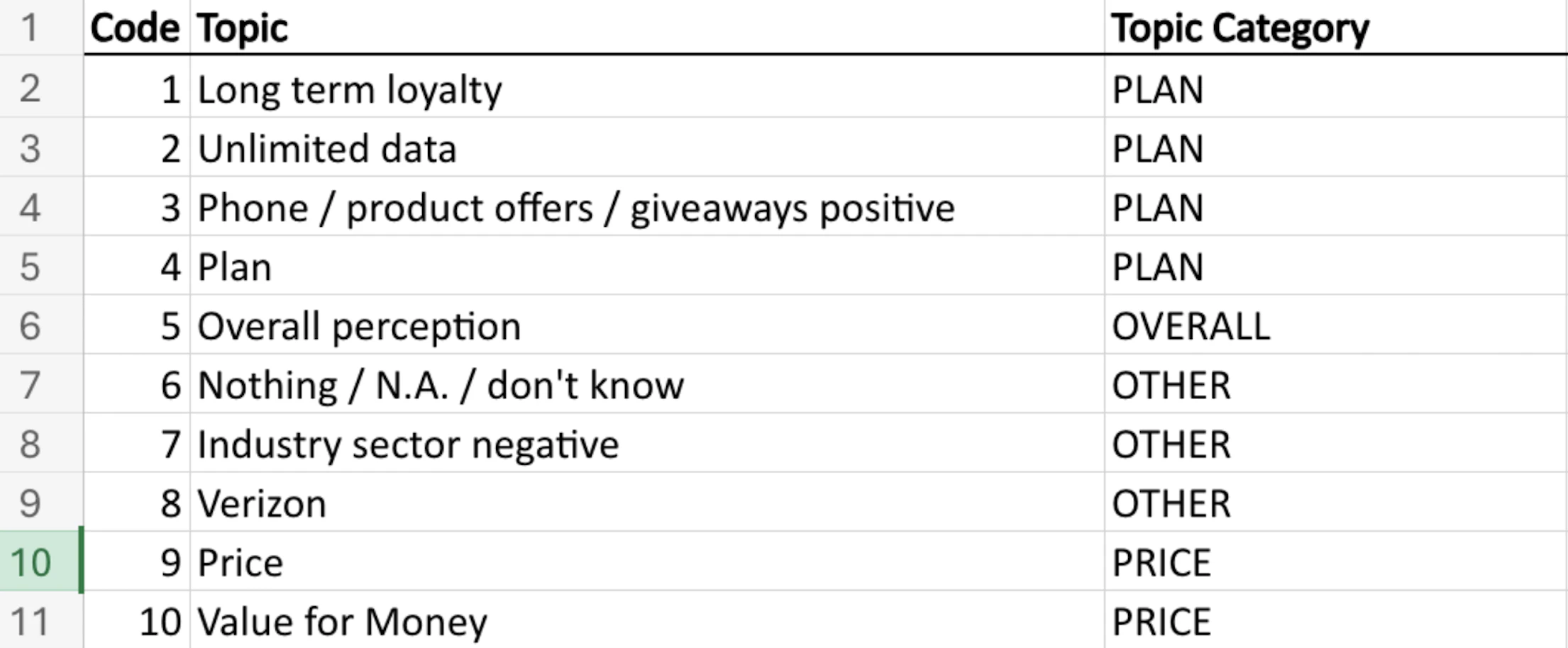
Step 2: Enable sentiment (optional)
Sentiment detection classifies the emotional tone of each response as positive, neutral, or negative. When enabled, a topic like Customer service splits into Customer service – positive and Customer service – negative, so you can see not just what people mention but how they feel about it.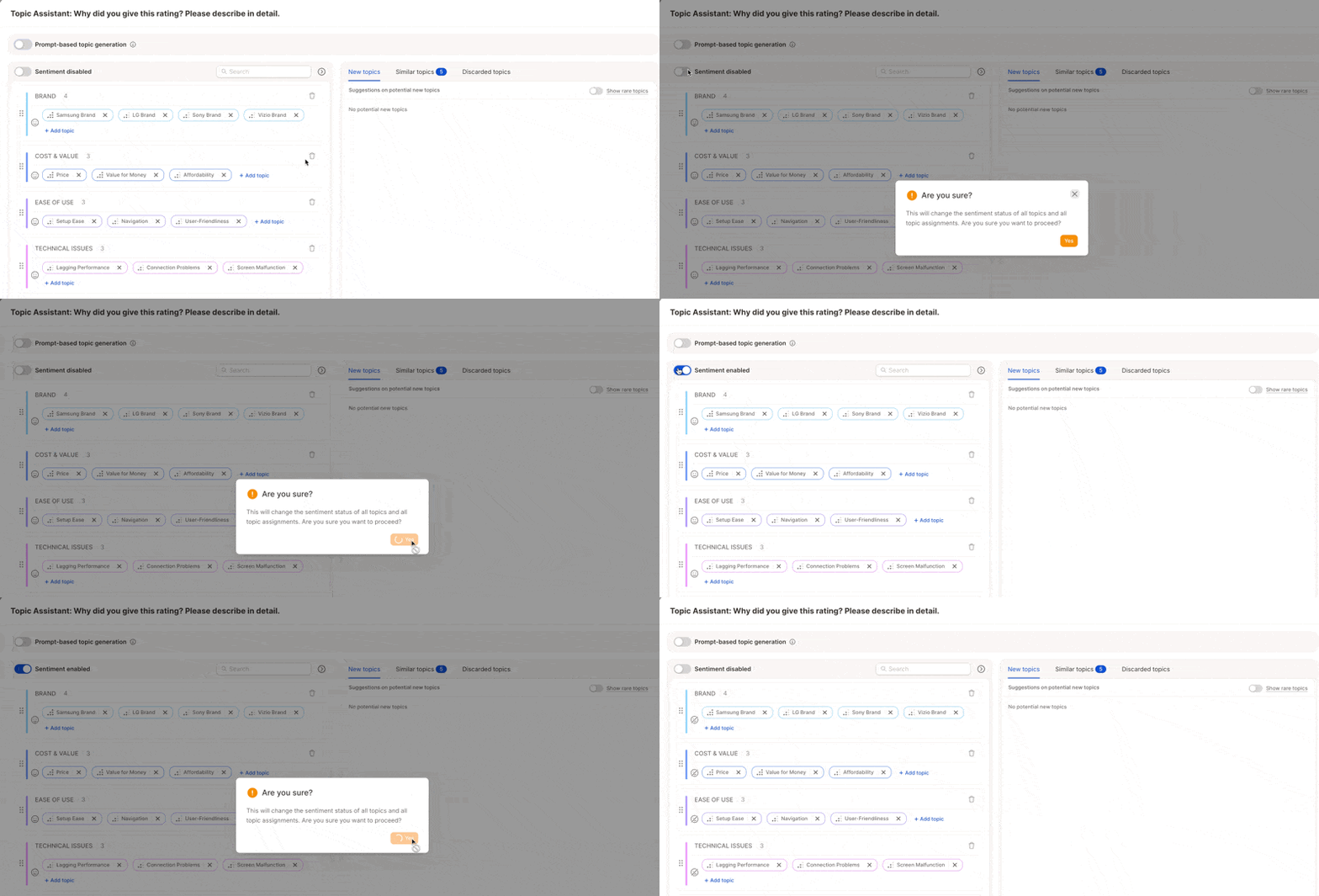
“The support team was incredibly helpful.” → Customer Service – Positive “Waiting times were terrible.” → Customer Service – NegativeSkip it if your data is factual — feature requests, improvement suggestions, etc.:
“Add a dark mode option.” → No sentiment needed “Please include PDF export in the next update.” → No sentiment needed
Step 3: Generate topics
Caplena generates a MECE topic collection, mutually exclusive and collectively exhaustive, so topics cover all relevant feedback without overlap.
Initial topic collection
The AI generates a draft collection of 20–60 topics grouped into categories, based on up to 20,000 rows of your data plus your project name, description, and question context. Each topic includes an auto-generated description you can edit.
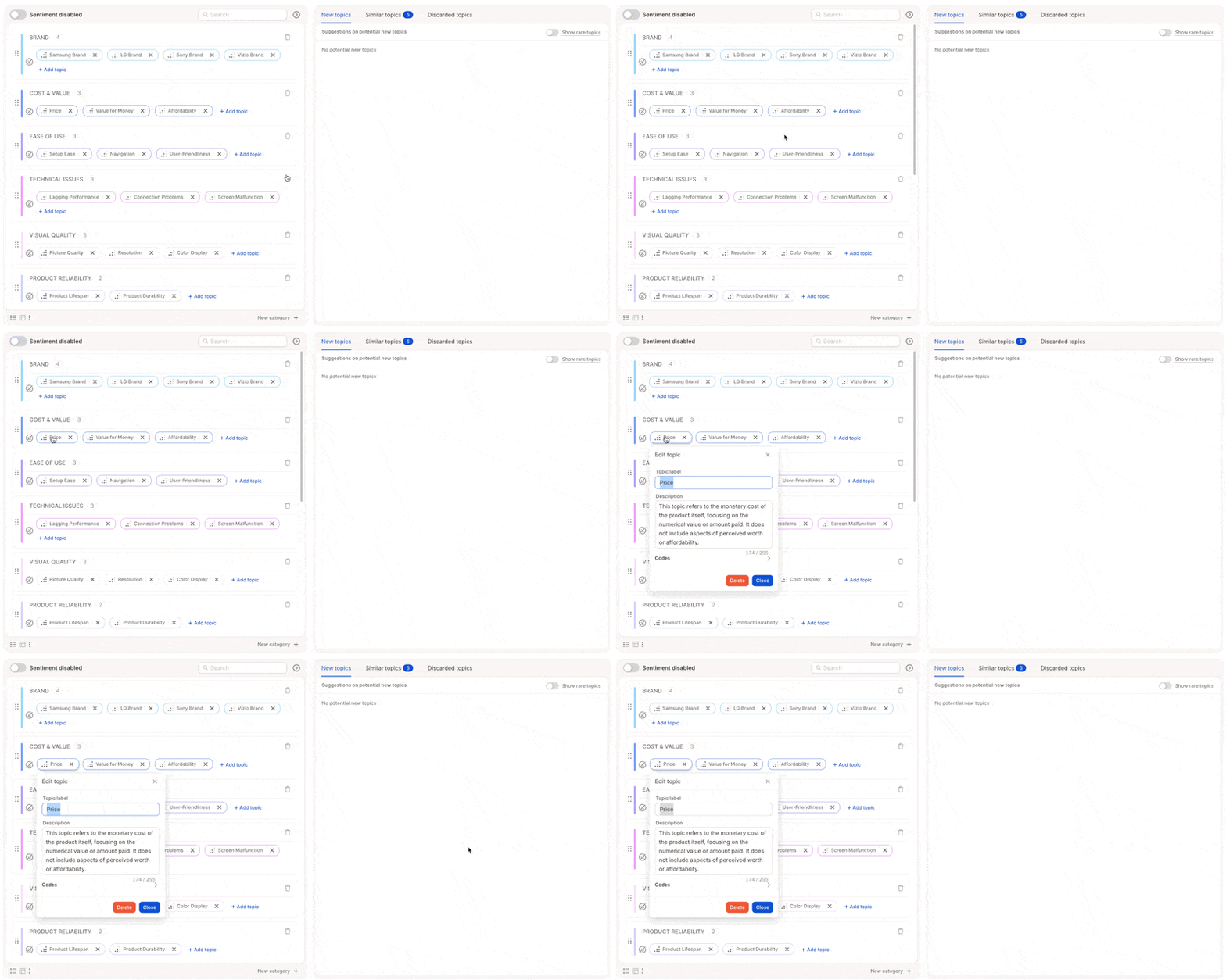
- Rare topics - not included by default, but available to browse and add manually
- Similar topics - flagged for potential merging or removal

Once you set a prompt it becomes your default, used when editing topics and when new rows are uploaded. You can override it anytime for a one-off run.
When you’re happy with the topic collection, click Done. The AI will begin assigning topics within 1–2 minutes.
Learn more about prompt-based generation →