

Where Does AI Training Happen?
You’ll train the AI directly inside your active project. Here’s how to get started:1
Open your project
Navigate to your project in Caplena.
2
Click Topics
Select Topics in the left-hand menu.
3
Review responses
Go through individual responses and confirm or correct the AI’s topic assignments.
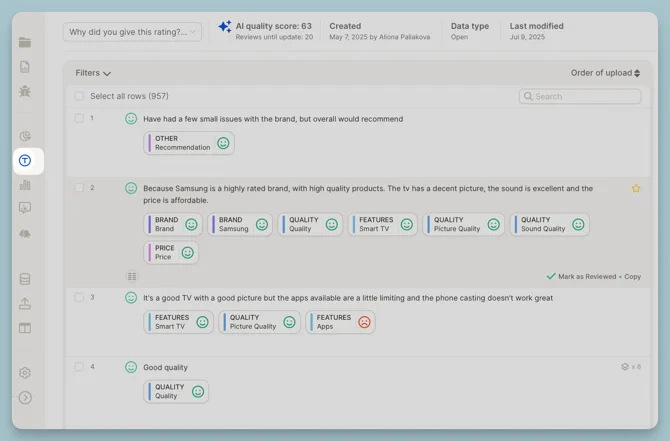
Reviewing a Row
Reviewing means clicking into a specific row and either confirming or adjusting the topics the AI applied.How to Review
You can either:- Click on a row to open the detailed view
- Or turn on Focus Mode (more on this below)
- Add or remove topics
- Adjust sentiment (if needed)
- Mark the row as reviewed ✅
Reviewed rows become learning examples for the AI — the more you review, the better it gets.
Focus Mode: Smart Reviewing
Focus Mode brings the most uncertain rows to the front — the ones where the AI is unsure and your input matters most.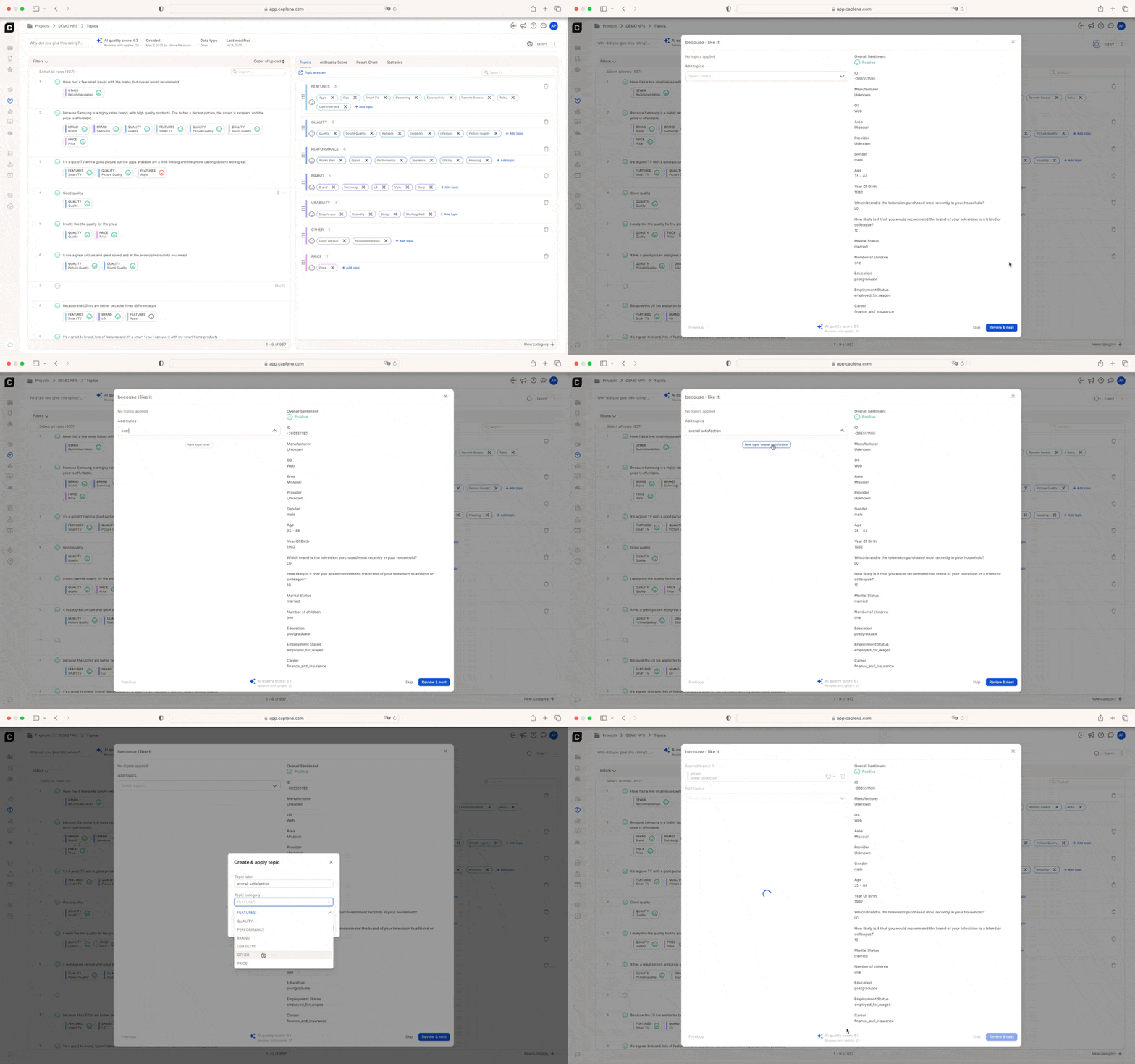
What Focus Mode Does
- Sorts rows by lowest confidence
- Hides already-reviewed data
- Removes visual clutter so you can concentrate
Example: If you’re training your AI on a telecom survey, Focus Mode might prioritize ambiguous responses like “Reception could be better” — prompting you to clarify whether this refers to network coverage or device quality.
Finalize and Refine Your Topic Collection
As part of the review process, it’s a good time to put the finishing touches on your topic structure. You can:- Rename topics to be clearer or more consistent (e.g., “App Usability” → “Mobile Experience”)
- Merge redundant topics like “Delivery” and “Shipping”
- Add entirely new categories if needed
Every change in the Topic Editor prompts the AI to retrain — your topic structure directly influences how well the model performs.