

When Should You Use “Replace Columns”?
The Replace Rows feature is ideal in the following scenarios:1. You want to add a new column (Both TTA and Non-TTA)
(TTA = Text to Analyze) Example: Add a demographic variable, metadata field, or custom tag that wasn’t included in the original dataset.Use case: Add new columns without re-uploading everything from scratch.
2. You want to update values in a TTA column
If you’ve corrected or enriched your open-ended responses:Use case: Replace rows while preserving existing coding or AI analysis.
3. You want to update values in a non-TTA column
Example: Fixing or completing metadata like Gender, Age, or Brand.Use case: Update values without re-uploading the whole dataset.
How to use Replace Rows
1
Open your project
Go to the Data section by clicking the 📄 document icon in the left sidebar.
2
Click "Replace Rows"
In the top-right corner, click the Replace rows button.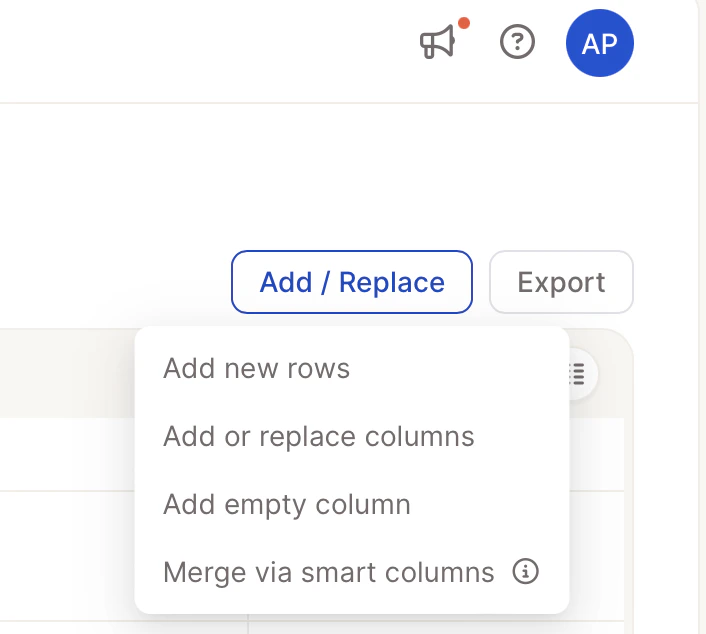
3
Upload your new file
Upload a CSV or Excel file that contains the updated rows and/or new columns.
4
Match columns
In the column matching screen:Select the identifier column (e.g. “ID”) — this is required. Caplena uses it to match the new rows to your existing dataset.When combined, these fields can form a unique identifier for each response.\You can select multiple identifier columns if your dataset doesn’t contain a unique response ID. For example, a combination of Date, Name, and Open-end content can together form a unique identifier.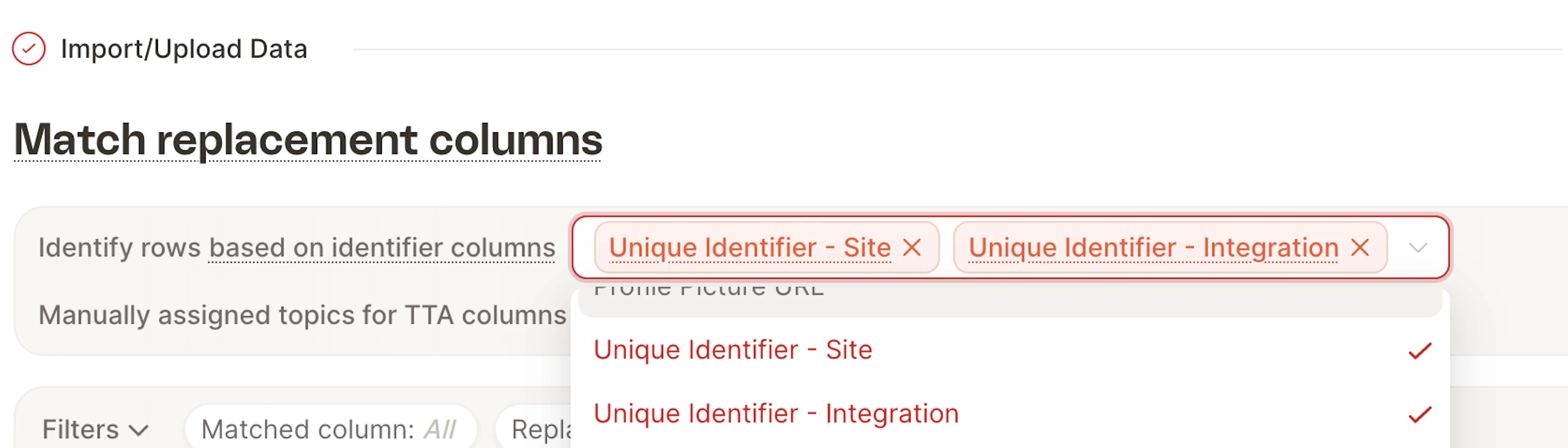
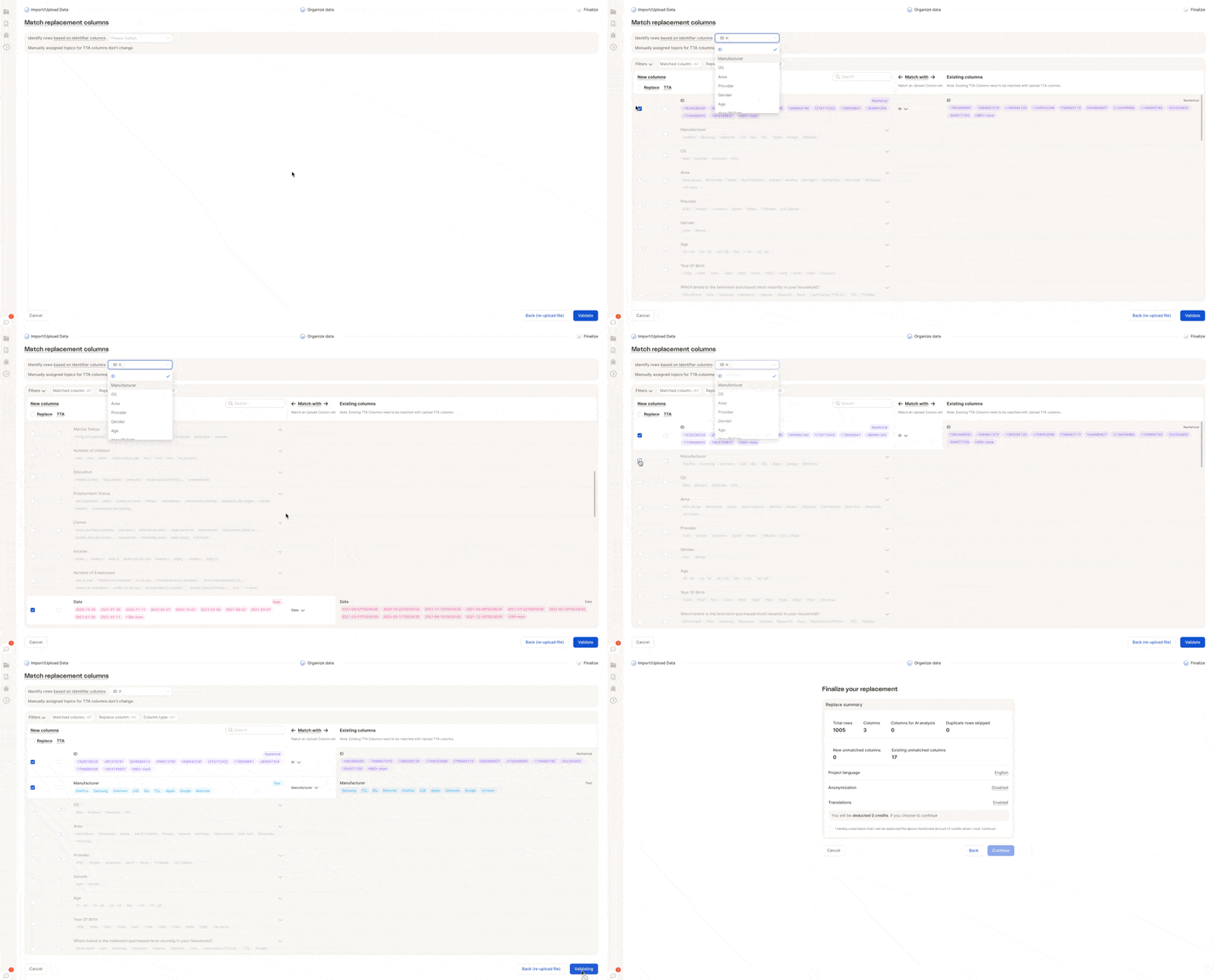
When creating a new TTA column, don’t forget to enable it by selecting the TTA checkbox.
5
Validate and finalize
Click Validate to preview changes, then click Finalize to complete the replacement.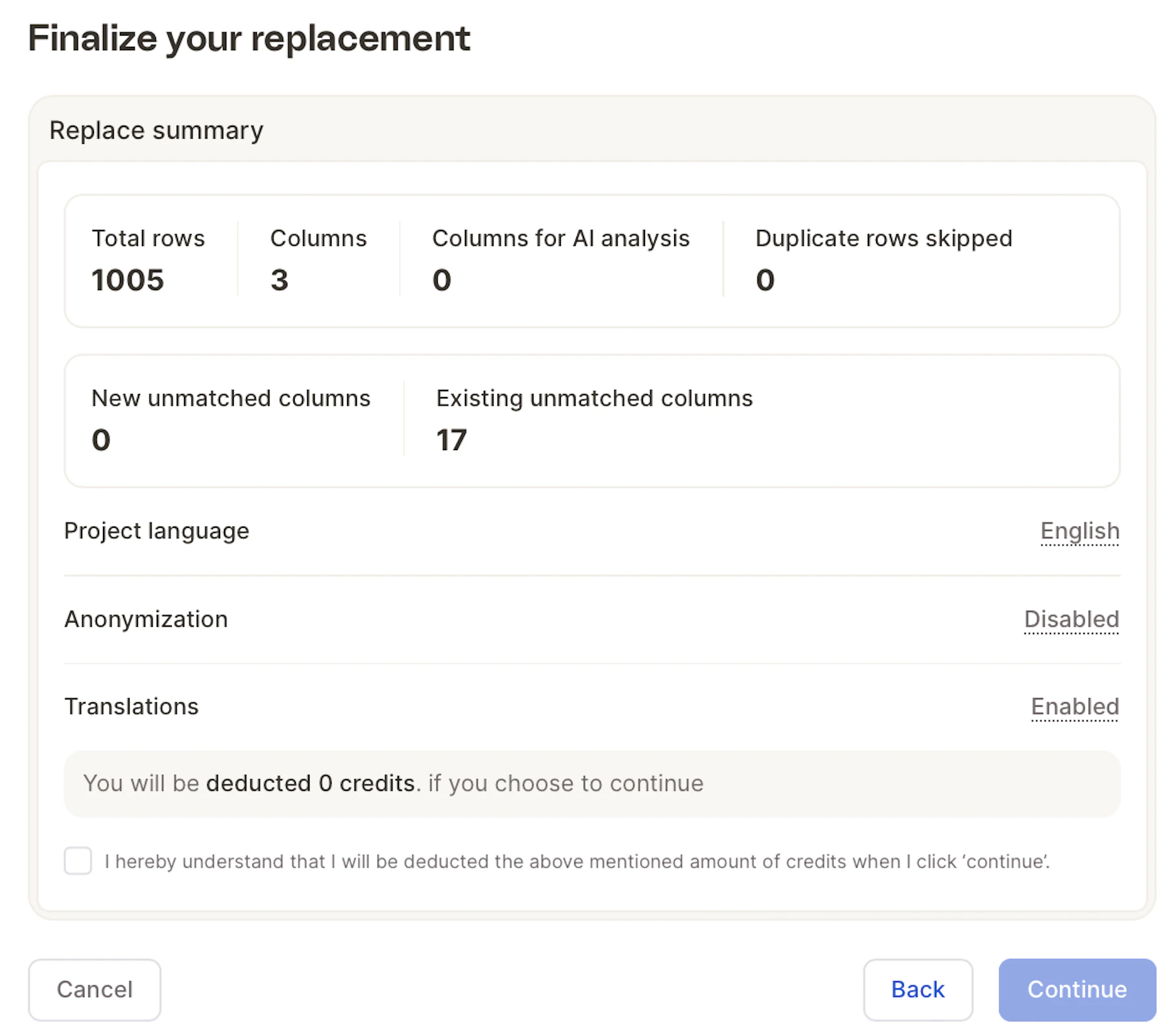
Done! Your dataset is now updated while all existing work (coding, topics, etc.) remains intact.