When merging Likes and Dislikes into a single column, please note the following to avoid unnecessary credit consumption:
- Likes and Dislikes must be imported as Text columns, not as TTA (Text-to-Analyze).
- If Likes and Dislikes are uploaded as separate TTA columns and then merged, the system will count three TTA columns in total (Likes + Dislikes + Merged), and credits will be charged accordingly.
Step 1: Create a New Smart Column
1
Go to your Data page.
2
Click on “Create New Smart Column.”
3
Give your new column a name, for example:
All Feedback Combined or Likes & Dislikes.4
Under Column Type, choose:
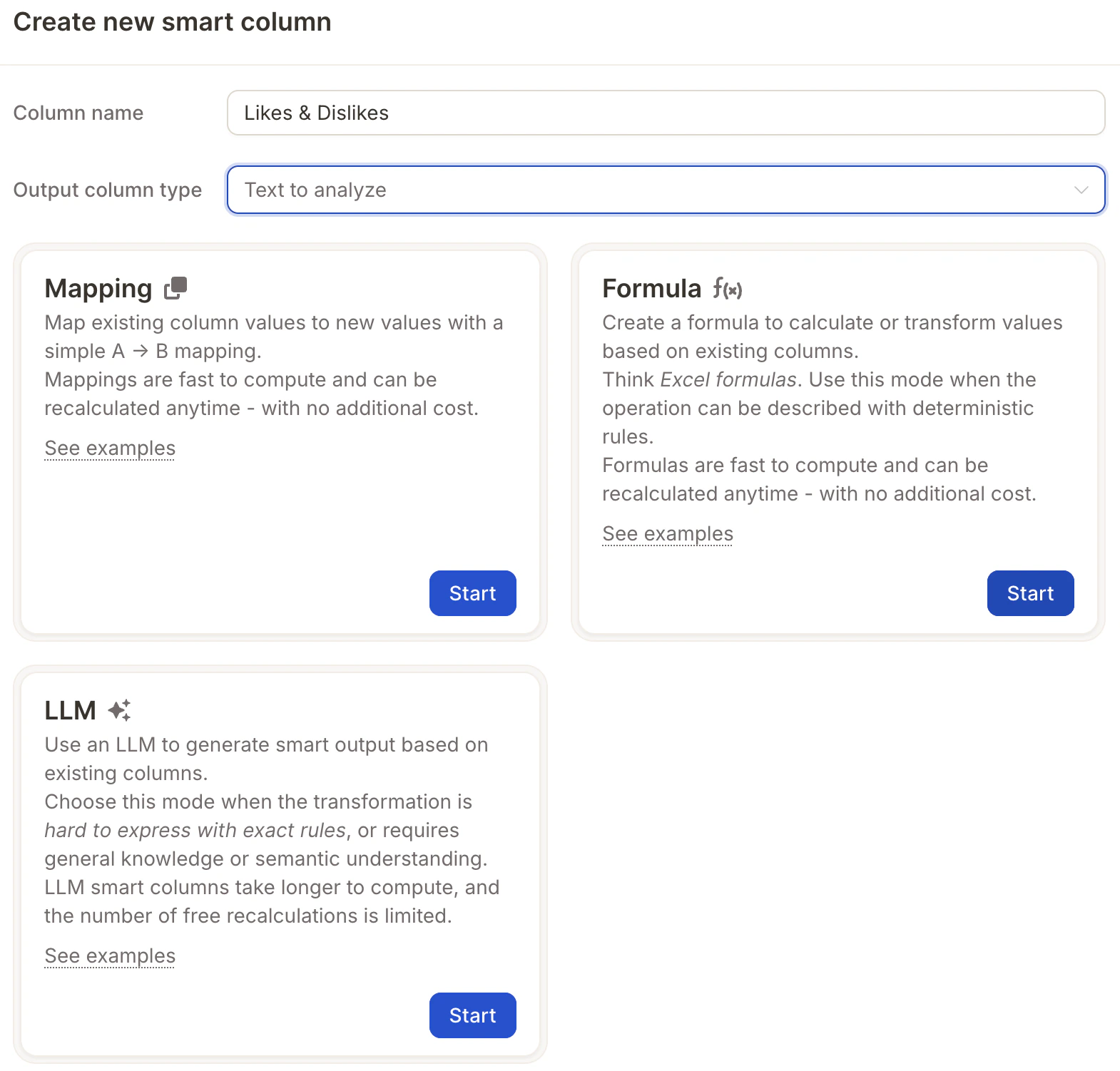
Text-to-analyze – this will ensure the column is available for AI topic analysis.Step 2: Choose the Smart Column Mode
1
Select the Formula mode.
This allows you to merge the content from multiple columns.
This allows you to merge the content from multiple columns.
2
Use the “Likes & Dislikes” template — it’s specifically designed for this type of task and will automatically generate a helpful formula.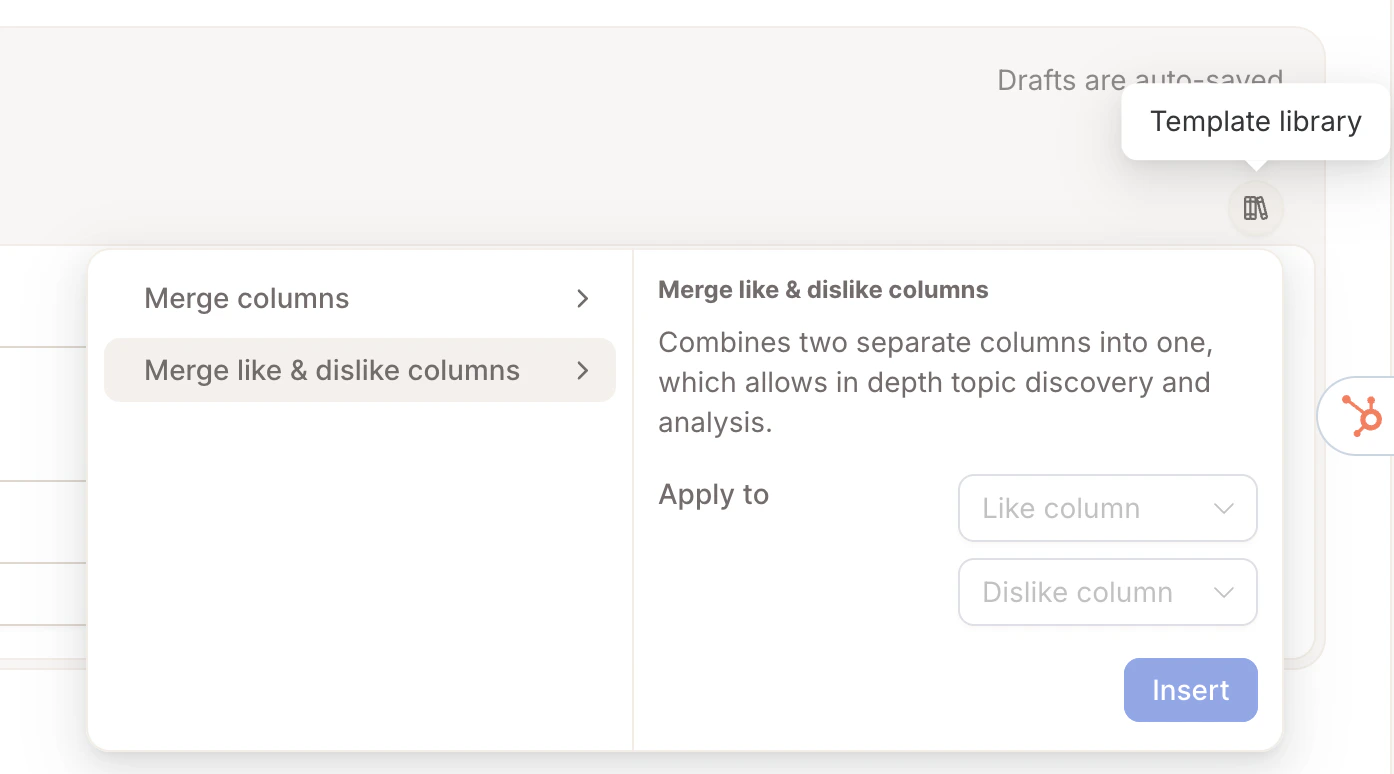
Step 3: Select Columns to Merge
- Choose the two columns you want to combine, e.g.:
What did you like?What didn’t you like?
- Optionally, add labels like:
"Positive: "and"Negative: "
This helps you (and the AI) better understand the source of each text.
Step 4: Preview & Create
1
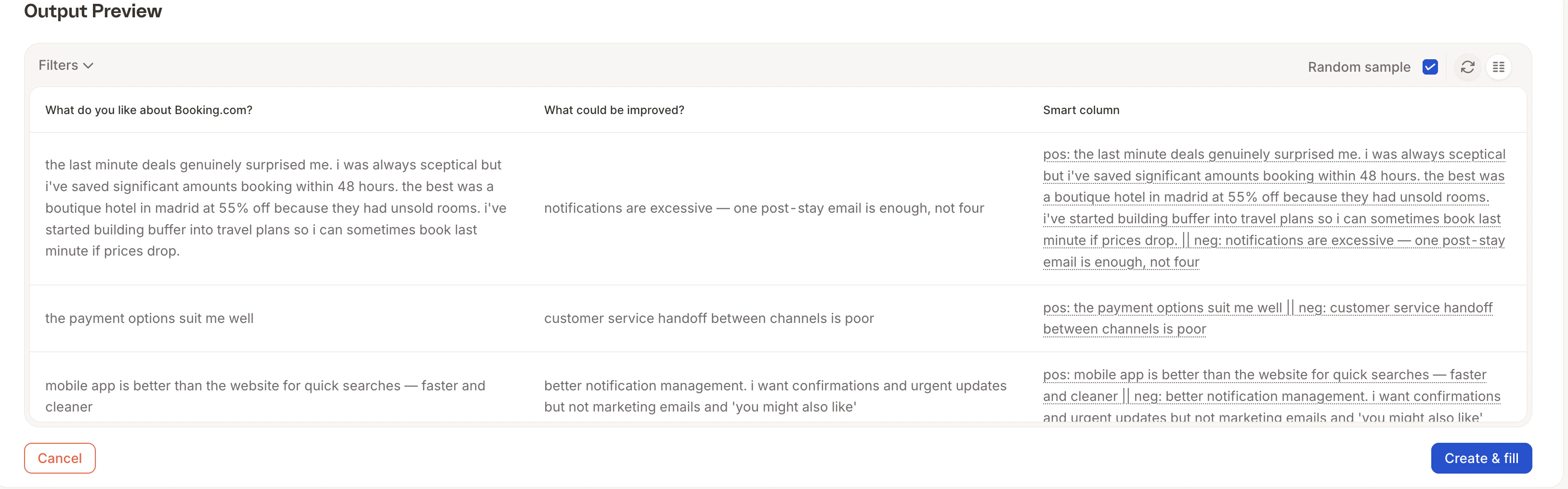
Click “Generate Sample” to preview the result.
2
If everything looks good, click “Create & Fill”.
3
Done! 🎉
Your new column will now be populated and ready to use
Your new column will now be populated and ready to use