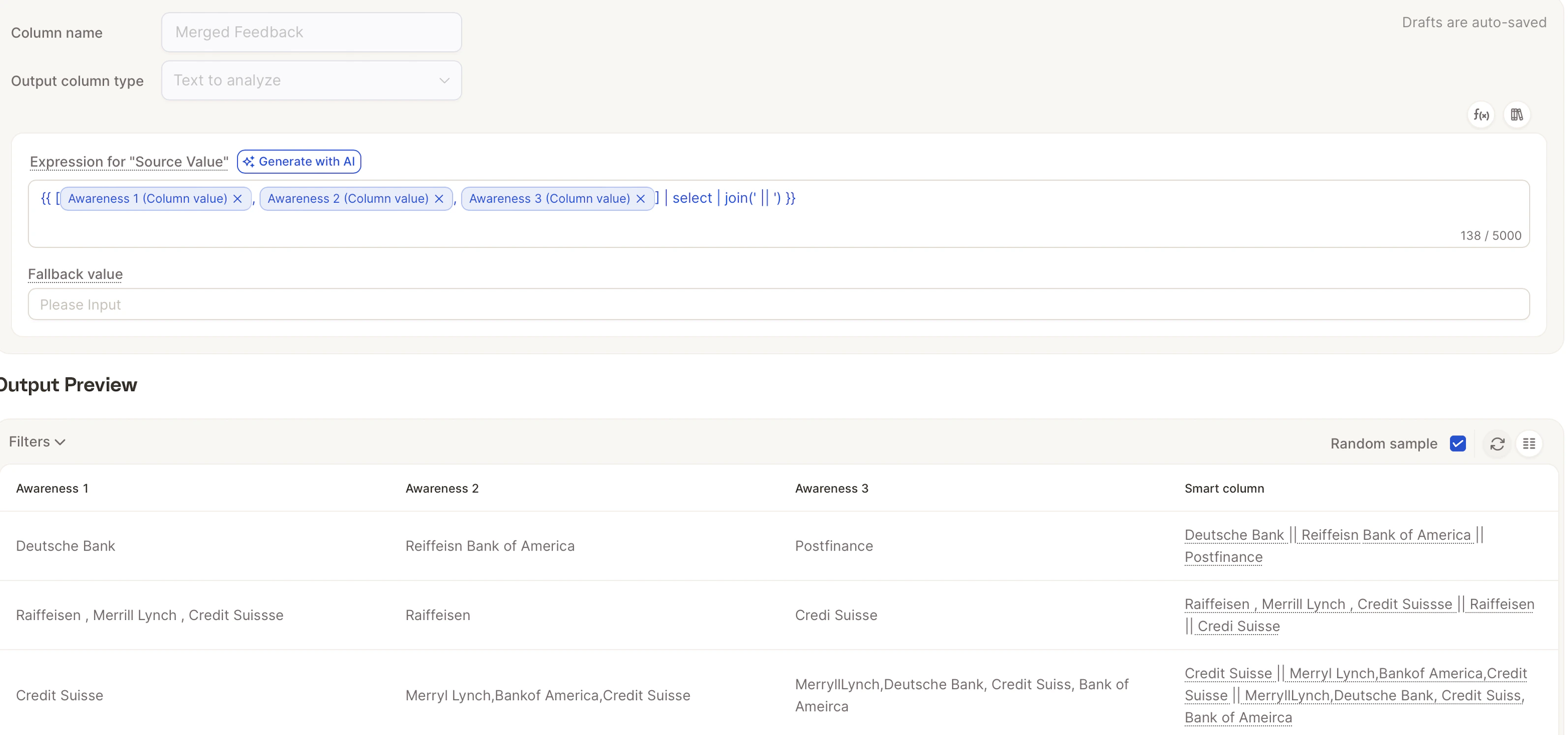
If you want a clearer, stronger picture of what your customers are saying, it often makes sense to bring these fields together and analyze them as one. With Smart Columns in Caplena, you can merge any text fields in just a few clicks and run a single, unified AI analysis. No Excel formulas, no manual work, just clean, streamlined insights.
Tip to Save Credits:To merge efficiently:
- Import the original columns as Text
- Create one Smart Column as Text-to-analyze (TTA)
Quick option: Merge via smart columns
If the columns you want to combine already exist in your project, you can create the merged smart column in two clicks straight from the Data tab.1
On the Data tab, select the checkboxes next to two or more text columns you want to merge.
2
Open the Add / Replace dropdown in the top-right and choose Merge via smart columns.
3
Caplena creates a new Text-to-analyze smart column in Formula mode, pre-filled with a template that joins the selected columns. You’re taken straight to the smart column detail page to review the name, tweak the formula if needed, and click Create & Fill.
This shortcut is only available when at least two columns are selected, and when your project still has TTA smart column capacity left. If you’ve hit the TTA column limit, free up an existing TTA column or contact support before retrying.
Step 1: Create a New Smart Column
1
Go to your Data page.
2
Click on “Create New Smart Column.”
3
Give your new column a name, for example:
All Feedback Combined or Unified Feedback.4
Under Column Type, choose:
Text-to-analyze – this will ensure the column is available for AI topic analysis.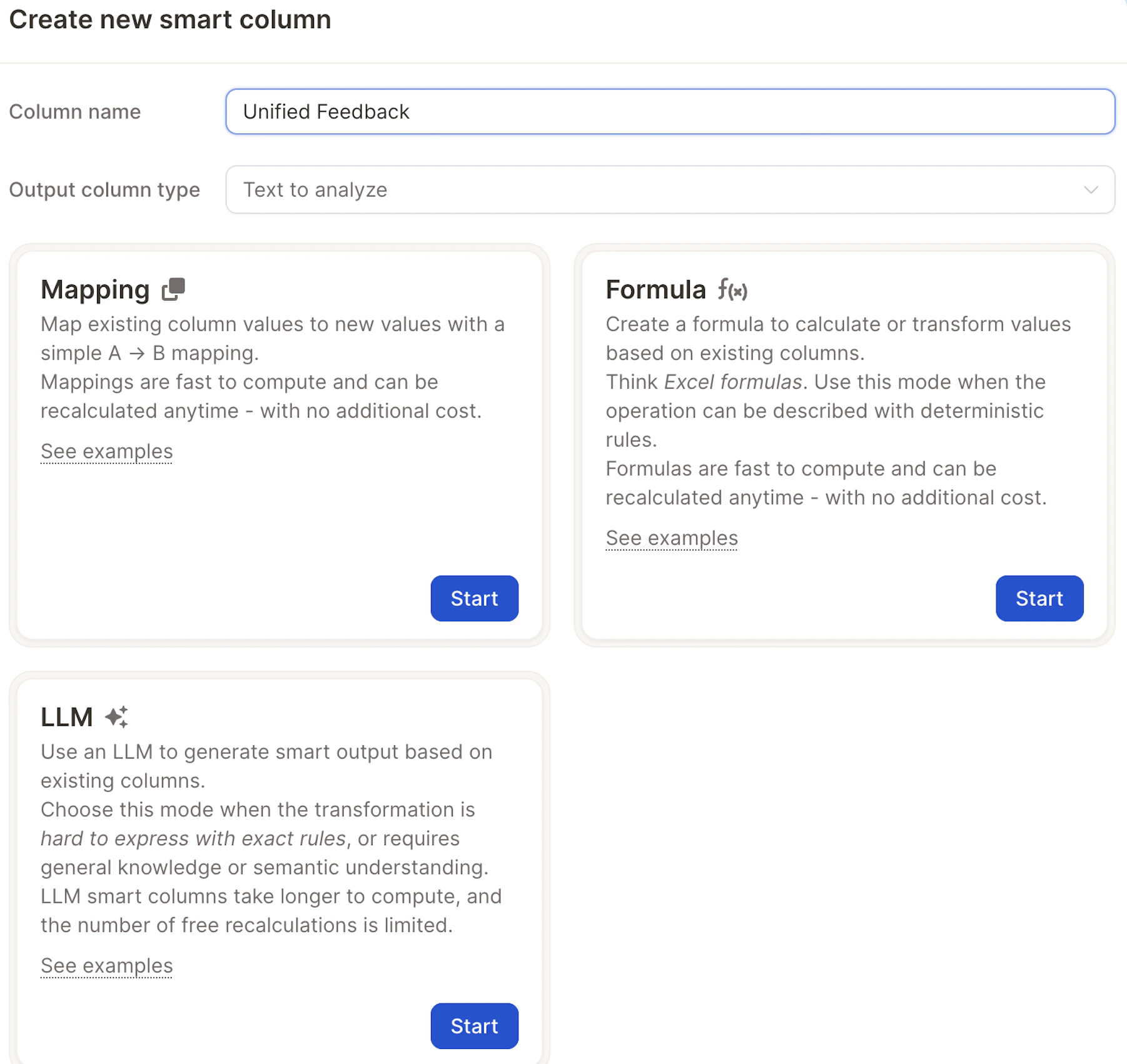
Step 2: Select Formula Mode
1
Choose Formula as the Smart Column mode.
2
You can use the Merge Columns template as a starting point, it’s flexible and can be adapted for any fields you want to merge.
Step 3: Pick the Columns You Want to Combine
Choose any text fields you want to analyze together, such as Likes, Dislikes, Improvements, or Additional comments. This is especially useful when your survey includes multiple comment fields that touch on the same topic (e.g., satisfaction, experience, feature requests), and you want to understand the full picture without jumping between columns.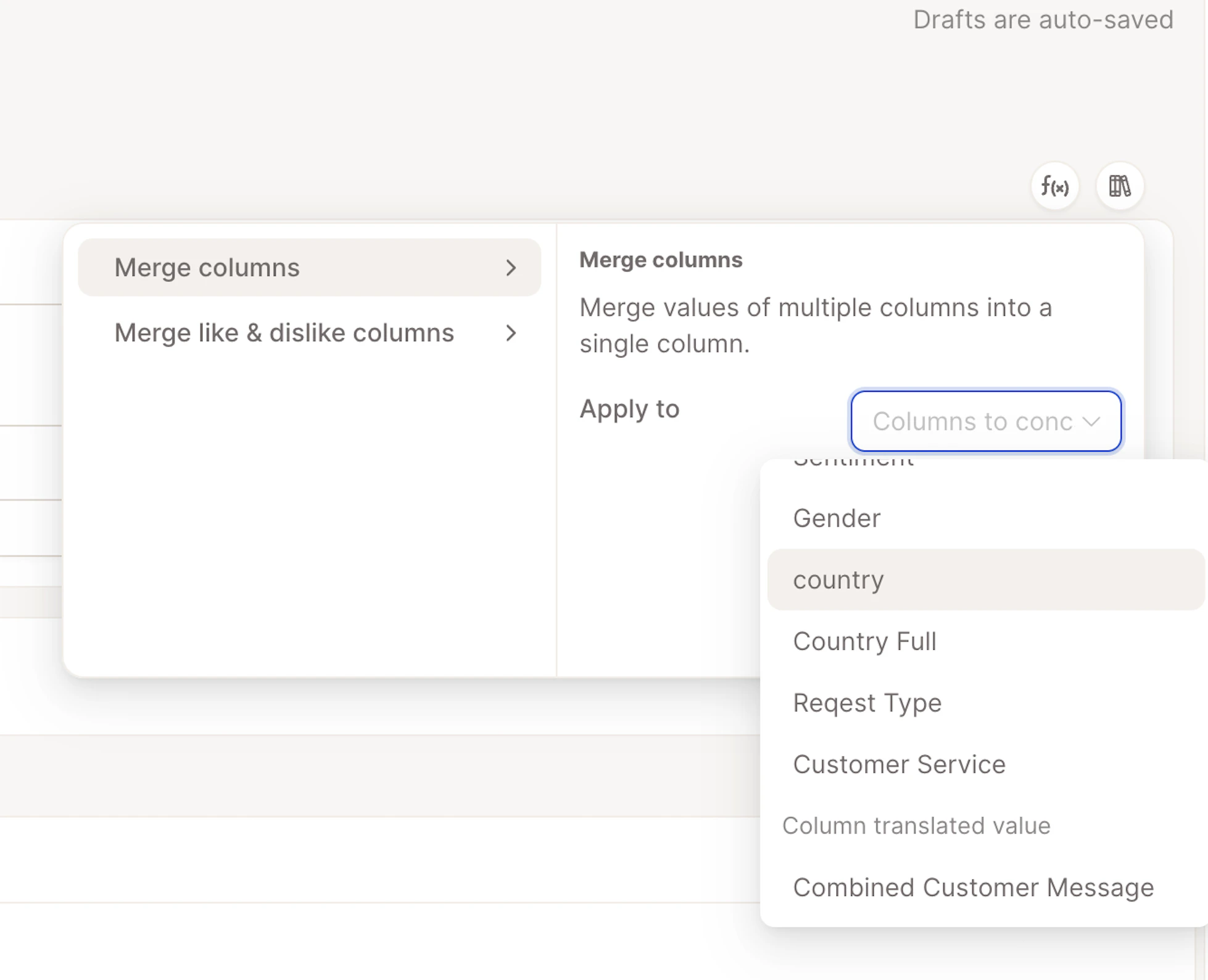
Step 4: Preview & Create
1
Click Generate Sample to check if the merged text looks right.
2
If everything looks good, click Create & Fill.