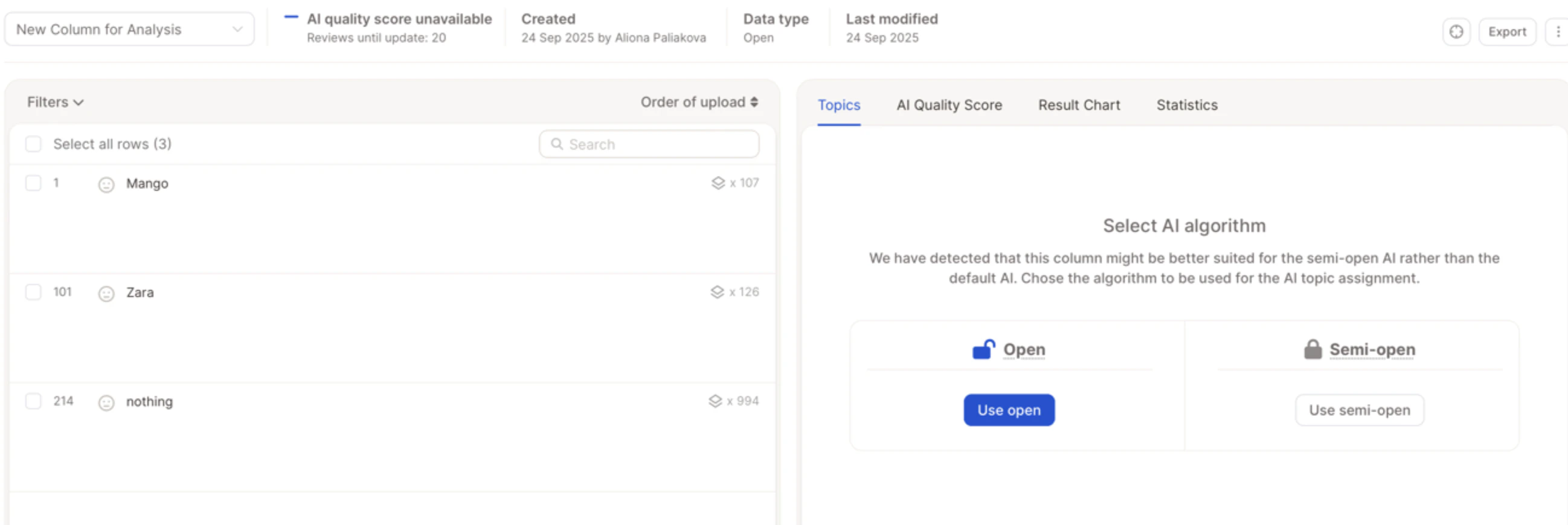
Option 1: Using Add & Replace
If Smart Columns are not available or preferred, you can re-import the column using the Replace flow.1
Prepare your file
Include the unique identifier column (e.g., UUID, respondent ID) and the column(s) you forgot to include originally.
2
Replace Data
In your project, go to Data → Replace Data and upload your new file.
3
Match and add columns
Select the identifier column to match existing rows, then select the new column(s) to be added.
4
Configure and complete
Check the TTA box if the column should be treated as open text, select the option to add as a new column, and complete the upload.
Option 2: Using a Smart Column (if included in your plan)
If you have Smart Columns enabled, you can turn an existing column into a Text to Analyze (TTA) column.1
Open Smart Columns
Go to your project and open the Smart Columns panel, then click Create Smart Column.
2
Select column type
Select the column type “Text to Analyze”.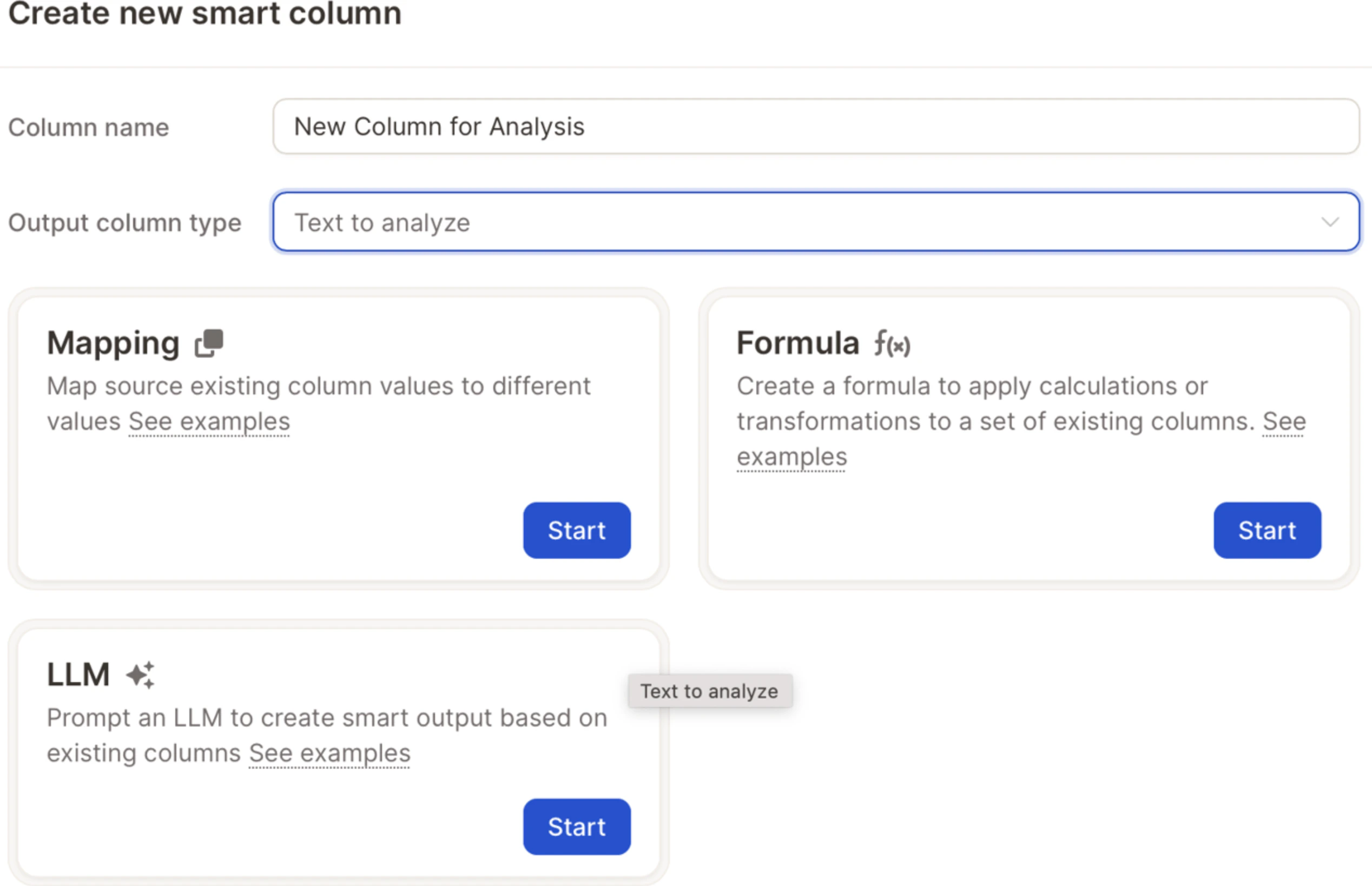
3
Choose Formula and Variable
Choose Formula, click on Variable, and select the column you’d like to turn into a TTA field.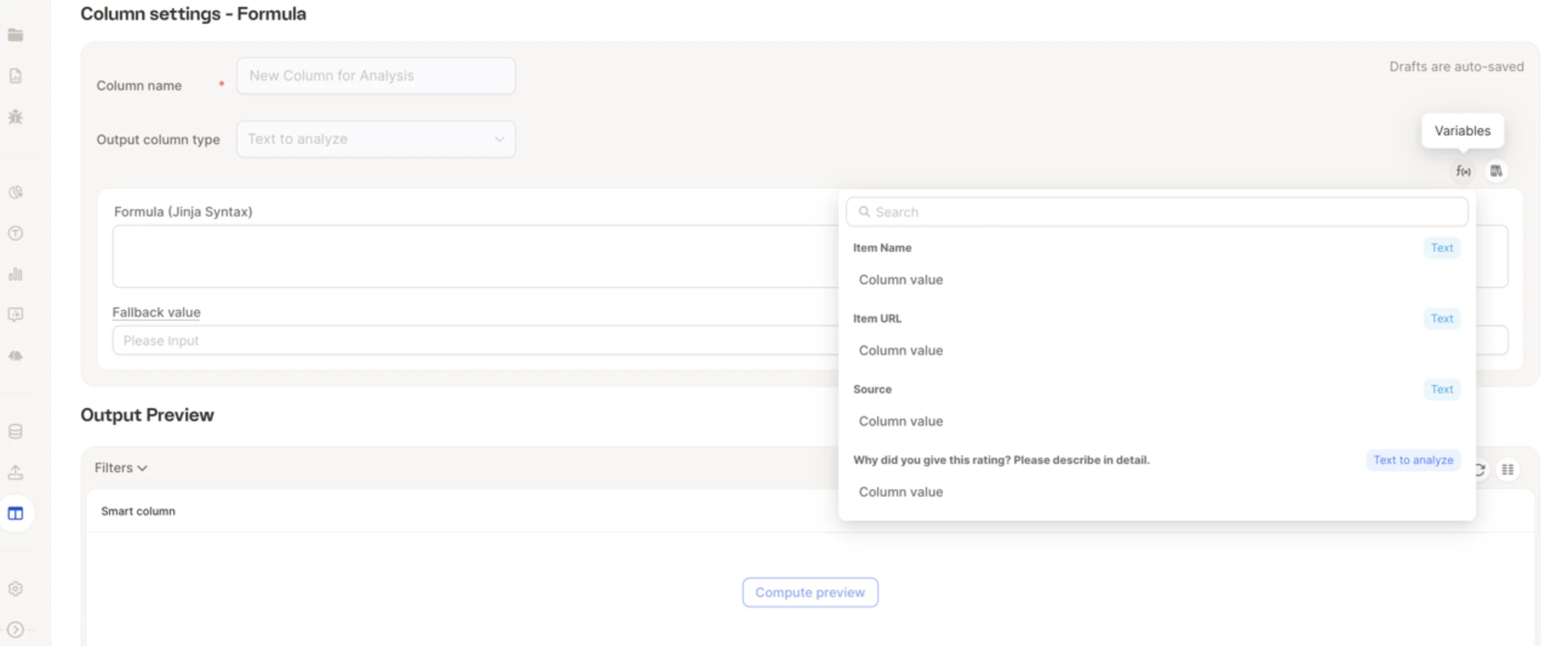
4
Create & Fill
Click Create & Fill.