

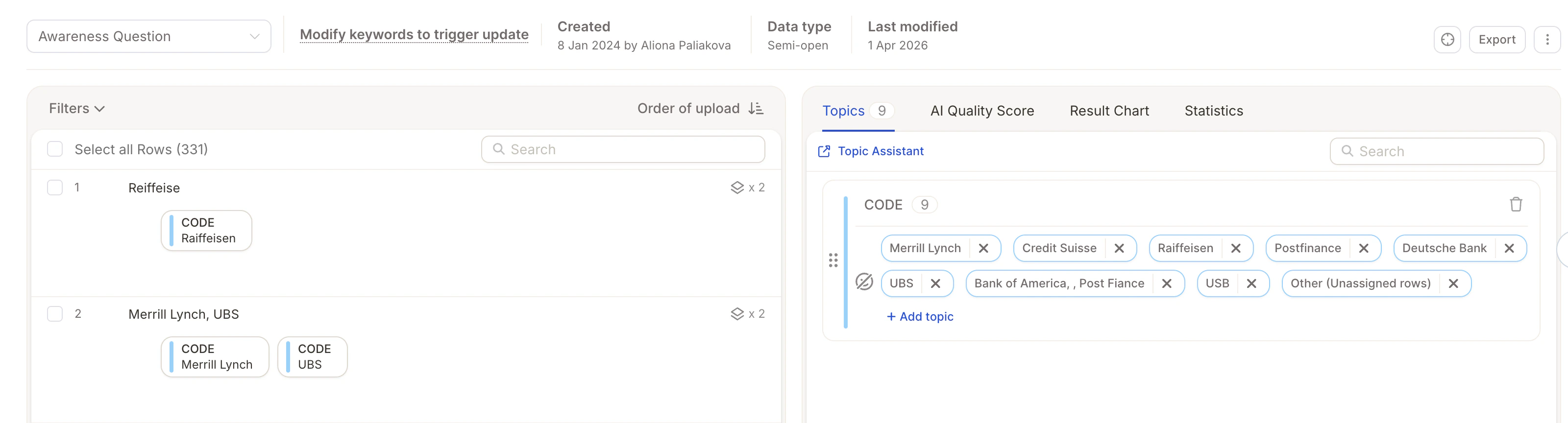
- Brand awareness (“Which brands do you know?”)
- List-based answers (products, competitors, sources)
- Short, repetitive responses
Step 1: Select Your Text Columns
Before starting the analysis, decide how to handle your columns:Analyze Separately
Select each column as Text-to-Analyze (TTA). Use this when you want to compare results across questions.
Each TTA column is analyzed separately and consumes credits.
Combine Columns
Use Smart Columns to merge multiple columns into one unified analysis. Best when columns contain the same or very similar question.Smart Columns guide →
Step 2: Start the Analysis
.gif?s=1ecc784c873394534233421c78966fd9)
- Start from scratch – AI generates initial topics and categories automatically
- Reuse existing structure – Import a topic collection or reuse categories from another project
Step 3: Configure Key Settings
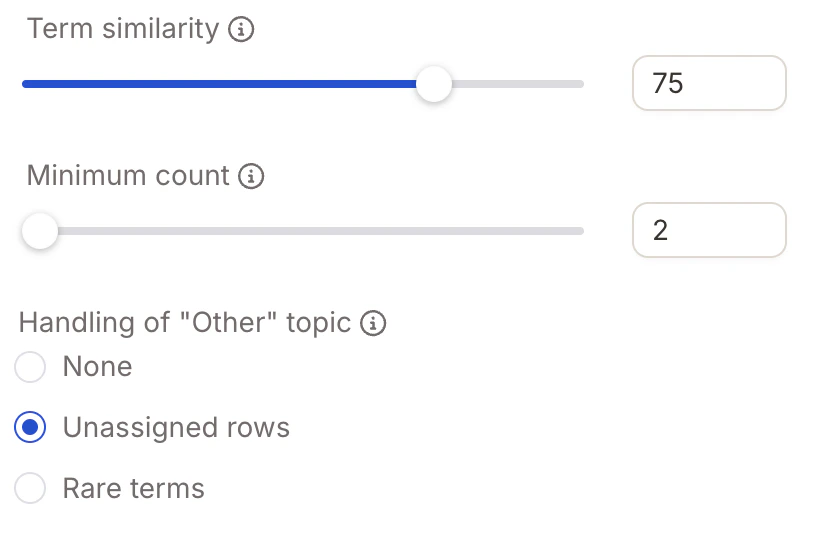
Minimum Count
Defines how often a term must appear to become its own topic. For example, setting this to
2 means only terms mentioned at least twice will appear as separate topics.
“Other” Topic
Controls how low-frequency responses are handled:
When Unassigned Rows or Rare Terms is selected, you can assign a custom code ID (any integer ≥ 0) to the “Other” topic — useful when exporting results and aligning topic codes with an existing coding scheme.
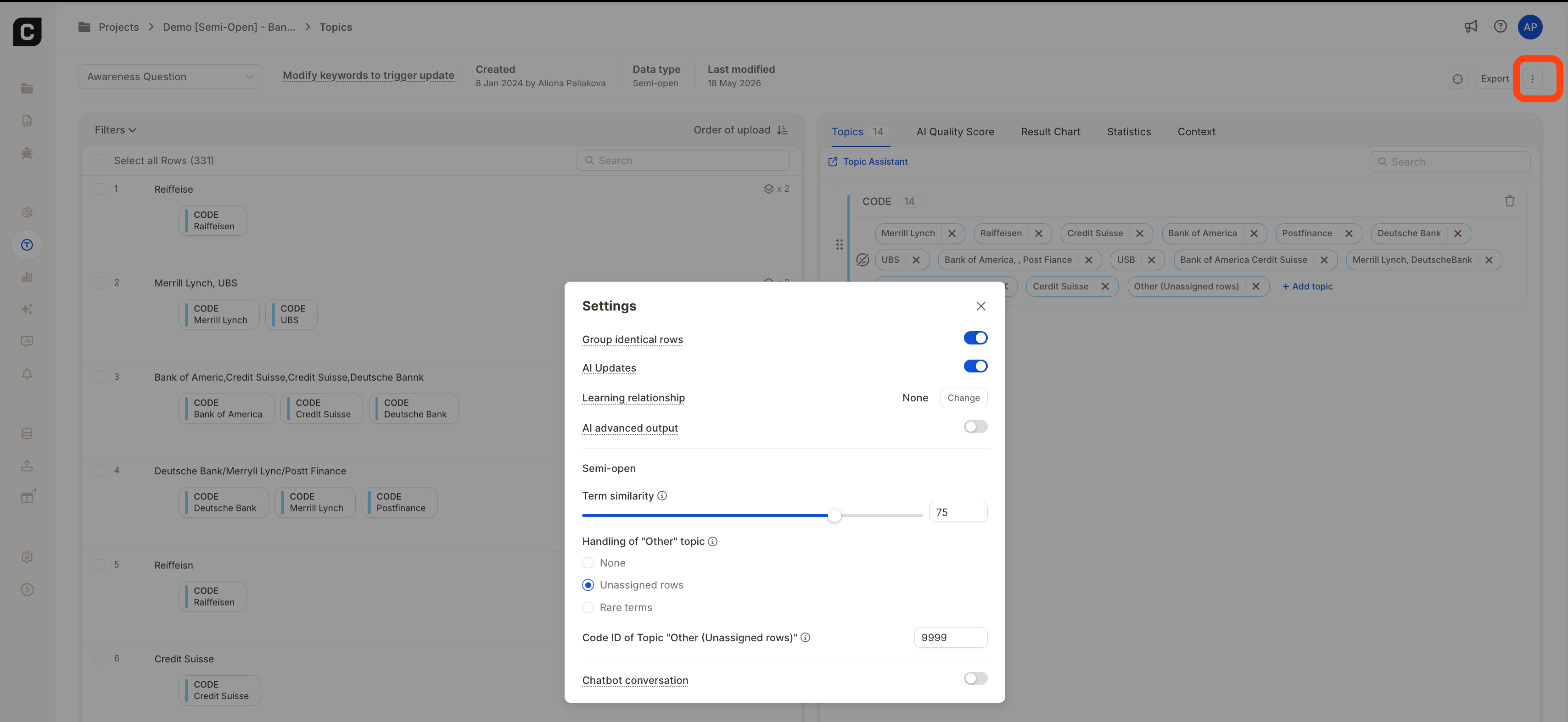
You can modify the Term Similarity, “Other” topic handling, and the “Other” code ID at any time from the question’s Settings menu in the topic assignment view.Changes are saved automatically and will take effect during the next topic assignment run.
Step 4: Review Topics & Keywords
Before finalizing, review and fine-tune your topics and keywords to ensure accurate results. Review Topics- Confirm each topic represents a distinct answer or concept
- Rename topics to improve clarity
- Merge duplicates and remove irrelevant topics
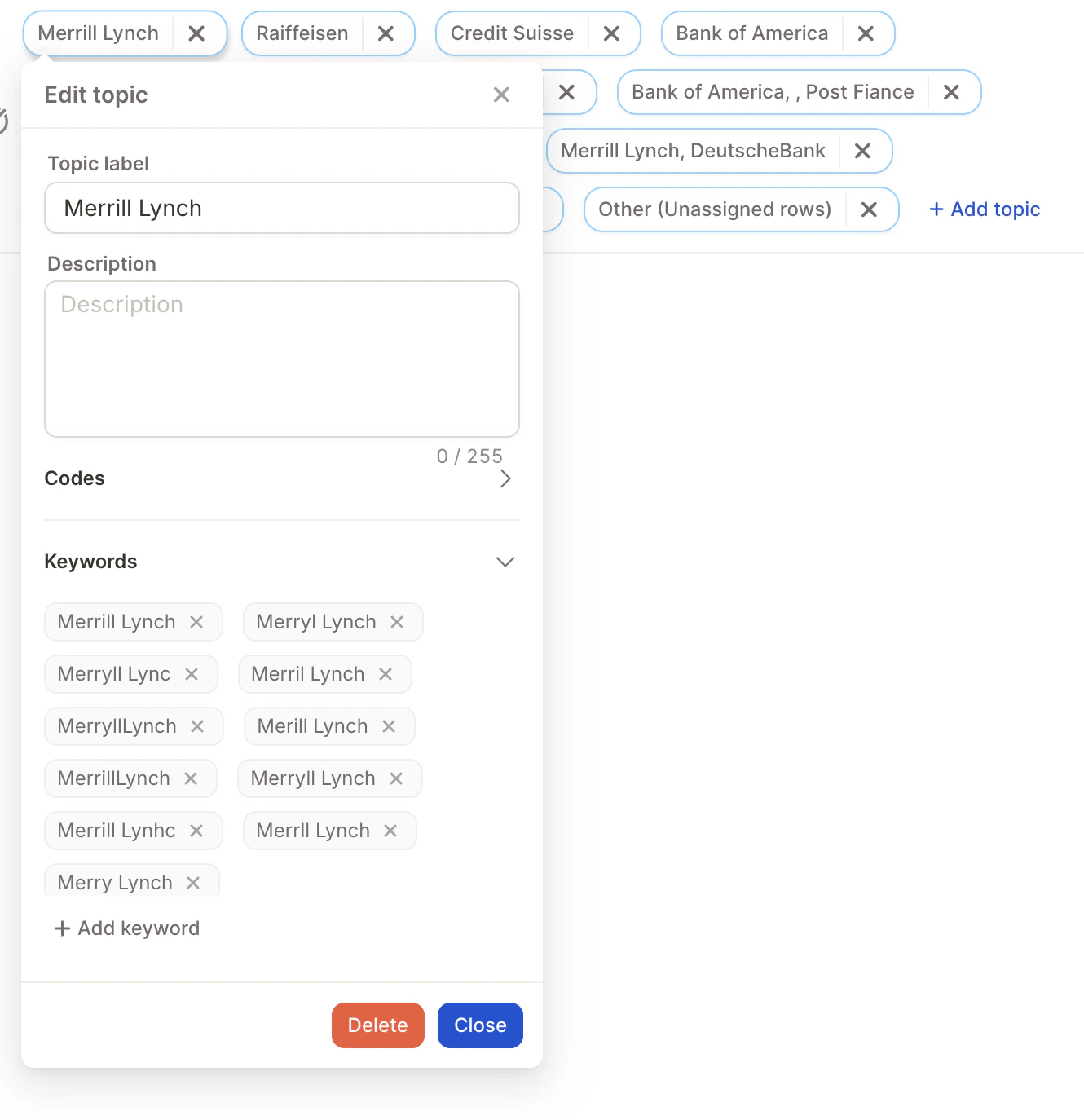
- Include abbreviations – e.g. “FB” for Facebook
- Add spelling variations – e.g. “McDonalds”, “Mc Donald’s”
- Include common phrasing – different ways users might refer to the same concept
- Be specific – especially for similar or overlapping topics
Punctuation doesn’t matter — “Iqos, TEREA, Plum” works the same as “Iqos TEREA Plum”. Only
|| is treated as a separator.Example: Keywords areTeslaandTesla Model 3. For the text “I like my Tesla Model 3”, the system matches Tesla Model 3 ✅ and ignoresTeslasince the longer keyword already covers it.
How Semi-Open Learns from Your Input
Semi-Open mode updates assignments automatically as you refine your codebook. Two things trigger reassignment:- Keyword changes — adding or editing keywords on a topic causes Caplena to re-evaluate all rows against the updated keyword list within a few minutes.
- Manual reviews — when you manually assign a topic to a row and mark it as reviewed, the system learns from that correction and applies the same logic to similar unreviewed rows.
After making changes, assignments update automatically in the background — you don’t need to trigger a manual run. If you don’t see the changes reflected immediately, refresh the page.