

Surveys is in closed beta and not yet available to all customers. Join the waitlist to get access. See Surveys overview for current limitations.
Supported languages
English, Spanish, Chinese (Simplified), Chinese (Traditional), German, French, Japanese, Portuguese, Italian, Arabic, Korean, Dutch, Hindi, Indonesian, Russian, Turkish, Polish, Swedish, Thai and Vietnamese.Set the base language
The base language is the language you write the survey in. Set it with the language setting under the survey name (for example English) before you add questions. Once the survey has questions, the base language can’t be changed.Add languages
1
In the builder, switch from Questions to Translations.
2
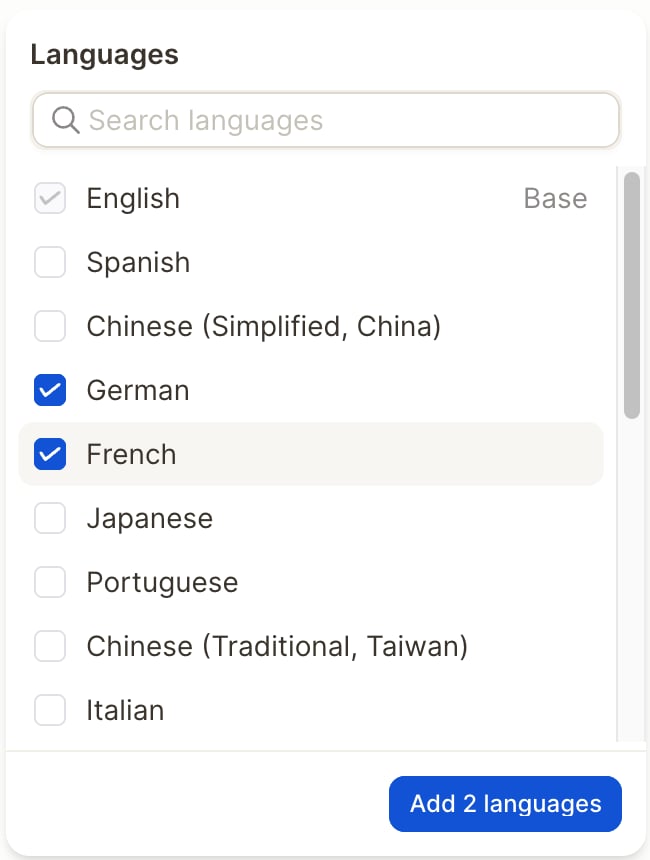
Open Languages, select the languages you want to offer and click the add button (for example Add 2 languages).
3
Confirm with Add. All texts are translated automatically from the base language: questions, answer options, labels, the start screen title and the closing message.
Review and edit translations
The translations view lists every text with its translation in each language: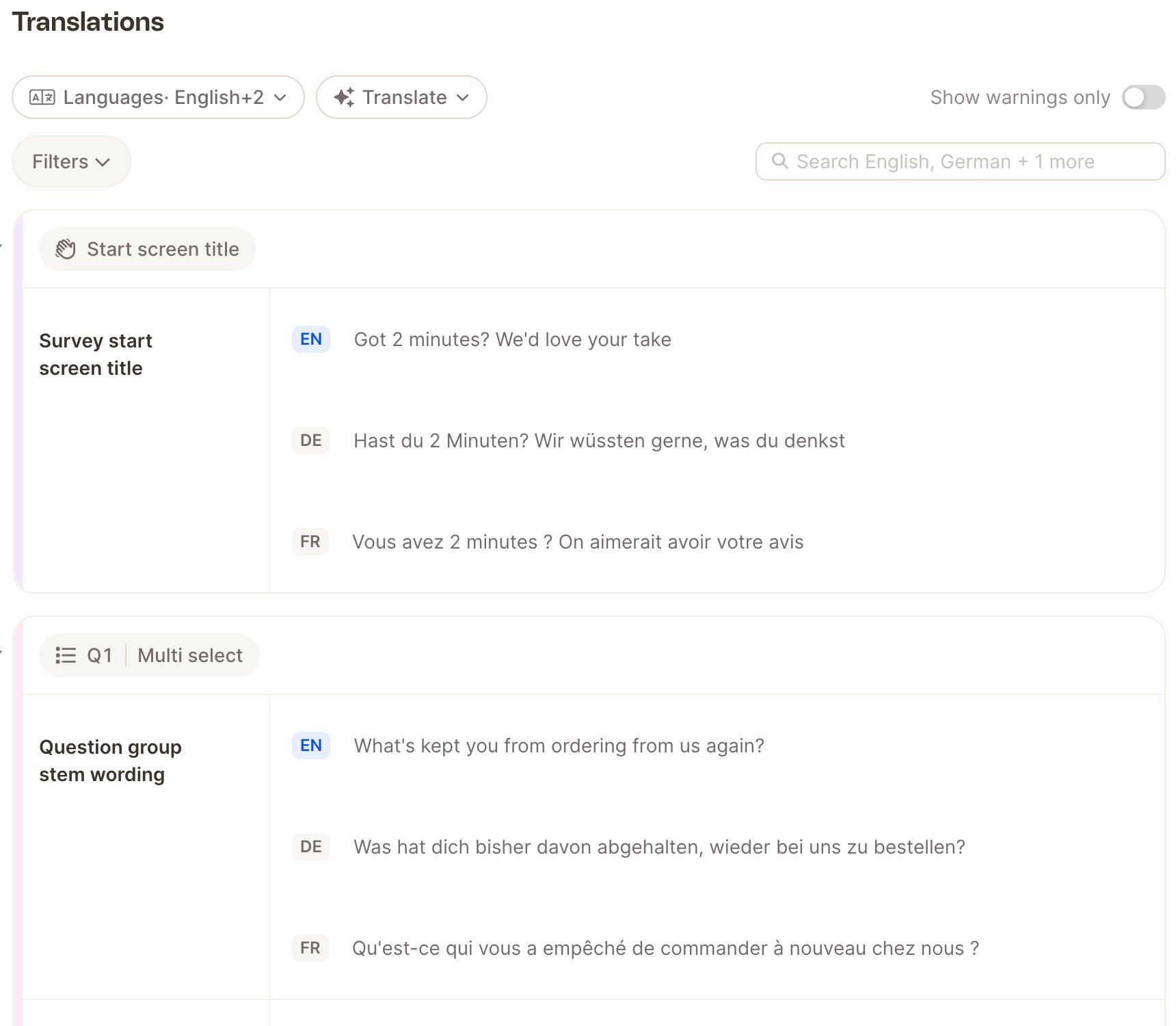
- Edit a translation inline. Edited translations are kept when the base text changes.
- Mark as reviewed once you’ve checked a translation.
- Original text changed: shown when the base text changed after a translation was reviewed or edited. Choose Retranslate to translate it again, or Keep mine.
- Filter by language, by reviewed or empty translations, or by changed originals, or show warnings only.
Translation instructions
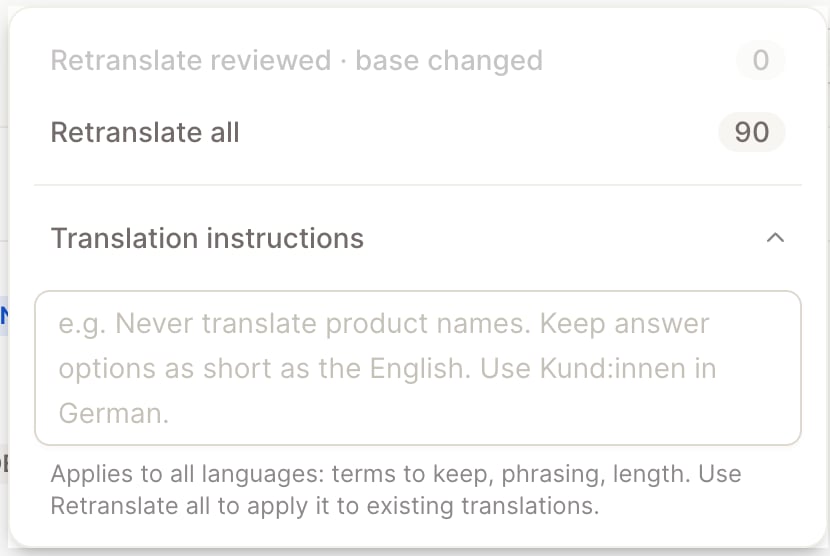
Use Translate → Translation instructions to guide all translations, for example terms to keep in English, the form of address, or a maximum length. Then choose:- Retranslate reviewed · base changed to translate again only the texts you’ve already reviewed whose original has since changed, or
- Retranslate all to translate everything again with the new instructions. This overwrites reviewed translations.
Which language respondents see
Respondents automatically get the survey in their browser language if you offer it. Otherwise they get English if you offer it, and the base language if you don’t. To send a link that opens in a specific language, addlang to the link, for example ?lang=de.
Use the language picker in the builder’s Preview to check each language.
During the closed beta, buttons, hints and system messages in the respondent interface (such as “N/A” or “Question 2 of ~8”) are shown in English, and some texts, such as answer options and the start screen title, may still appear in the base language. Questions and the closing message are shown in the respondent’s language. Test each language with the preview before you send the survey out.