

Types of Alerts
When you click Create new alert, you’ll be prompted to choose one of three options: Agent Prompt (featured) Get AI-generated reports delivered on a schedule or on demand. Write a plain-language prompt describing what you want to know and how often, Caplena’s agent will analyze your data and send you a report.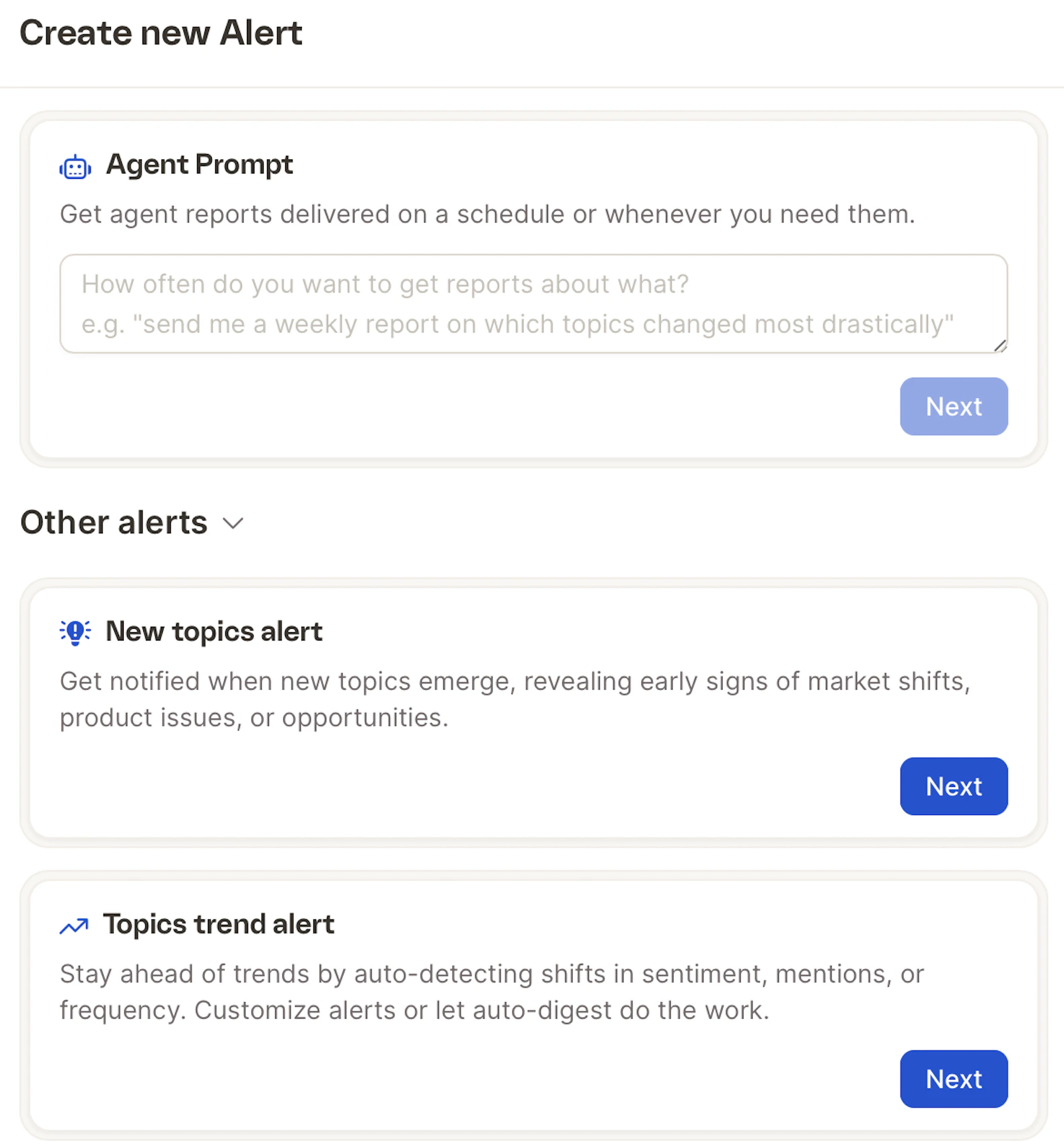
Example prompt: “Send me a weekly report on which topics changed most drastically.”
How to Set Up an Alert
- Go to your project and open the Alerts tab.
- Click Create new alert.
- Choose your alert type and click Next.
- Fill in the details and configure your schedule.
Agent Prompt Alerts
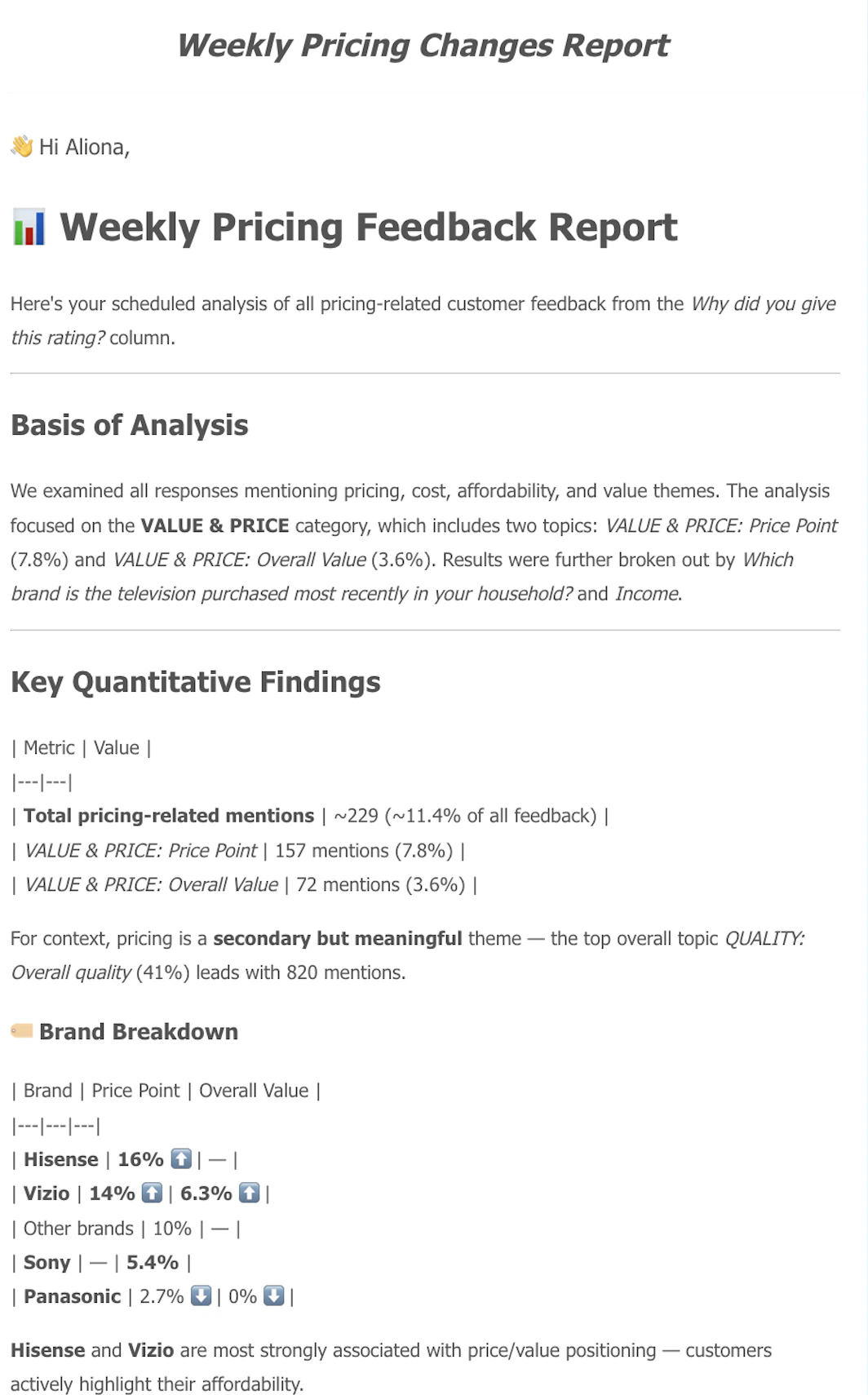
This is the most flexible alert type. You write a custom prompt telling Caplena what to analyze and report on.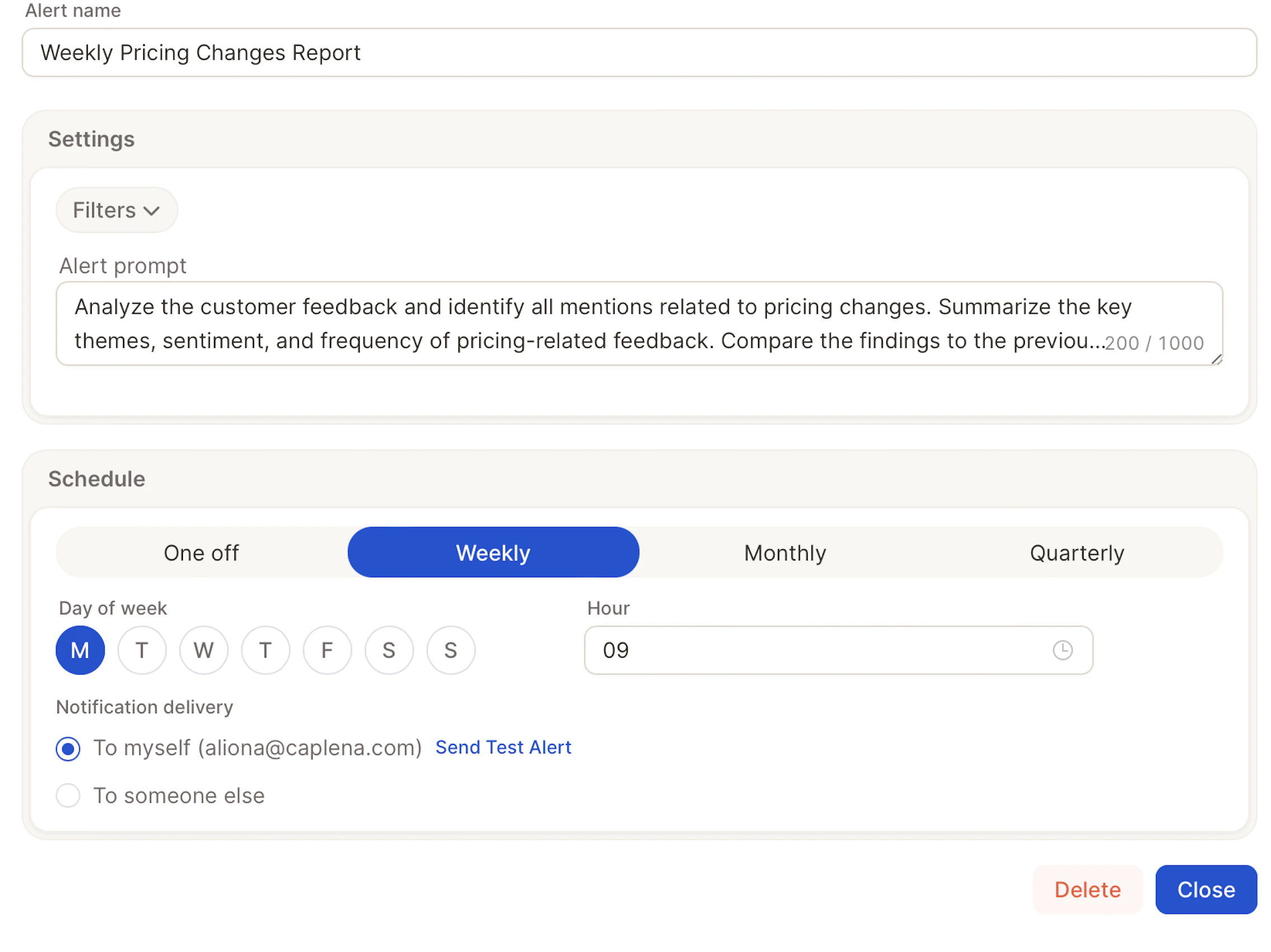
- Alert name — Give your alert a descriptive name (e.g. “Weekly Pricing Changes Report”).
- Filters — Scope the alert to specific segments of your data.
- Alert prompt — Write your instruction in plain language (up to 1,000 characters). Describe what to analyze, what to summarize, and any comparisons to make.
- Schedule — Choose One off, Daily, Weekly, Monthly, or Quarterly. For recurring schedules, set the hour (and day of week for weekly, monthly, and quarterly).
- Notification delivery — Send to yourself or to someone else. The recipient becomes the alert owner if they’re a member of your organization (see Alert ownership).
Example prompt: “Analyze the customer feedback and identify all mentions related to pricing changes. Summarize the key themes, sentiment, and frequency of pricing-related feedback. Compare the findings to the previous period.”
New Topics Alert
Get notified as soon as brand-new topics appear in your feedback. This is useful for catching emerging issues, product bugs, or shifts in customer language before they show up in trend data. Configuration options:- Alert name — A descriptive name (e.g. “New Topics – Support Feedback”).
- Filters — Scope the alert to a segment of your data (e.g. a specific channel, product, or time window).
- Column — Choose which text column to monitor for new topics.
- Minimum mentions — Set how many times a topic must appear before it’s flagged as “new”. Higher thresholds reduce noise; lower thresholds surface issues earlier.
- Schedule — Choose One off, Daily, Weekly, Monthly, or Quarterly. For recurring schedules, set the hour (and day of week for weekly, monthly, and quarterly).
- Notification delivery — Send to yourself or to another user. If the recipient is a member of your organization, they become the alert owner (see Alert ownership).
Topics Trend Alert
Stay ahead of shifts in your data by monitoring how existing topics change over time. Use it to spot spikes in complaints, drops in praise, or sentiment swings on specific themes. Configuration options:- Alert name — A descriptive name (e.g. “Pricing Sentiment Drop”).
- Filters — Scope the alert to a specific segment (channel, region, product line, etc.).
- Topics to monitor — Select one or more topics, or use auto-digest to let Caplena surface the topics that changed most.
- Metric — Choose what to track: mention count, share of feedback, or sentiment.
- Threshold — Define the change that should trigger the alert (e.g. sentiment drops by more than 10%, or mentions increase by more than 25%). Leave blank when using auto-digest.
- Comparison period — Compare against the previous period, the same period last year, or a custom baseline.
- Schedule — Choose One off, Hourly, Daily, Weekly, Monthly, or Quarterly. For recurring schedules, set the hour (and day of week for weekly, monthly, and quarterly). Hourly schedules run at the top of every hour and don’t take an hour or day-of-week setting. Year-over-year comparison isn’t available for hourly alerts.
- Notification delivery — Send to yourself or another user.
Hourly is only available for Topics Trend Alerts. Agent Prompt and New Topics Alerts support daily, weekly, monthly, and quarterly cadences (plus one-off).
Recipient restrictions
For security reasons, alert recipients are restricted by email domain. You can’t send an alert to an arbitrary external address:- Allowed-domain recipients — You can create an alert for any email address whose domain is on your organization’s Allowed email domains list, or matches the domain of the user creating the alert.
- Other users in your organization — You can create an alert for any other registered user in your organization, even if their email domain is different, since they’re already part of the account.
- External addresses — You cannot create an alert for an email address that’s outside the allowed domains and doesn’t belong to a registered user.
partner-agency.com to let teammates send alerts to anyone at that agency. See General settings for details.
If you enter a recipient outside the allowed domains, Caplena rejects the alert and lists the domains that are currently allowed.
Alert ownership
Each alert has an owner — by default, the user who created it. Ownership controls who can edit or delete an alert and where it appears. Visibility- Project Alerts tab — shows every alert configured on the project, regardless of owner. Use the Owner filter to narrow the list to a specific teammate.
- Report Alerts tab — shows only the alerts you own.
- Organization root users
- Project owners — the user listed as the owner of the project the alert belongs to